
Fences
Practical features and usage tips for the desktop organising tool Fences
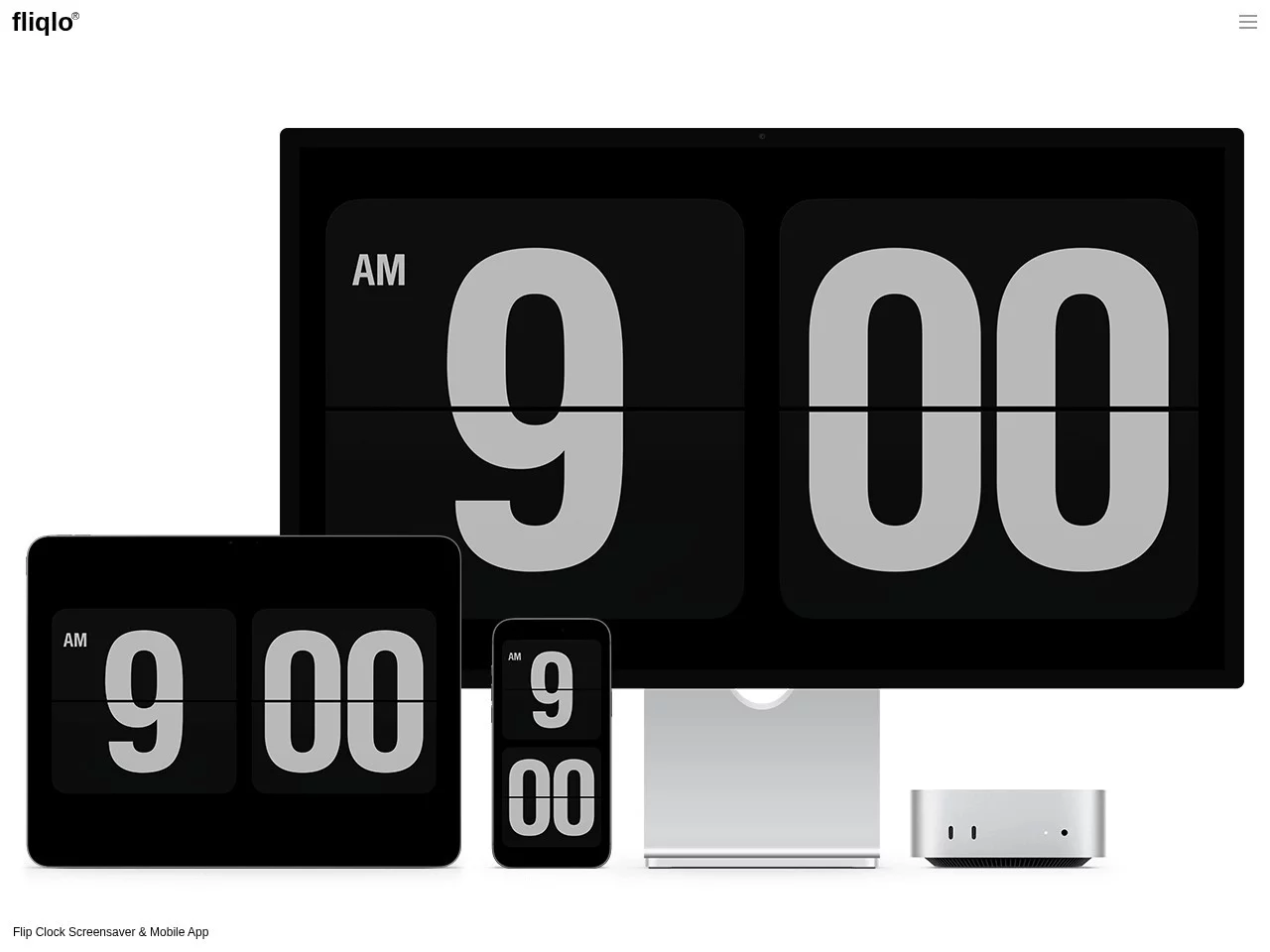
 Fliqlo Flip Clock
A minimalist flip clock tool designed for office settings
Official Website: https://fliqlo.com/
I spent ages messing around with office screen savers before — tried dynamic wallpapers, cartoon themes, even those that simulate spinning film reels. Either the animations made my eyes ache after a while, or they slowed my computer down so much I could barely open three documents at once. There was also a major flaw: to check the time, I had to lean right up to the centre of the screen. If a colleague across the desk asked for the time, I’d have to pause what I was doing and turn around, which was really disruptive. It wasn’t until I stumbled on this flip clock that I finally found something I liked.
I hit a few real pitfalls when I first started using it, so here’s a heads-up for anyone else:
The core advantage of this tool is that it’s perfectly suited to office settings with its **minimalist design** — no unnecessary frills. Open it and you get the standard flip effect, with numbers so large that even someone sitting across the conference room can see the time clearly when projected. It doesn’t slow down work like those fancy screen savers, and it doesn’t make your desk look messy. When running in the background, its memory usage is barely noticeable. I can have Photoshop, a browser, and an IM app open at the same time, and it doesn’t hog resources at all — this is so important for people who multitask at work.
Breaking down the features, most are practical details hidden away:
I’ve compared it to other similar tools, and the official version is incredibly **clean**. I tried a domestic flip clock before — the free version popped up ads every five minutes, changed my browser homepage to a promotional link, and left registry junk when I uninstalled it. There were also paid ones with similar features that cost a lot. This official version has no extra prompts from download to installation, no bundles, no pop-ups — it’s purely a **tool**, which is really rare.
There are a few small tricks to improve the experience when using it:
Finally, who is this for? It’s perfect for office workers — whether you’re a designer, copywriter, or admin, anyone who sits at a computer all day can use this. People who like minimalist styles and don’t want screen savers to distract them will also love it. But if you prefer personalised screen savers with weather, news, or extra features like alarms and timers, this might not be for you — it’s a pure flip clock, no extra features, built entirely for telling time and being minimalist.