
360 Desktop Assistant
360 Desktop Assistant, a lightweight tool to tidy up your cluttered desktop
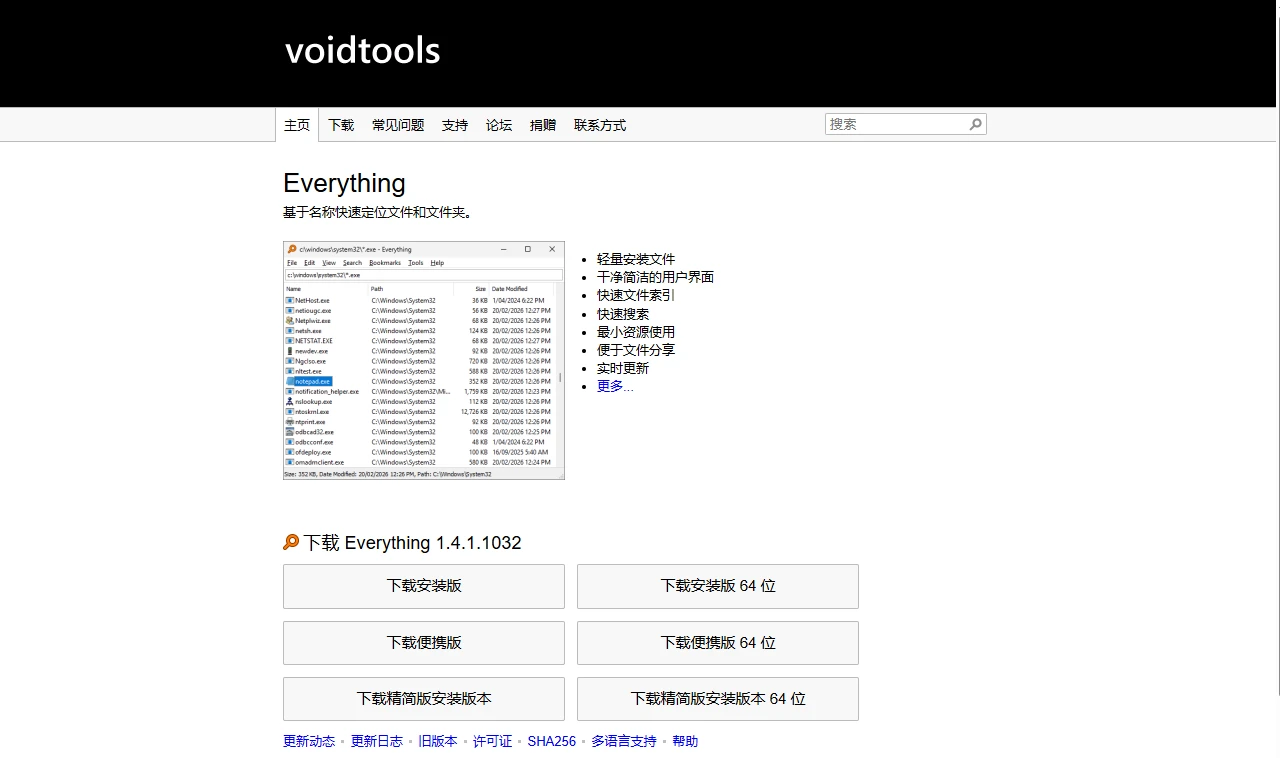
 Everything
Blazing-fast, ad-free file search tool Everything
Official website: https://www.voidtools.com/zh-cn/
The most frustrating thing about using a computer is finding files — a project document you’ve kept for ages gets renamed, and finding it again means digging through three or four folders; an installer you just downloaded gets casually renamed and is gone the next day; sometimes you only remember a specific keyword inside the file, and trawling the whole disk gets you nowhere. I tried Windows’ built-in search before — it was so slow it took half a minute to show results, which was maddening; and I couldn’t bring myself to pay for third-party tools. It wasn’t until I came across this tool that this headache was finally solved.
I hit quite a few pitfalls when I first started — all mistakes beginners tend to make: at first I thought it scanned the whole disk in real time, but I later learned it generates results based on the NTFS partition index, so it never needs to scan the disk at all — that’s why it’s so fast; I only knew how to type full file names and didn’t know how to use wildcards, so many similarly named files didn’t show up; to save trouble I downloaded it from a third-party software site, and after installing it came with pop-up ads, and it took ages to uninstall and clean up the leftovers; I also hadn’t enabled index permissions for my data drive, and after much fussing I still couldn’t search files on my USB stick.
Its most practical strength is being absurdly fast. I have tens of thousands of documents and plenty of materials stored, and typing a keyword (say, “contract”), results pop up almost as soon as I finish typing. Compared with the more than ten seconds Windows search used to take, the difference is really noticeable. What’s more, it’s completely free with no feature restrictions at all — both the installer and the portable version offered on the official website work fine. No need to look for cracks or pay for a membership, which is especially friendly for ordinary users.
Feature-wise, besides basic file name search, there are several details that hit the mark: the wildcard * matches any characters — I often search “*CV*.docx”, and my CVs turn up precisely no matter which subfolder they’re in; regular expressions suit more complex formats — for example, to find images whose file names contain numbers plus letters, regex rules are more flexible than just typing keywords; it supports case-sensitive matching — sometimes file names start with a capital letter, and turning it on distinguishes them so lowercase duplicates don’t creep in; the portable version requires no system changes and works straight from a USB stick — when the company won’t let you install new software, just plug in a USB drive and search, which is extremely handy.
Compared with similar tools, its advantages are very tangible: first, unbeatable speed — other tools either scan the disk in real time and slow your computer down, or update their indexes slowly (so freshly changed files can’t be found); this tool’s index is loaded once and kept in memory, uses hardly any resources after startup, and running in the background doesn’t affect your computer at all; second, completely free with no ads — many third-party tools have pop-ups in their free versions and lock core features behind payment, whereas this one is fully functional and free, and the version from the official website is clean, with no push notifications at all; third, tiny in size — the installer is only a few MB, smaller than many common plugins, and won’t take up extra disk space.
There are a few pitfalls to watch out for when using it, otherwise searches will be incomplete or go wrong: be sure to enable index permissions for every NTFS partition you use often — tick the drives you want to search under the “Indexing” option in settings, otherwise files on USB sticks and external hard drives won’t be found; never download it from third-party software sites — the official website is the only reliable source, and I’ve been burned before by bundled software from a third-party site and nearly installed junkware; don’t index the entire hard drive — it works, but takes up a bit more memory, so just indexing your commonly used partitions is enough; if there are too many results, add qualifiers, such as filetype:pdf to search only PDF files — it quickly narrows the scope so you don’t have to go through them one by one.
The people it suits are mostly office workers who handle large numbers of files every day, designers and programmers with lots of design assets or code stored, and people who switch computers often or don’t want to install software (the portable version is just too practical). It doesn’t suit those who use non-NTFS partitions, such as old FAT32-formatted USB sticks — in that case files can’t be found, and you’ll need to change the format or find another tool instead.