ModelScope Moda Community
ModelScope Moda is a domestic model API hosting platform
 AssemblyAI
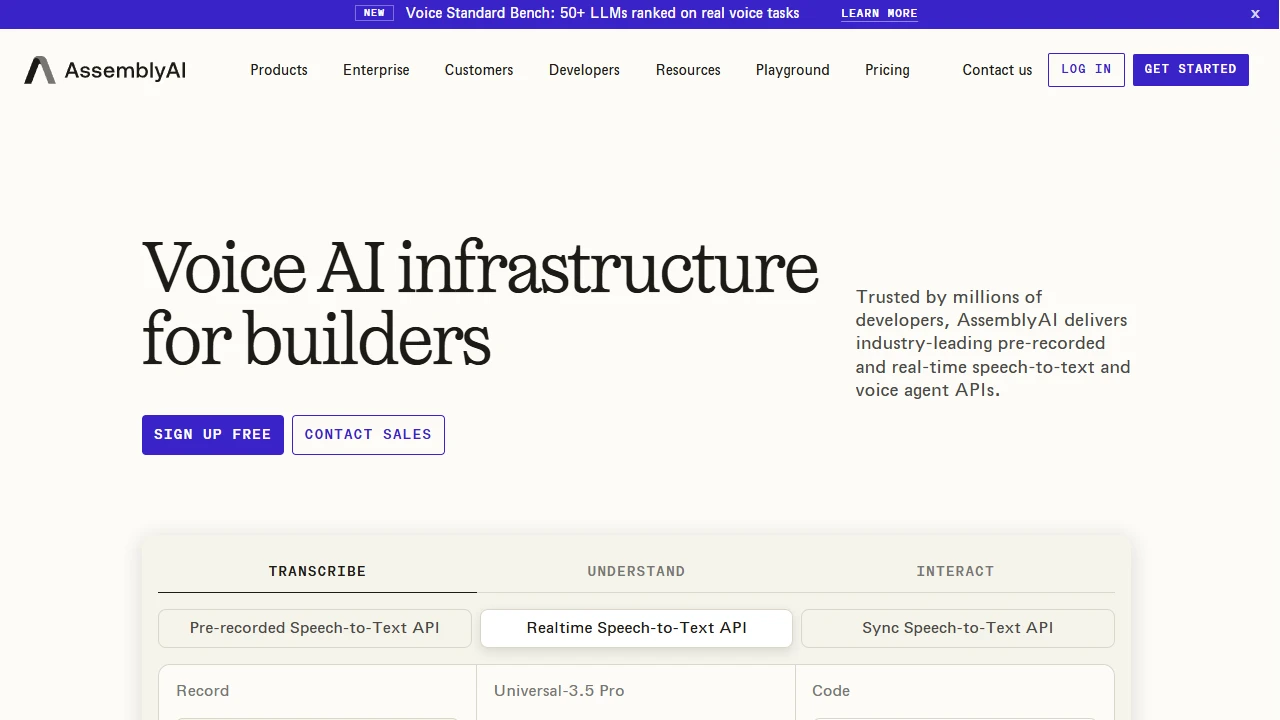
 is a highly accurate speech recognition transcription API tool
Official Website: https://www.assemblyai.com/
When I previously worked with interview-style audio content, I always ran into inaccurate transcriptions and mixed-up speaker labels. I tried quite a few tools — some only had an online transcription button with no batch processing, while others turned multi-person conversations into one jumbled mess, forcing me to split them manually into the early hours. Then I stumbled upon this tool, and finally felt I was heading in the right direction.
When I first clicked in, I was almost taken aback and thought I had landed on the wrong site — there was no flashy transcription interface, just straightforward API documentation, model lists, and call endpoints. It was nothing like those visual tools made for ordinary users. At first I thought it was only for top-tier developers, but later I worked out that it specialises in speech recognition APIs. It doesn’t offer a transcription page for individuals — all the core functionality lives in the backend API logic.
What impresses me most is its transcription accuracy, especially **speaker diarisation**. When other tools handle interviews with three or more people, they either label two people’s words as one speaker or miss speakers entirely. This tool accurately maps every sentence to the right speaker — even for audio with heavy accents or background noise, it can tell them apart, so you don’t have to redo much by hand. I once tested a four-person interview with slight indoor reverberation; after transcription, the speaker labels on every sentence matched the actual guests perfectly. Compared with the tools I used before, it saved me at least a third of the cleanup time.
For me, the practical aspects of this tool’s core features all lie in its developer-friendly details, such as:
Compared with other speech transcription APIs on the market, its advantages are genuinely practical — no flashy gimmicks, just design that solves real pain points. For example, some APIs from China tend to make errors when transcribing technical terms. I once used a certain tool on a tech interview, and it turned “算力” (computing power) into “算例” (calculation example) — an absurd mistake. This tool rarely makes errors like that. As for streaming recognition, some competitors have such high latency that they’re only suitable for post-processing after converting to files, whereas its real-time feature is better suited to livestream subtitles, on-site meeting minutes and similar scenarios. What’s more, its speaker diarisation is genuinely accurate — many similar tools can’t achieve such fine-grained distinction, especially in small-group conversations, where it almost never mixes up speakers.
Here are a few pitfalls I’ve fallen into — beginners should definitely take note:
The audience for this tool isn’t particularly broad — it mainly falls into two groups. The first is developers who need to integrate speech transcription into something else, embedding it into their own apps, websites or systems. The second is content producers who regularly handle multi-speaker audio, such as interview podcasts and meeting minutes, where post-transcription cleanup can save a great deal of time. If you just want to convert your personal recordings into text, it may not be the best fit, because the entry barrier is a bit high — a simple online transcription tool would serve you better. But if you need batch, accurate transcription, or want to integrate the feature into your own business, its advantages are especially clear. Of all the transcription APIs I’ve used, this is the one that best fits real-world needs.