
Leonardo AI
AI art generation tool designed for game creators
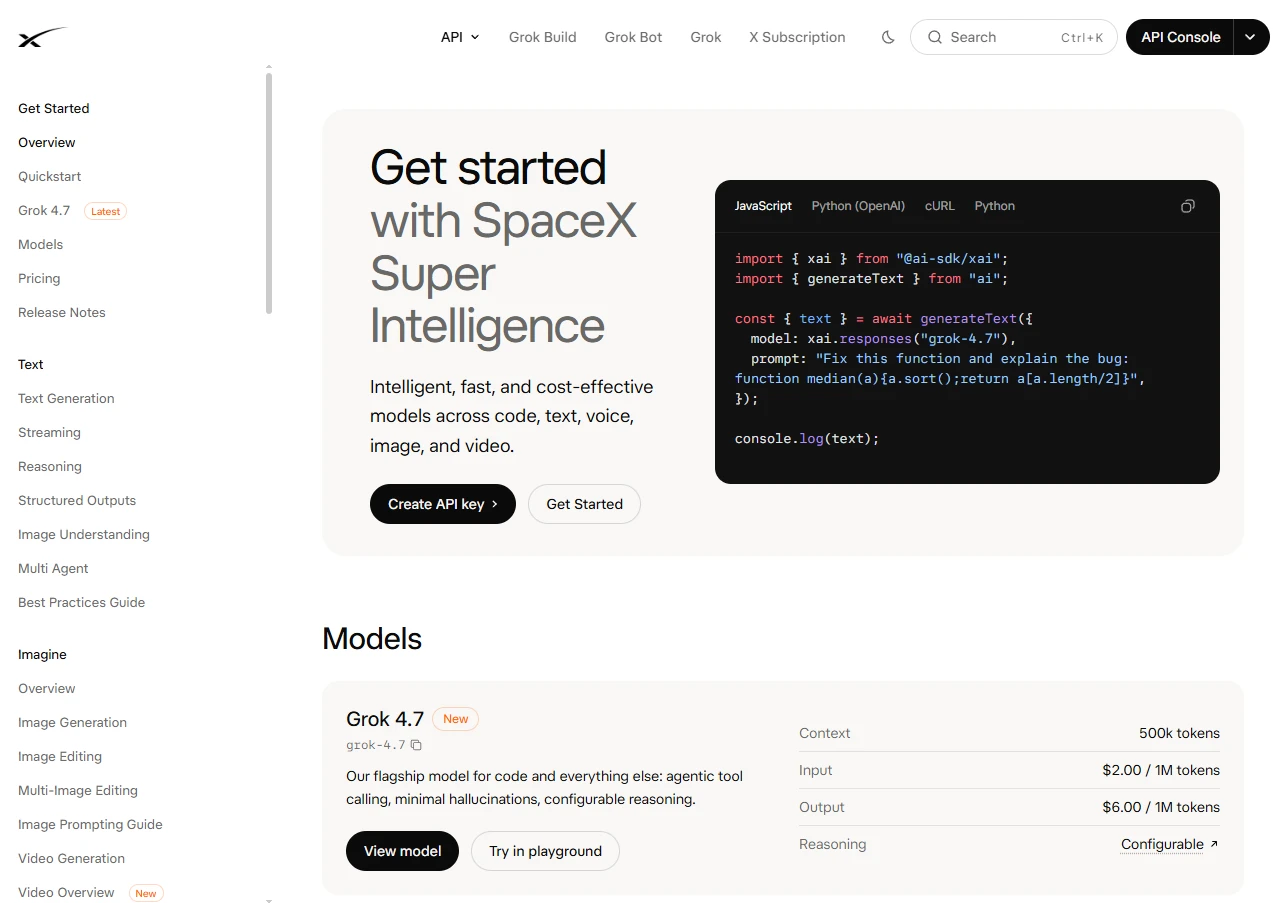
 xAI API
Practical Insights and Advantages of Using the Official xAI Grok API
Official website: https://docs.x.ai/
I work on organising content topics and often need to call AI models to help process bulk text and capture trending topics. I’ve switched between several APIs before—either the model’s knowledge is half a year old, so it can’t catch emerging niche topics, or the interface format is too niche, and I’d be modifying code until the early hours without it working. It wasn’t until I found this official API site that I found a truly practical solution.
When I first started using it, I almost got the entry wrong—I thought the official AI tool was just a chat page for ordinary people, with input boxes everywhere. I searched for ages to find where to initiate an API call, before realising that this site is dedicated to API interfaces, completely separate from those chat pages—this is the first beginner’s mistake; many people searching for the official API for the first time get misled by the chat entry. Another pitfall: I once went for a third-party-transferred Grok API to save money, and they claimed it supported all models, but when I used it, I found either the data was delayed by a day, or I didn’t have enough permissions to capture real-time X content. After a lot of hassle, I realised that resold APIs either have features stripped or hidden restrictions added, and beginners are easily fooled by such gimmicks.
When it comes to the core strengths of this site, first and foremost is that it’s an official direct API, not a third-party proxy—its stability is leagues better. I used a third-party API before, and it would often cut out mid-call, taking ten minutes to recover; this official one has hardly ever had such issues. Then there’s its Grok model, with the key feature of real-time data integration with the X platform—something no other API can match. Other large models only have a fixed knowledge cutoff, so you can only get data from before training, but this one can directly pull newly posted X content, hashtags, and trending topics. Last time I used it for topic selection, I caught a newly emerging niche lifestyle topic, almost three days earlier than with other models—for content creators who rely on traffic, that’s the difference between gaining followers or not. Another super practical point is that it supports OpenAI-compatible formats: code written for the OpenAI API can run with this one just by changing the endpoint and API key, almost no other modifications needed. I wrote a set of code for bulk content generation before, and switching models didn’t require rewriting the call logic at all—this saved me days of testing, which is a lifesaver for someone like me with average coding skills.
From actual use, this site’s functionality is designed purely for developers, with no unnecessary frills. For example, there’s a dedicated test interface page—no need to set up your own environment; you can just input parameters on the page to test directly. Last time I called real-time data, I just filled in the correct X hashtag format, clicked, and got dozens of the latest posts—no need to write complex request headers, even beginners can do it. The sample code in the documentation isn’t just empty official stuff; it’s tailored to different scenarios, like bulk topic selection, real-time content processing, and bulk tweet generation. I just took the bulk topic selection example, modified the parameters, and used it—saved so much time figuring things out. The error code explanations in the documentation are also very detailed: last time I typed an extra quote when entering parameters, it returned the corresponding error code directly, and I could find the solution by clicking on it—no need to hunt for outdated tutorials online.
Compared to other similar platforms, this site’s advantages are really clear. For example, general large model APIs don’t have real-time X data and have early knowledge cutoffs, so they can’t catch current trends at all; platforms that only connect to X data don’t have AI content processing capabilities, and you have to import X data into the AI model yourself—an extra step; third-party-transferred Grok APIs either have strict rate limits, are easily blocked, or charge extra proxy fees, making them more expensive than the official one. This official one has no proxy, direct calls, compatible formats, low development cost, and high stability. Though you might hit request limits sometimes, the official documentation clearly states the rate limit rules—just adjust the request frequency, and the service won’t suddenly cut out.
The people who should use this site are very clear: first, content operators who need to capture real-time trends; second, small tool developers who need AI interfaces; third, people with average coding skills who don’t want to modify too much logic; fourth, those who want to use Grok’s official capabilities without hassle. If you need to do highly customised model fine-tuning, this might not be suitable—this is an API interface site, not a model fine-tuning platform; you need to find a dedicated model fine-tuning site, don’t mix up your needs. Also, the basic requests on this site are included in regular use, no extra wasted money, no hidden fees—this is very fair, unlike some platforms that are cheap at first but add all kinds of hidden charges later.
Actually, most people look for APIs for stability, ease of use, and no hassle—this official site hits all those points perfectly. I now use it for almost all my AI API calls, no more wasting time on third-party pitfalls, and I can focus on content or product development—this is what really matters. If I occasionally run into small issues, I can solve them by checking the official documentation, no need to ask others for help, which saves a lot of energy.