AD Recommendation
Join Now
Important: Please do not trust the content and ads of various websites easily! Recommended reading: Safety Tips
Iconbuddy
Scan to visit on your phone
4wks agoupdate 743 00
0

IconbuddyIconbuddy

Open-source free SVG icon resource website


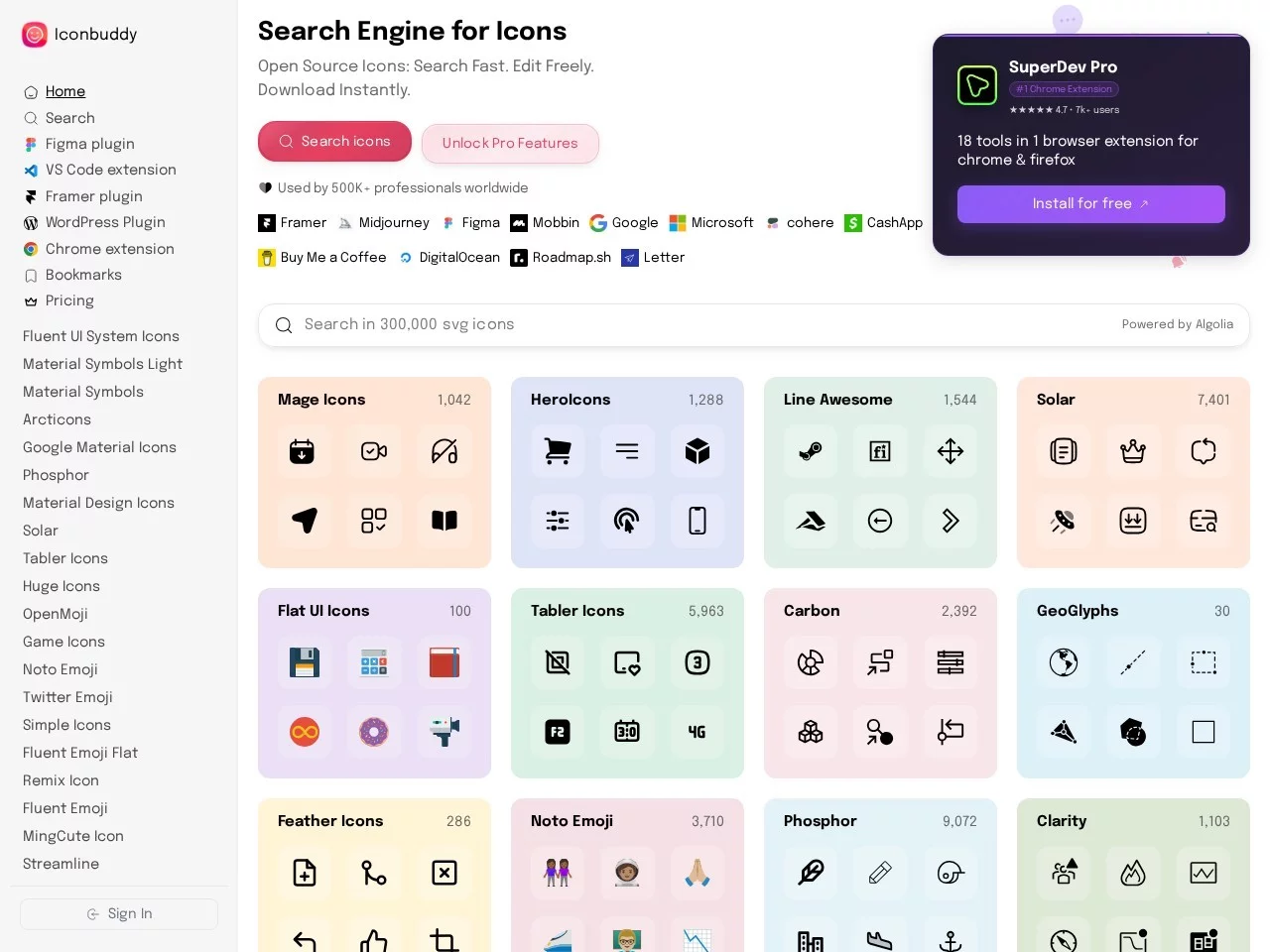
Screenshots

Iconbuddy

Finding icons doesn’t mean jumping between websites anymore; this aggregated library is really good as tested

Whether you need a settings icon for a webpage, a flow diagram for a document, or style-consistent decorative elements for a poster, one annoying task always gets in the way of these small jobs: where to find high-quality icons that are safe for commercial use. I’ve made many mistakes before — either the icon styles were messy and mismatched, or commercial use required payment. It wasn’t until I used Iconbuddy that I cut the time spent finding icons from over ten minutes to just a few seconds.

Official website: https://iconbuddy.app/

No need to browse through dozens of websites — this platform integrates resources from over 150 open-source icon libraries into a single search entry. With more than 200,000 SVG icons available on demand, you can search right away without registering or logging in, saving you the hassle of creating an account.

Figure out your needs first

Don’t start searching blindly — clarify the details of the icons you need first, and it will be much faster. For example, if you want linear-style blue chart icons, simply tick the corresponding filters, and the results will immediately narrow down to your target range, no need to go through dozens of pages one by one. I once helped a colleague design a webpage navigation bar, and with this combination of filters, I found all five required icons in three minutes.

Another easily overlooked point: different scenarios require different icon formats. For front-end development, use SVG (it won’t distort when scaled); for document illustrations, use PNG (it can be inserted directly); for web pages, use WebP (fast loading and clear). Iconbuddy allows direct downloads of these formats, no need to convert. If downloading is a hassle, you can also copy the code snippet directly and paste it into your project to use, saving the import step.

Five daily use cases

I’ve compiled several scenarios I use regularly, and they all work perfectly with Iconbuddy as tested.

  • Web interface design: Icons for navigation bars, buttons, and form states with consistent style, no need for repeated adjustments;
  • Mobile app development: SVG source files can be directly embedded into projects, remaining clear when scaled regardless of screen resolution;
  • PPT slide creation: Semantic small icons for text paragraphs, making information hierarchy clear at a glance;
  • Poster and graphic design: Adjust icon colours, add gradient backgrounds, and integrate into the overall design style;
  • Product documentation and prototypes: Copy code to use directly, no need for placeholder graphics, making presentations look more professional.

For teams, another benefit of using this platform is avoiding rework due to inconsistent icon styles. Previously, when our team worked on a project, some used icons from Site A, others from Site B, and it took days to adjust the style later. Now, getting icons from here uniformly saves a lot of time on repeated design.

Adjust as needed to fit project style

Sometimes the colour or style of a found icon doesn’t match the project — no need to redraw it, you can modify it directly here. You can adjust the icon’s colour, change the background, and use gradients, so you can quickly create several colour versions of the same icon to fit the brand’s VI requirements.

For Figma, the design tool I use regularly, there’s a dedicated plugin here. No need to switch between the browser and design software — search in Figma and drag directly to the canvas, making the design iteration process much smoother. It’s also easier for developers, reducing friction between design and implementation, no need to worry about format issues.

No pitfalls for commercial use — quick answers to common questions

The biggest concern for commercial icons is copyright — all icons here are open-source, free to use for both commercial and non-commercial projects, with no hidden fees or extra licensing required. However, note that open-source doesn’t mean no boundaries; it’s safer to check the corresponding open-source license before using icons in important projects.

  • Do I need to register an account to download? No — search, preview, and get icons right on the website, zero threshold;
  • How large is the icon library? It includes over 150 open-source icon libraries, with a total of more than 200,000 icons;
  • What formats are supported for download? SVG, PNG, WebP are available, and you can also copy the code directly;
  • Can it be used with design tools? There’s a Figma plugin, so you can call it directly during design.

I later recommended this platform to friends who work in design and development, and they all said that the time previously spent finding icons can now be used to complete two more functional modules — the saved time is more valuable than anything else.

Relevant Navigation

No comments

You must be logged in to leave a comment!
Login immediately
none
No comments...