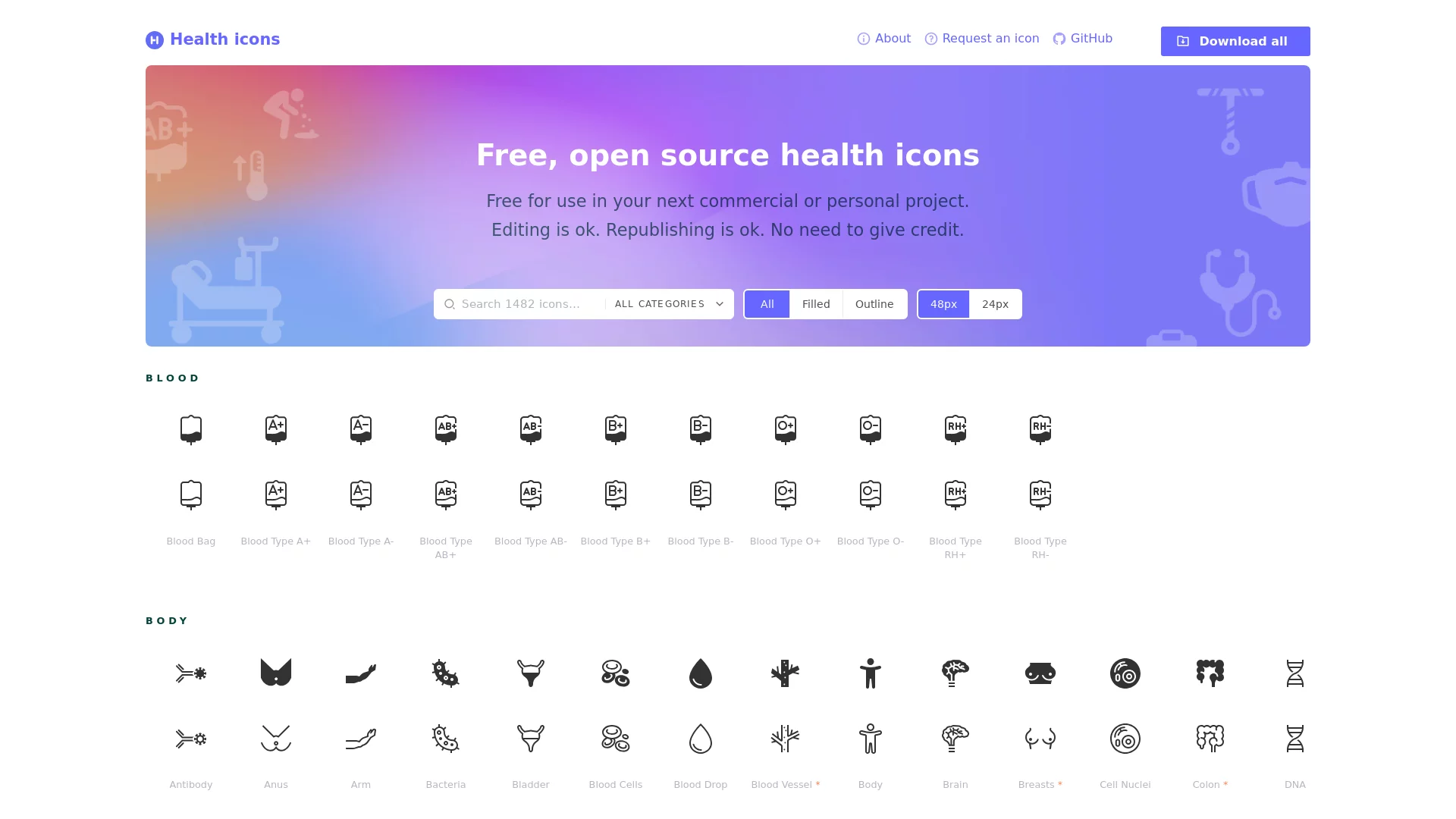
Healthicons"Healthicons" is a resource library focused on icons related to the health and medical fields. Its icons are beautifully designed with a consistent style, suitable for me...
Screenshots
What Is Healthicons: A Free Icon Library Built for Medical Digital Design
Official website: https://healthicons.org/
Designers working on medical projects often run into an awkward situation: general-purpose icon libraries either lack specialised elements such as blood types and medical equipment, or come in wildly mixed styles with vague licensing terms. Healthicons fills precisely this gap — it is a professional icon resource library dedicated to the medical and healthcare field, currently featuring 1100+ icons exclusive to the healthcare industry. Covering medical websites, mobile apps, printed materials and more, it provides stable visual support for digital design in the medical field.
No commercial company stands behind this project. Healthicons was jointly created and is maintained by a team of volunteers, and is hosted by the non-profit organisation Resolve to Save Lives. Positioned as free, open-source public domain resources, it aims to provide barrier-free visual assets for health projects worldwide. It is precisely this public-interest nature that makes its licensing far more permissive than most commercial stock sites.
Resource Overview: Which Medical Design Scenarios Do the 1100+ Icons Cover
Opening the Healthicons official website, the most immediate impressions are clear categorisation and effortless searching. Icons are organised by function, and common search directions include:
- Basic medical elements: frequently used foundational assets such as blood types and body parts;
- Professional equipment and tools: graphics for clinical and laboratory scenarios, such as medical devices and diagnostic instruments;
- Specialised scenario assets: icons commonly used in health education and patient communication, such as emotional states and medication types.
In terms of file formats, each icon comes with two download options: transparent PNG images and SVG source files. The former is ideal for quickly dropping into documents, web pages or presentations, while the latter makes it easy for designers to edit further in vector software and scale without quality loss — covering everything from on-screen display to print output.
Three Styles for Both Light and Dark Interfaces
Considering that real products often ship with both light and dark themes, Healthicons prepares icons in outline, fill and negative styles. Together with the fill and line styles it already offered, designers can call on icons in either light or dark interfaces without repeatedly adjusting colours and strokes by hand, making project visual consistency easier to control.
Licensing and Access: Free for Commercial Use, Download Without Registration
Asset licensing is often the most easily overlooked compliance risk in design projects. Healthicons is completely reassuring on this point: all icons are free for commercial use, with no licensing fees whatsoever. Both personal learning and commercial projects can use them with confidence, genuinely cutting asset costs for medical projects.
The acquisition process is equally lightweight. The official website lets you download icon assets for free without registering an account, sparing you the tedious steps of registration, login and credit redemption typical of traditional stock sites. For teams racing against deadlines, this “search and use” experience is noticeably friendlier.
Efficiency Boosters: Figma Plugin, Documentation and Sample Code
For UI designers who work primarily in Figma, Healthicons provides an official Figma plugin, so the entire icon set can be searched and used directly inside Figma. There is no need to switch back and forth between the website and your design tool, and component-based icon management becomes much smoother, noticeably boosting overall design efficiency.
For developers and newcomers, the official site also provides detailed usage documentation and sample code. Front-end developers can refer straight to the examples when embedding SVG in web pages or controlling icon size and colour, smoothing the path from design mockup to code — both designers and developers can get up to speed quickly.
Target Users and FAQs
Judging by real-world use cases, the following types of users stand to benefit most from Healthicons:
- Medical app and website designers: who need health icon systems with a consistent style that fits the industry context;
- Health education content creators: who need clear, easy-to-understand visual symbols when producing illustrated articles, booklets and posters;
- Medical researchers and report writers: who want to add industry-specific graphic elements to their research report visualisations.
Quick Answers to Common Questions
Is Healthicons paid? Can I use it commercially? It is completely free, and as a public domain resource it supports free commercial use — both personal and commercial projects can use it without paying any licensing fees.
Do I need to register an account before downloading? No. The official website lets you download both PNG and SVG formats directly without registration.
Do the icons work on dark interfaces? Yes. Icons come in outline, fill and negative styles; for dark themes, try the negative (colour-inverted) version first.
Whether you are building an interface for an online consultation platform, designing community health leaflets, or adding visual diagrams to a medical research report, Healthicons offers reliable support with its consistent, polished visual language. For design and development teams long rooted in the medical and healthcare field, adding it to your go-to asset list is a practical choice.
Relevant Navigation
HQ ICON
EpicIcons