logosandtypesA website dedicated to introducing and showcasing brand logos, aiming to provide designers and brand enthusiasts with a wealth of resources and inspiration
Screenshots

When inspiration runs dry, why are more and more designers opening logosandtypes?
Everyone in brand design has been there: the project brief is on the desk, the client keeps stressing “it must be distinctive”, yet after searching through your bookmarks you still can’t find a reference that hits the mark. logosandtypes is a professional platform built precisely to solve this problem — it focuses on showcasing and sharing brand logos, gathering logo cases from around the world worth studying into a single site, so that designers and brand enthusiasts alike can find benchmark examples here and draw creative nourishment.
Official website: https://logosandtypes.com/
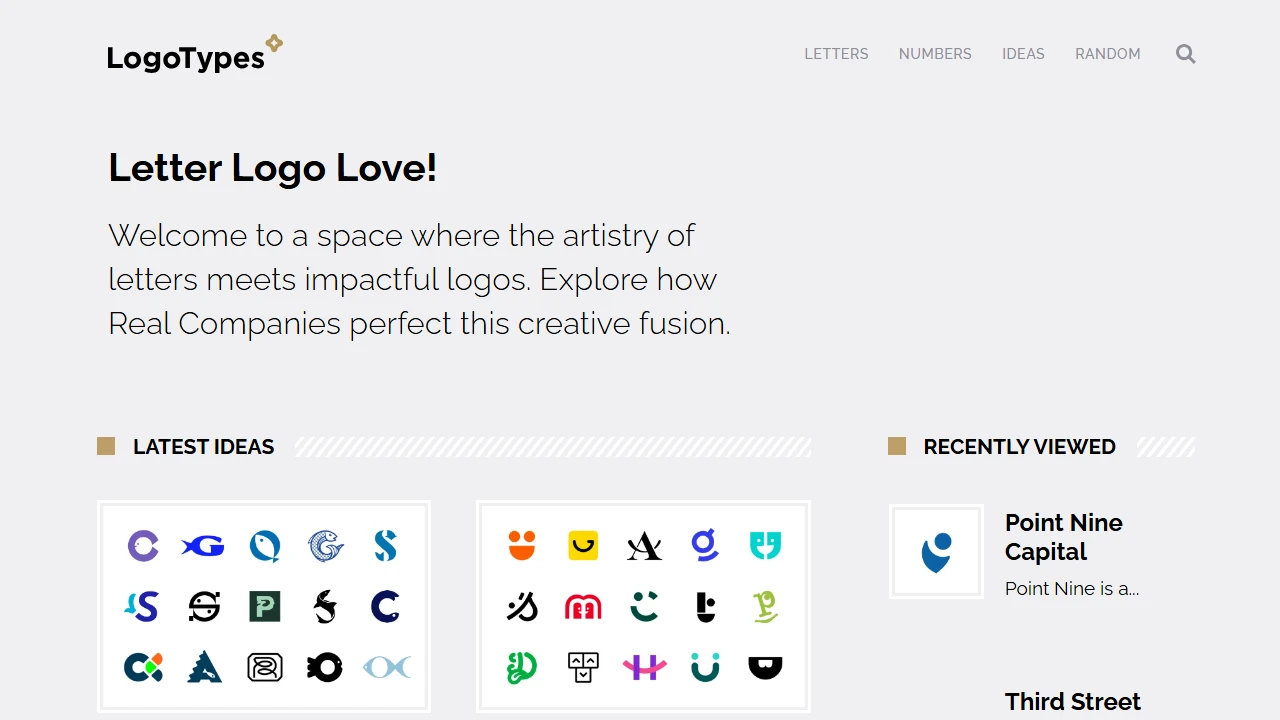
Unlike general design news sites, the value of logosandtypes lies in its focus and depth: focus, because it only covers the vertical field of brand logos; depth, because every case comes with background information worth digging into, rather than being just an isolated image. The homepage presents high-value, up-to-date logo works from around the world in a clear, well-organised layout, so you can get straight into browsing the moment the page opens.
Precise search across five dimensions: no more leafing through pages and hoping for luck
The worst flaw of inspiration sites is being “pretty but impractical” — no matter how many cases they hold, if the search isn’t precise, all you ever scroll past is content unrelated to your project. logosandtypes has put real effort into its categorisation system, allowing users to search from multiple dimensions:
- By industry: lock straight onto logo cases from the same industry as your current project, making the reference value more focused;
- By region in China: designers who care about the visual expression of local brands can filter by region and observe the logo styles of brands across different areas;
- By designer: if you like a particular designer’s style, follow the trail and study their logo work systematically;
- By design agency: track the output of well-known design studios and see the standards of top teams;
- By colour: once the brand’s primary colour is set, search along the colour dimension to quickly check whether your colour direction is viable.
This classification logic fits real workflows: after taking on a project, designers usually already know the industry, the colour palette, even the list of competitors. Multi-dimensional search matches exactly this practical need of “hunting for references with conditions in hand”, turning aimless page-flipping into targeted, efficient locating.
More than “looking at pictures”: understand the design logic behind the logos
Every case is a miniature history of brand evolution
On logosandtypes’ logo detail pages, a work is never just a lone image. Each logo comes with detailed descriptions of the design thinking and its evolution — why was the logo conceived this way? What iterations did it go through as the brand developed? This background information takes you from “seeing a good logo” to “understanding why it’s good”. For designers who want to sharpen their originality, this process-oriented content is far more valuable for learning than finished images.
Real-time updates that keep pace with industry trends
Brand visual trends change fast — flat design, gradients, minimal lines… a new direction emerges every so often. The platform continuously publishes the latest brand logo design updates, helping designers stay sensitive to where the industry is heading. Browsing these updates regularly lets you cite the latest cases to back up your points in presentations, and keeps your own work from falling behind current aesthetic trends.
Free SVG vector file downloads: put inspiration to real use
For designers, a reference case is worth far more if it can be used directly for work validation. logosandtypes offers a free download service for high-quality vector graphics; the SVG format scales losslessly and can be used directly by designers in all kinds of projects.
This feature is especially useful in several scenarios:
- During competitor analysis, download similar brand logos for side-by-side comparison to map out the industry’s visual language;
- When preparing presentation decks, use the vector files to ensure a crisp, polished display;
- When studying, import outstanding logos into design software to break down their structure and understand how the graphics are constructed.
Save the hassle of hunting for vector sources all over the place, and your work efficiency will naturally rise.
Usage tips and common questions
Who is this platform for?
Three groups benefit most: first, brand designers and graphic designers, who can use it as a daily inspiration library and case-study tool; second, entrepreneurs and brand managers, who can browse the platform’s cases before commissioning a logo to clarify their aesthetic preferences and industry conventions; third, design students, who can systematically learn the methodology of logo design through the evolution story behind each logo.
How to browse more efficiently?
- Start by browsing by industry to build an overall sense of the visual styles in your target field;
- Once you’ve picked a few directions of interest, go into the detail pages to study the design thinking and evolution;
- When you need hands-on validation, use the free SVG download feature to get vector files;
- Make a habit of returning regularly and following the platform’s real-time trend updates to keep your information fresh.
A good reference isn’t for imitating, but for understanding the patterns and calibrating your direction — and that’s exactly the kind of “deep-read” case resource logosandtypes provides.
From a precise category search entry point to a ready-to-use vector file, logosandtypes has thought through every step of brand logo research. The next time inspiration stalls, drop by https://logosandtypes.com/ — perhaps that eye-catching idea is hiding in one of the case detail pages you happen to click open.
Relevant Navigation
DiceBear
IconScout
Iconfinder
Seeklogo