
硬件茶谈
Hardware Tea Talk shares practical animation tutorials for beginners building PCs
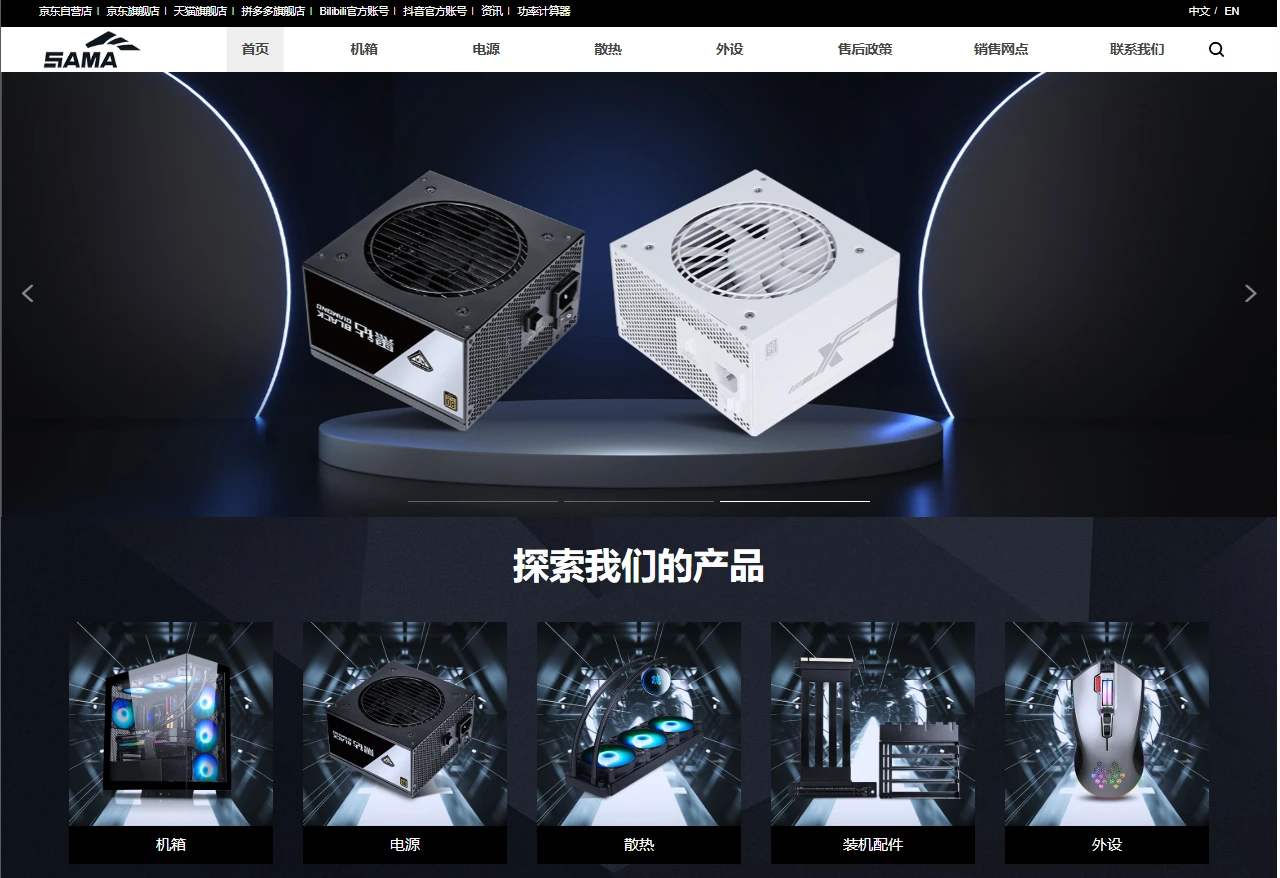
 SAMA
The SAMA official website provides reliable component information for PC builders
Official website: https://www.sama.cn/
In all my time building PCs, most of the pitfalls I’ve stumbled into have come down to details that seem insignificant — buying a graphics card that wouldn’t fit the case I’d chosen, burning out a USB port while wiring the front-panel headers, mixing up the inlet hose for the outlet when installing a liquid cooler. In the end I’d waste ages contacting customer service or searching online for outdated information. It wasn’t until I found this official website that I realised all those pitfalls could actually have been avoided.
The most common mistake beginners make when building a PC isn’t overspending on the config — it’s looking up the wrong information. For example, when I first started building, I searched “case GPU compatibility” on third-party forums and scrolled through dozens of pages of other people’s build logs. Either their case model wasn’t the one I’d chosen, or the graphics card had a fan thickness that was never mentioned. I ended up picking a trendy case, and when my triple-fan card went in it fell a centimetre short — I had to crouch on the floor unscrewing the drive cage and fiddle about until the early hours. A friend of mine once downloaded a generic manual from a cloud drive and connected the front fan to the USB pins, so the fan wouldn’t spin and the PC hung at boot with no clue what was wrong.
The most useful thing about this official website isn’t the flashy product pages used to sell things — it genuinely solves real problems in PC building. For instance, if you buy any of their cases, power supplies or even cooling fans, you can search the model number and find the corresponding PDF manual — not one of those generic versions where they just slap a different cover on. I once bought a mid-tower case, and the manual on the official site had dedicated chapters on fitting a tower air cooler and connecting the front fans, with a written label for every single pin on the front-panel header. No more guessing from pin numbers, and no more reboots caused by wrong connections.
Besides the manuals, the specs on the official site are more honest than other platforms too. For example, I once bought a case from a third-party seller advertised with a “max GPU length of 350mm”, but when it came to the actual build, the internal drive cage took up so much space that even a 340mm card wouldn’t fit. The compatibility figures on this official site, by contrast, are genuine in-house measured values: it clearly states “maximum GPU length (including the I/O bracket)” and notes whether the drive cage takes up space. The cooler height limit is also spelled out as the total height including the fan, so you don’t have to estimate anything extra — that saves a lot of hassle.
I’ve compared the official sites of other brands in the same category, and the attention to detail here really is different. Some brands use a one-size-fits-all manual: whether you buy a case costing just over 100 yuan or one costing several thousand, the content is almost identical apart from the product cover, and the pin positions in the wiring diagram never change — beginners are still left confused. On this official site, however, the wiring diagrams for the same model are slightly adjusted between different batches, because some component suppliers change and you have to match your own batch to avoid fitting things wrongly. I once bought two SAMA 80 Plus Gold power supplies, and the PCIe cable positions on the second one differed from the first — the manual on the official site had been updated accordingly. That’s really reassuring.
Of course, this official website isn’t all-powerful. If you simply want to buy a case or a power supply, for example, the entrance to its shop is tucked away rather deep, and many people browse for ages without finding it. Also, its download section only covers the brand’s own products — you can’t find anything from other brands, which may not be very friendly for those looking for cross-brand information.
If you’re one of these people, this official website will be especially handy: first-time builders afraid of connecting the front-panel headers wrongly or fitting the wrong hardware; those looking to upgrade their graphics card or cooler but worried it won’t be compatible with their existing case; anyone who has lost the manual for their case or power supply and can’t find the wiring diagram; and those who don’t want to be taken in by sales patter and want hard, verifiable specs. If you’re just browsing the tech scene for memes, or looking for information on other brands, this official site probably won’t help much.