Ventoy
Ventoy is an efficient auxiliary tool for installing operating systems via USB drives
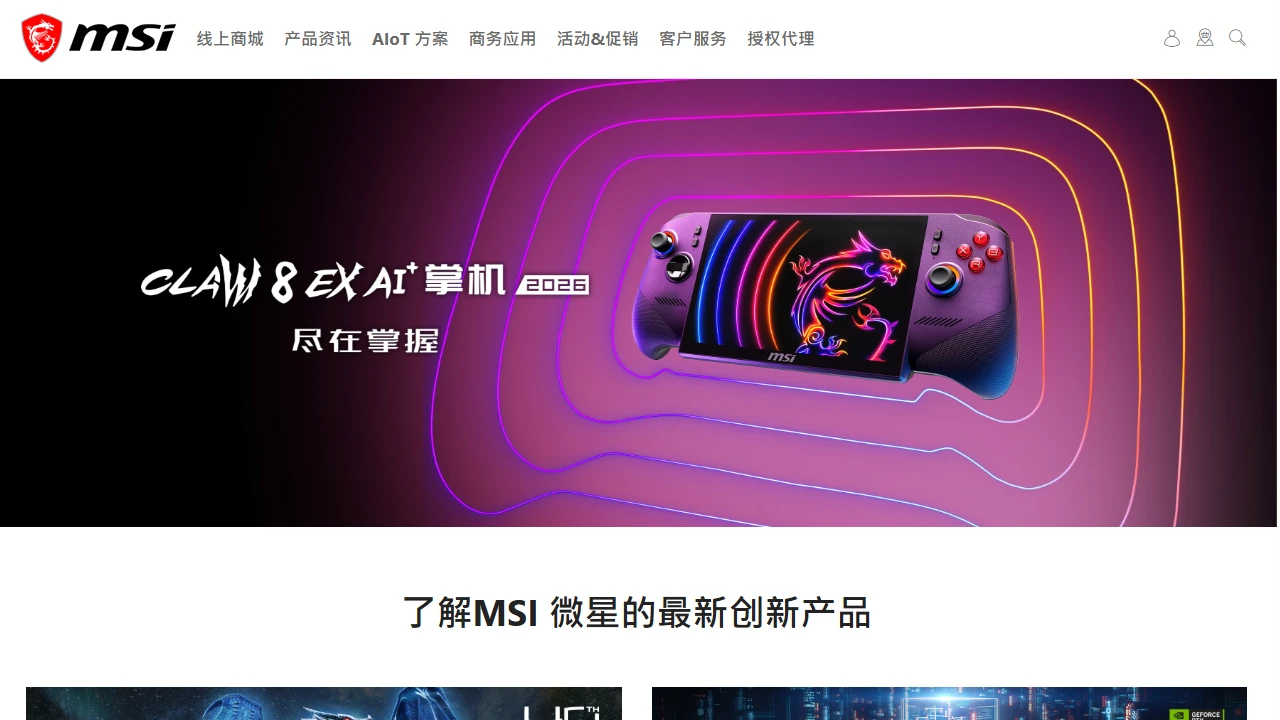
 MSI
MSI official website helps DIY PC builders avoid compatibility and genuine product pitfalls
Official Website: https://www.msi.cn/
When I built my first PC on my own, I was completely lost. Back then, I just wanted a rig that could run mainstream games, so I browsed e-commerce platforms. One moment I saw a cheap graphics card, the next a discounted motherboard. When I finally bought them, I found the motherboard’s PCIe version was incompatible with the graphics card — I couldn’t overclock at all, and it wasted several days.
Later, a friend who knows about hardware told me that among board and card brands, MSI is one of the top-tier ones, reliable enough, and advised me to check its official website for reference, which finally helped me sort things out.
After more exposure, I found many new PC builders make several common mistakes:
I was the same at first, thinking the official website only had high-end gaming components costing tens of thousands of yuan, with no options suitable for ordinary people, and missed out on many useful features. In fact, the most practical part of MSI’s official website is the details it has for DIY PC building — it’s not just about selling products, but really helping you solve the troubles of building a PC.
The core is the **Component Compatibility Certification Program**. I used this feature before: when choosing a motherboard, it directly shows compatible graphics cards, memory, and power supplies — no need to check parameters one by one, saving a lot of trouble. Also, its product lines are not randomly piled up, but graded by positioning: from entry-level office motherboards to high-end gaming overclocking motherboards, it’s clear at a glance, so you won’t get overwhelmed.
In daily use, the two features I use most are: one is the compatibility check below the product page — no need to find a separate tool. Open the motherboard page, scroll to the bottom, there’s a small button. Input the graphics card model, or vice versa, and you can see if they are compatible, even with power supply wattage recommendations. This really saves a lot of effort.
The other is the direct sales mall. I bought my new power supply here later, no need to worry about counterfeits — you can check the serial number when unboxing, which is reassuring. I bought a power supply on another platform before, but it broke down soon after use. The one I bought from the official website has no issues so far. For after-sales, you don’t have to go through multiple channels — just apply for a repair via the official website, the process is smooth.
Compared with other motherboard and graphics card brand official websites, MSI’s advantages are obvious. For example, some brands’ compatibility tools require you to input a bunch of parameters, like motherboard model, graphics card model, and also select memory frequency — beginners can’t understand that at all. MSI’s is much simpler: no need to fill in too much information, just select products to query, it’s clear at a glance, even first-time builders can operate it.
Some other brands’ official websites only promote high-end products, with very vague parameters for mainstream models, making it impossible to know if they are worth it. MSI’s official website writes details of every mainstream product clearly, like the number of power phases and heatsink size of motherboards, in terms ordinary people can understand, not just jargon that’s hard to grasp — it feels very reliable.
Of course, there are things to note when using it. First, don’t click on pop-ups on the official website randomly. I clicked on one before, it was selling gaming peripherals, completely unrelated to motherboard and graphics card parts — I almost made a mistake, thinking it was an accessory for the components.
Then, the compatibility check entry is quite hidden — not in a prominent floating button, you have to scroll to the bottom of the product page to find it. Beginners might take some time to locate it, it would be better if the official website made this entry more visible.
Also, never take the bait of buying the same parts as the official website on third-party platforms. The official parts are not the cheapest, but after-sales is really reliable. For example, a friend bought memory on a third-party platform, it broke down soon after, while the one bought from the official website has over a year of warranty, much more reassuring.
Also, when buying a pre-built PC from the official direct sales, make sure to check the configuration details carefully — don’t let them replace parts with downgraded ones from the same series. For example, if you want DDR4 3600 memory, don’t let them replace it with 2666. Although they are the same series, the performance difference is huge. I almost got 2666 instead, so I added a special note to keep the configuration I wanted.
The official website’s DIY section has PC building tutorials, but don’t trust them all. Many are for high-end gaming builds, beginners should look for dedicated entry-level PC building guides, otherwise you won’t understand the overclocking steps, which is unnecessary to add burden to yourself.
If you come across niche parts not marked on the official website, don’t force them. It’s better to spend more time checking compatibility than buying parts that don’t fit — wasting money and time.
Speaking of suitable people, it’s quite clear: beginners who build their own PCs, those worried about compatibility issues, those wanting genuine parts, or those looking for reliable PC building references. Using this official website really helps avoid many pitfalls. Those not suitable are people who only look for second-hand parts, or only focus on ultra-low prices, or those who do niche DIY and only use obscure parts — the content on this official website may not fit their needs, and can’t meet their special requirements.
In short, for ordinary PC builders, these features on MSI’s official website are much more reliable than browsing third-party platforms randomly, at least helping avoid many unnecessary detours.