
Huntkey Power Calculator
The Huntkey official power consumption calculator helps you choose the right PSU for your build
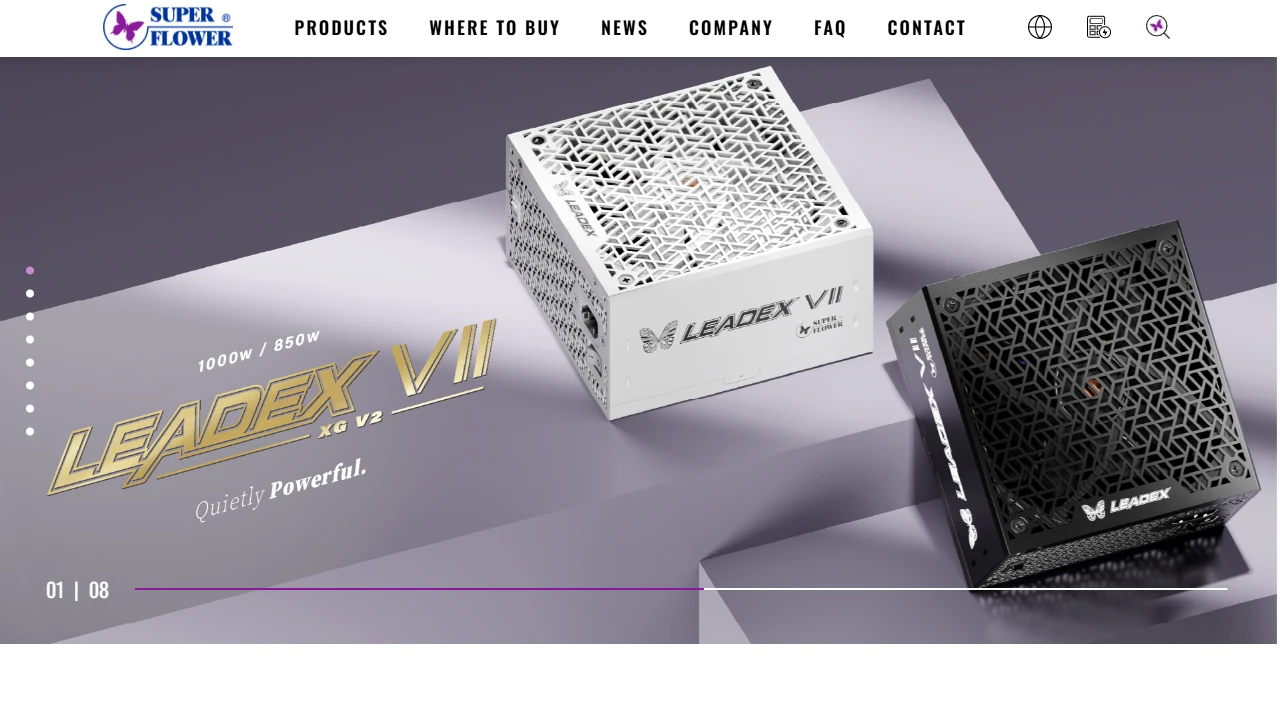
 Super Flower
's Official Website is a practical reference platform for DIY PC building
Official Website: https://www.super-flower.com.tw/
When I was building a high-performance gaming PC, I got stuck on choosing a power supply for a whole week. Either the “full-modular gold” power supplies that e-commerce customer service staff swore by had false wattage ratings, or review channels that took money from manufacturers only praised high-end models, making it impossible to figure out exactly how much power my configuration needed, and I was even more afraid that the power supply would fail and damage the motherboard and graphics card. Later, I accidentally found this website, and realized it was completely different from those e-commerce pages full of pop-up ads — all the original factory parameters were accurate, there were no fancy promotions, and it was really a reference for DIY users.
Newcomers who first visit are likely to fall into several traps:
The core practical value of this site is the authenticity of its power supply parameters. Many e-commerce pages mix up “rated power” and “peak power” to play word games, but here all are solid rated parameters without vague processing. For example, when I wanted to choose an 850W power supply, other brands might mark 900W as peak power, but here it honestly writes rated 850W, and also marks the current value of each 12V rail — this is the core of the power supply’s stable output, and also the point that ordinary users most easily ignore. Moreover, the official website is unambiguous in marking materials, such as which model’s main capacitor is made in Japan, and the specific microfarad value, all these details are written out, which is much more reliable than the empty words of those review channels that only praise “solid materials”.
Among the detailed functions, the ones I use the most are filtering and comparison. For example, my PC chassis is MATX form factor, and I need a power supply with 24PIN cable length of 60cm. I just checked “full-modular”, “rated 850W”, “Gold certification”, and “cable length 60cm” in the filter bar, and the models that meet the requirements popped up instantly, without having to flip through the long detail pages one by one. There is also the model comparison function. At that time, I was torn between G850 and T850 of the LEADEX series. After comparison, I found that the T series was indeed more efficient, but the price difference was enough to buy an extra set of cooling fans. Considering that I rarely run games at full load, I finally chose the G850, which is just enough for daily use, saves money and does not affect stability. Later, when I was looking for a chassis, I found that this site not only has power supplies, but also accessories such as chassis and cooling fans. Moreover, the parameters of these accessories are as detailed as those of power supplies. For example, the motherboard types and number of PCIe slots supported by the chassis are clearly marked, unlike some e-commerce pages that only mark “compatible with full-size motherboards” without writing the specific internal dimensions.
Compared with similar platforms, the advantages of this site are too obvious. The product pages of those mainstream e-commerce platforms are full of pop-ups of “limited-time offers” and “discount activities”. The parameters are hidden at the bottom of the detail pages and need to be scrolled for a long time to see, and they will deliberately promote models with high profits, rather than recommending from the user’s perspective. Needless to say, many review channels have taken money from manufacturers, and only praise their own high-end series, without considering the budget and actual use scenarios of ordinary users. This site is the official website of the original factory, with no ads and no bias. All parameters are open and transparent, and even the warranty policy and after-sales outlet information are marked in detail, so you won’t be unable to find someone for warranty after purchase.
Tips to avoid traps when using: First, don’t casually refer to the “PC Build Power Guide” attached to the official website, which is for conventional non-overclocking configurations. If both your CPU and graphics card are overclocked, you need to add about 100W of power. For example, my overclocked processor, the 750W recommended by the official website is not enough, so I have to choose 850W to be stable. Second, don’t blindly pursue high-end series. Titanium-certified power supplies are more efficient, but they are much more expensive. For users who don’t run at full load usually, Gold is completely sufficient, which is a waste of money. Third, pay attention to parameter matching when choosing accessories. For example, the chassis has 8 cooling fan positions marked on the official website, but my MATX chassis can only fit 6. If you don’t notice, you will buy extra fans in vain. Also, be sure to read the original factory PC build guide, especially the wiring method, which won’t burn accessories due to wrong wiring like those messy tutorials online.
The people suitable for using this site are pragmatic DIY users: those who are afraid of being cheated when building a PC, don’t want to be fooled by merchants and review channels, and want to find real parameters to make decisions by themselves; and also PC building newcomers who don’t know how to filter power supply accessories and need a reliable reference standard. Those who only buy pre-built PCs are not suitable — the power supplies of pre-built PCs are customized and will not appear in the list of this site; nor are those who only pursue RGB appearance and don’t care about parameters. Most of the products on this site are low-key, without fancy RGB lighting effects, and are more suitable for people who value stability and cost performance.
Later, I used the power supply I chose, and there have been no problems since building the PC. The cables are also arranged neatly, and there is no cable clutter affecting heat dissipation due to inappropriate length. It seems that finding this site at the beginning really helped a lot and saved a lot of trouble from falling into traps.