
Black Forest Labs
Black Forest Labs is a professional image generation API tool
 Scan to visit on your phone
 Amazon Bedrock
Experience of Amazon's Official Large Language Model Hosting Service
Official website: https://aws.amazon.com/bedrock/
Before I wanted to build an embedded intelligent Q&A application for my team, I didn’t want to train a model from scratch, nor did I want to worry about server maintenance every day. I looked through many large language model hosting platforms and stepped on many pitfalls that are unfriendly to new users before finding this one.
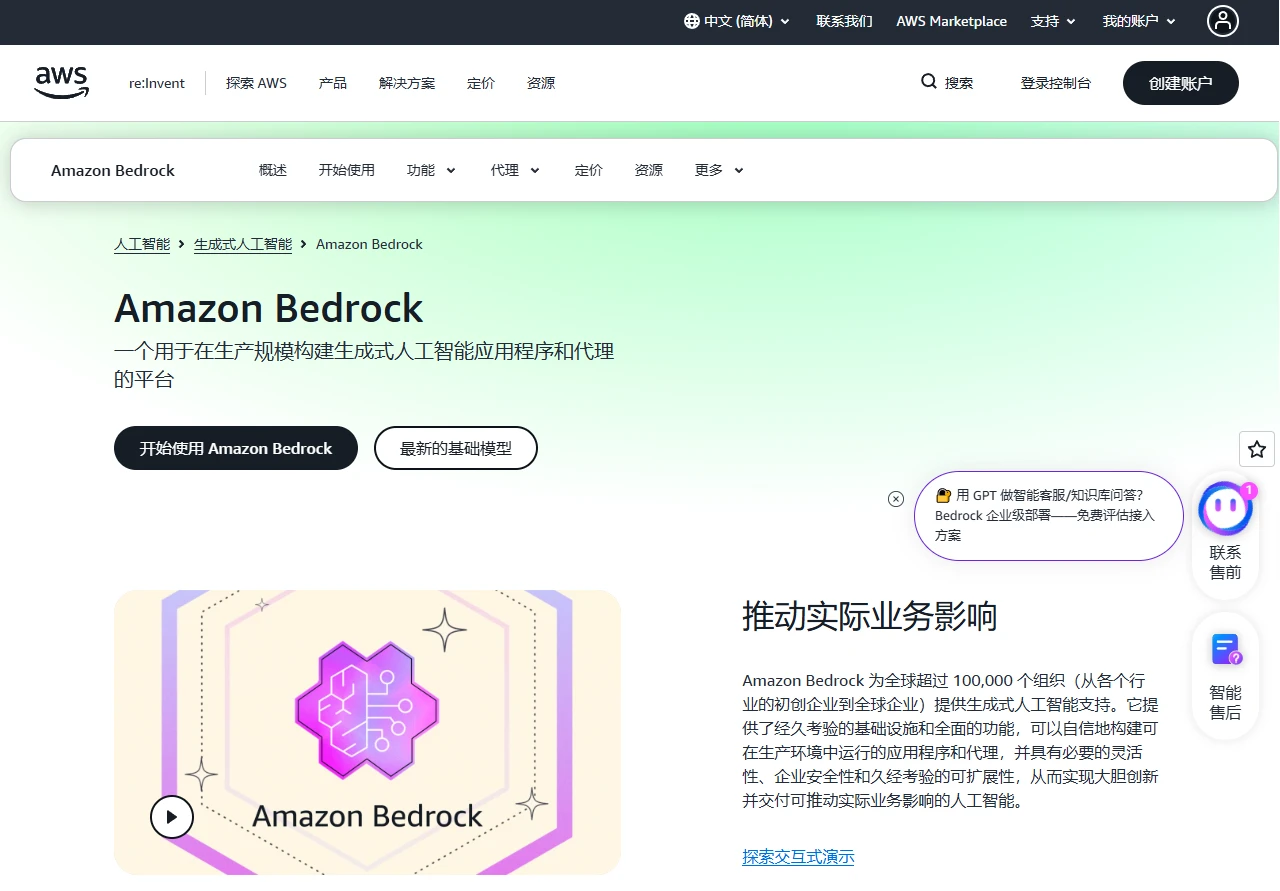
The second I clicked in, I almost backed out. The interface was completely not the kind of page with a chat box that ordinary users are used to. The whole page was full of interface documents, model lists and pricing instructions. It turns out that its positioning is completely a backend service for developers, not a tool for ordinary people to chat. This was my first big pitfall – by default, all large language model platforms have a direct interaction entry, but there is none here at all. You have to take the mentality of reading the documents carefully to get started.
When looking for models, I found that it hosts a really complete range of commonly used models, such as the Claude series, Llama and other well-regarded models on the market. You don’t have to go to each model’s official website to find the deployment method. Clicking once will show you the calling parameters, which is much more worry-free than the small platforms I tried before. The most practical thing is unified API calling for all hosted models, no need to change a set of code rules, you can switch between different models with the same request format. For example, if I want to compare the answer effects of Claude and Llama, I don’t have to modify several configurations, saving a lot of repetitive work.
For enterprises, the most important things are security and compliance. This is indeed different. After all, it is an official AWS service, so you don’t have to build additional security layers yourself. The rules for data transmission and storage meet the standards of large enterprises. When making B2B applications, you don’t have to repeatedly explain data security issues to customers, which can save a lot of communication costs.
Compared with other similar hosting platforms, some only host a single model, some have messy interfaces where you can’t find documents, and some require you to handle post-deployment maintenance issues yourself. The advantages here are obvious: official hosting, no need to worry about server stability; no need to synchronize model updates yourself; unified entry, no need to remember multiple sets of rules; security and compliance are built-in, no need to pay extra for services.
Let me share some pitfalls that new users must pay attention to, all of which I have stepped on:
Another point is that its pricing is settled by API calls, with no hidden fees, but you need to pay attention not to exceed the usage threshold. When new users start calling, first check the pricing details clearly to avoid sudden unexpected bills. I didn’t pay attention when I used it for the first time, and later I found out that I should set up usage alerts.
Who is it suitable for? I think it is developers who build enterprise-level applications, such as teams that develop intelligent customer service, internal document Q&A systems, groups that don’t want to deal with model deployment and maintenance, or enterprises that need compliance and security guarantees. You don’t need to consider personal chat platforms at all, as their adaptability is too low. Bedrock is positioned as an efficient tool for professional developers. If ordinary users want to find a chat entrance, this is definitely not the optimal choice.