AD Recommendation
Join Now
Important: Please do not trust the content and ads of various websites easily! Recommended reading: Safety Tips
MiniMax Open Platform
Scan to visit on your phone
1mos agorelease 277 00
0

MiniMax Open PlatformMiniMax Open Platform

An introduction to the API services and usage tips of the MiniMax Open Platform


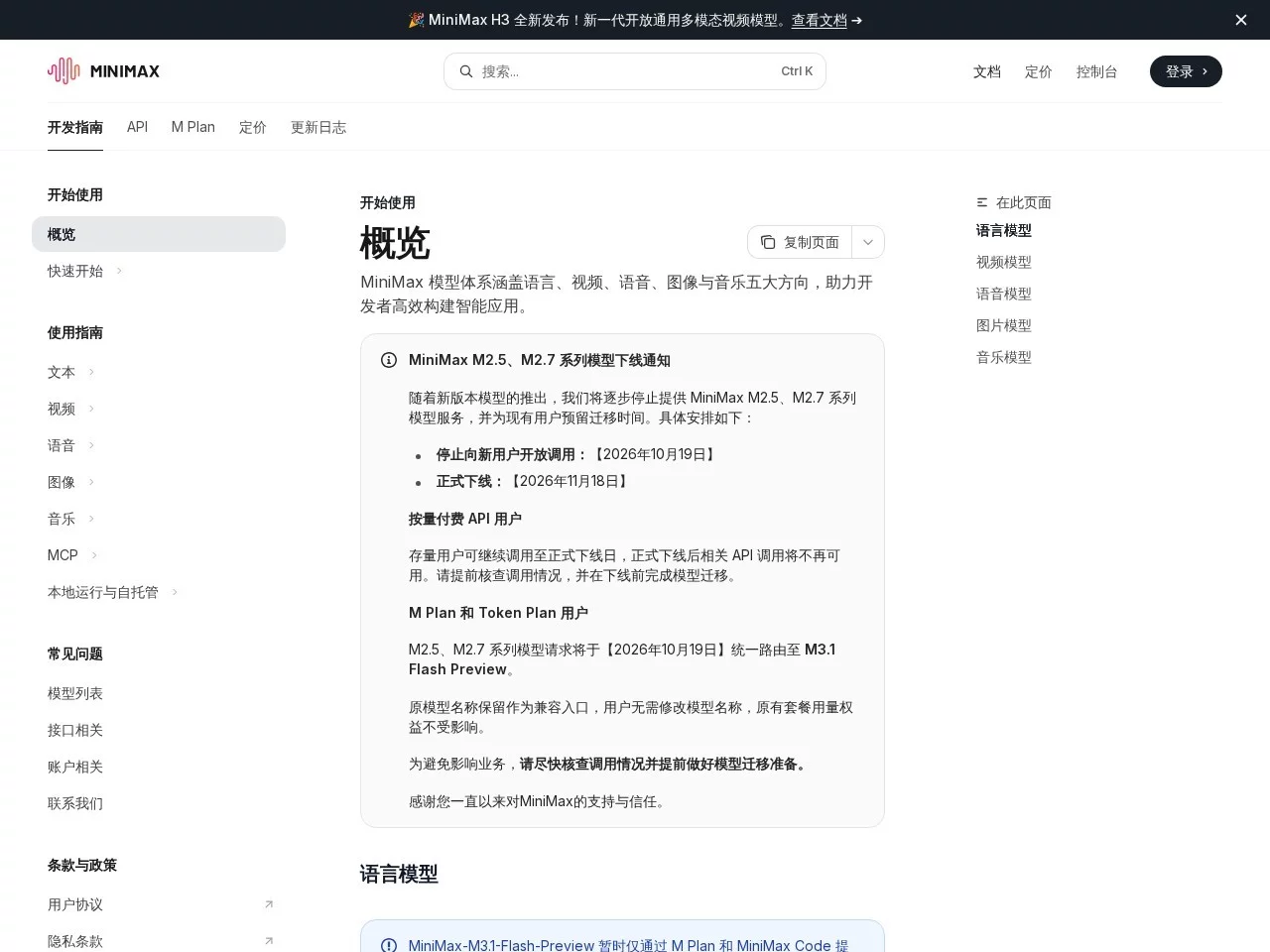
Screenshots

MiniMax Open Platform

MiniMax Open Platform Hands-on Experience for Personal Use

Official Website: https://platform.minimaxi.com/

When doing content-related work, I constantly need to batch-generate emotive voiceover content, and occasionally create a few seconds of product demo clips. I tried many tools and hit pitfalls: either the voice cloning was too mechanical and sounded like a robot, or the video generation came with forced watermarks, and batch calls also risked overage charges. Later I found this platform, which runs entirely through APIs — no need to wrestle with the chat tools on ordinary chat pages; passing parameters to run tasks directly is far less hassle.

I hit several obvious pitfalls when first using this platform:

  • I clicked into the chat entry on the main site and searched for ages without finding the API documentation, only to realise later that the open platform is dedicated to developers and entirely separate from the ordinary chat features — the entry is tucked away in the prominent developer section;
  • The first time I used voice cloning, I uploaded a recording of dozens of minutes, but it returned an error because the parameters did not meet the requirements. I later learned that this kind of API has a very short audio duration requirement — no need to upload all the material, just pick the core segments;
  • I assumed video generation used fixed templates, but it actually generates footage based on the text prompts you pass in, offering far more freedom than template tools.

The core practical value of this platform lies in its omni-modal API adaptability — it does not do text generation alone; voice and video each have their own independent APIs, and its video generation shares the same capability as the Hailuo tool. The generated footage shows no blur or splicing artefacts, and there is no forced watermark, which is enough for making small batches of product demo clips. The voice cloning results are also close to real human voices, not as flat as a tape recorder like on other platforms.

The hands-on experience of its individual features is very practical:

  • The text generation API is the one I use most. For batch-generating voiceover scripts for different scenarios, you just pass in clear instruction parameters and get formatted content, without having to edit sentence by sentence manually;
  • I tried voice cloning a few times. Using two or three minutes of clean recording as material, the generated speech retains the original speaker’s tone — even conversational content with a few pauses does not sound stiff after synthesis;
  • With the video generation API, I tried passing descriptions like “white earphones on a wooden desk, surrounded by soft light spots”. The generated footage met the requirements, and you can also adjust the frame rate to match the short-video specifications of different platforms.

Compared with similar large-model open platforms, its advantages are obvious: the API documentation is written in plain language without piling up obscure jargon, so beginners can grasp the parameter logic at a glance without looking up extra tutorials; the multimodal APIs are independent yet linked — unlike some platforms where you have to find different entries for voice and video, making operations too scattered; billing is settled by actual usage, with no mandatory minimum top-up threshold — you pay for what you use, so there are no unnecessary overage charges; and the naturalness of its video generation is higher than most similar tools, with no jarring sense of split footage.

Keep these pitfall-avoidance tips in mind when using it:

  • Check the API’s parameter requirements before making calls. For example, the audio for voice cloning must be clean, with no background noise or static, otherwise the generated results will suffer;
  • Run tasks in test mode first. The test mode offers free call credits, so you can adjust the parameters to see whether they meet your needs instead of using your formal quota straight away;
  • Just choose a video resolution that fits your needs — for example, 1080p for short videos; there is no need to pick an excessively high 4k, otherwise it will increase bandwidth costs;
  • Pay attention to model versions. Newly released experimental features may have unstable bugs; stable model versions are more reliable;
  • When batch-processing tasks, upload them in batches rather than all at once, to avoid timeouts and failures.

The target users of this platform are clear: it suits developers and content operators who need to batch-generate content, or members of small teams making product promotional materials. If you just want to interact with a chat tool, there is no need to choose this platform, because it focuses on API call services rather than chat features for ordinary individuals.


Relevant Navigation

No comments

You must be logged in to leave a comment!
Login immediately
none
No comments...