Ventoy
Ventoy is an efficient auxiliary tool for installing operating systems via USB drives
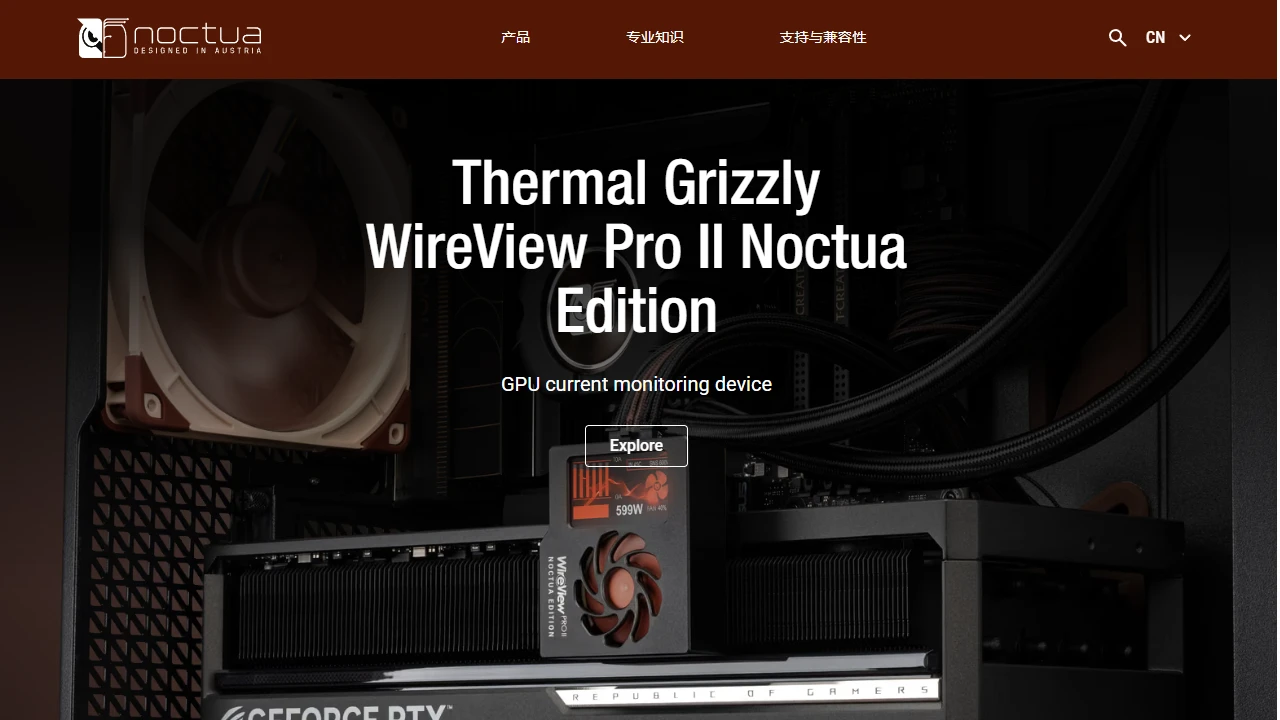
 Noctua
My experience with the Noctua cooler official website
Official website: https://www.noctua.at/cn/
Back when I built my first PC myself, clutching money I had saved up for ages, I just wanted something quiet and hassle-free — but choosing a cooler stumped me. Online reviews either raved about looks or shouted about value for money, all purely subjective opinions. Whenever I tried to find solid compatibility information, it was either scattered across messy forums or buried in shill-marketing articles. I was afraid of buying a cooler that didn’t fit my CPU, and afraid the noise would be loud enough to get complaints at night. Back then I longed for a reliable official entry point so I wouldn’t have to guess at everything.
After building three PCs and stepping in a few pitfalls, I came to realise a problem many people share — treating Noctua coolers as “eye-candy toys”, fussing only over whether the black-and-white colour scheme matches the case while completely ignoring compatibility details. For example, once I took a fancy to a new model; the page said it supported the CPU I use, but only when I read the small print at the very bottom did I discover that an extra upgrade kit had to be purchased. If you don’t notice it, you only find out halfway through installation that the mounting hardware doesn’t fit, and you have to unpack and buy again — a real hassle. Some people blindly believe “the fan favourite fits everything”; even with a niche motherboard model, they can’t be bothered to check the official website, only to find on arrival that it doesn’t apply, wasting time on back-and-forth returns.
What struck me most about the Noctua official website is that it doesn’t do fluff. The Chinese pages are particularly down-to-earth: every feature entry is clearly labelled, without those flashy bits of “marketing copy” — everything is genuinely useful when building a PC. From checking compatibility the first time to choosing a model later, the official website gave clear guidance, so I didn’t have to fumble around on my own.
Take the compatibility page for example. When I entered my CPU model, all compatible coolers popped up straight away, and even whether an upgrade kit was needed was clearly marked in small grey text — no need to dig through the user manual or wait for e-commerce customer service replies; I could sort it out myself in half a minute. Later, when building a PC, I tried the compatibility centre: entering the cooler, CPU and motherboard models together, the results not only showed “compatible” but also gave a performance score. Although I only use my PC for office work and gaming, with no overclocking, the score gives a rough idea of whether it will underperform — unlike other platforms that only say “supported” without saying whether it actually works well. Its mounting hardware is also multi-platform compatible for most models, so you don’t need to buy extra. When building for a friend, I found the package even included mounting hardware for older motherboards — that really saved a lot of trouble. The noise was an even bigger surprise: after switching, the PC’s fan noise became almost inaudible; with the computer on at night, there was only the faint sound of the hard drive, which didn’t affect rest at all — an experience other coolers simply can’t offer.
Compared with other brands’ official websites, Noctua’s really “understands PC builders”. Other brands’ compatibility pages either make you check the CPU and motherboard separately with endless jumping back and forth, or pile up a heap of parameters that read like gibberish, or don’t even mention upgrade kits, leaving you to ask on forums yourself. Noctua’s, by contrast, uses cross-referencing: enter the three core components at once and the results are given to you directly, no detours. There’s also the 6-year warranty — many other brands’ coolers come with only a 2-year warranty and may develop problems after two or three years of use, whereas Noctua’s feels reassuring to use, without constantly worrying about failure. The colour scheme is beyond reproach too: other brands either go for flashy neon colours or overly plain black, while Noctua’s black, white and grey palette is restrained. Installed in a PC, whether a minimalist or gaming-style case, it matches well and never looks out of place.
Having used it for so long and stepped in a few pitfalls, here are a few reminders:
Finally, who is this product and official website suitable for? If you’re sensitive to noise — say, you do design work and keep your computer on for long hours, or you game at night and worry about disturbing your family — it’s definitely for you. If you’re a PC-building novice afraid of buying the wrong parts and in need of clear guidance, both this website and the product suit you. If you value stability and long-term quality and don’t want to replace your cooler every two or three years, it suits you too. And for those who appreciate build aesthetics, Noctua’s colour scheme is genuinely classy — the finished PC won’t look out of place and stays easy on the eyes.