GPU-Z
GPU-Z is a professional graphics card detection and verification tool
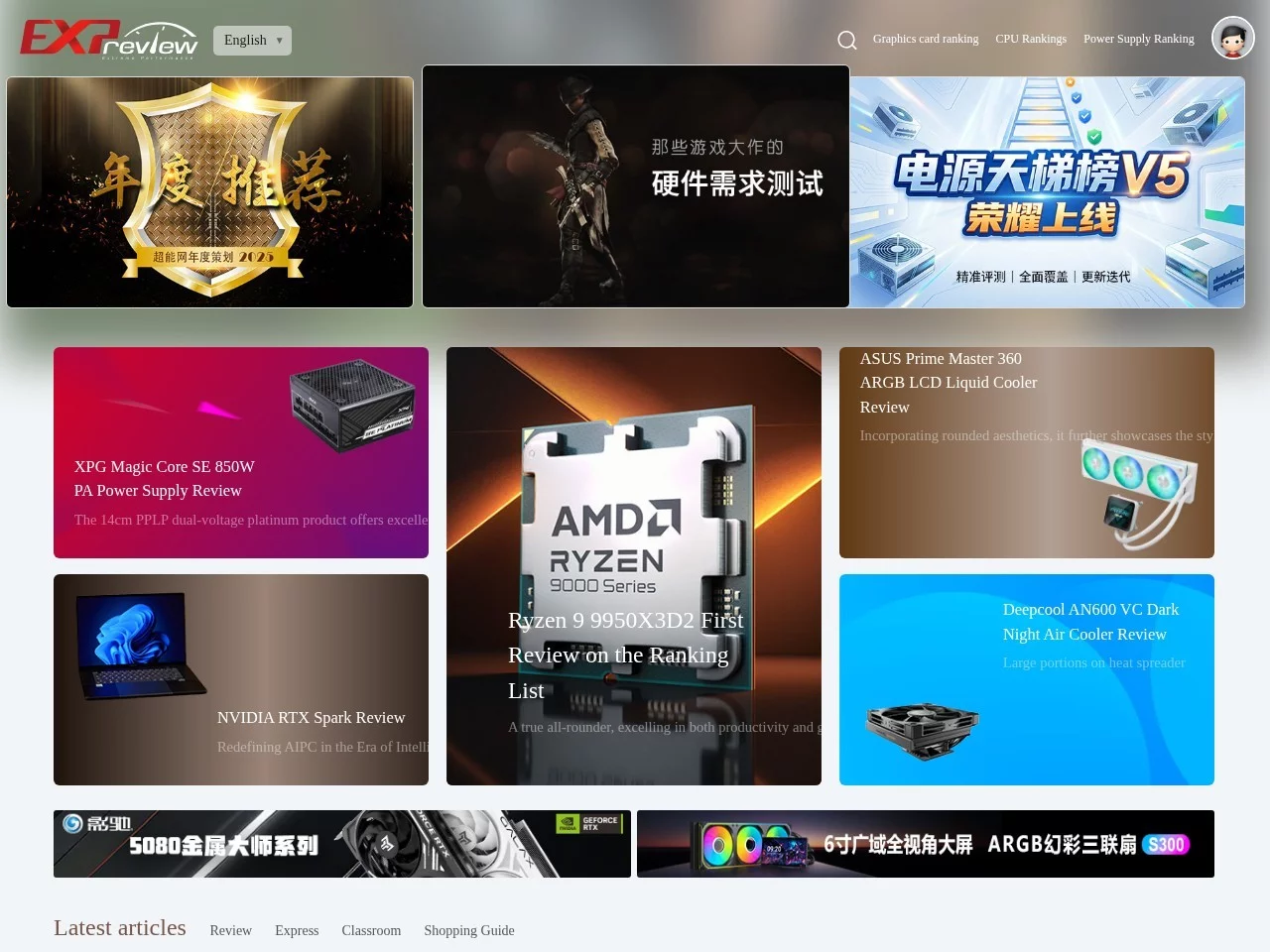
 Expreview
 is a reliable platform for hardware reviews and PC building references
Official website: https://www.expreview.com
When building a PC or upgrading hardware, the biggest headache is the messy information online — either exaggerated claims from merchants, or sponsored content from bloggers. I spent ages searching for reliable references, tried several hardware-related sites, and finally settled on this platform.
I stepped on quite a few pitfalls when I first started using it, so here are some tips for new users to avoid them:
The most practical part of this platform is that it puts “reliability” into specific usage scenarios, not just making up parameters from ideal laboratory environments. For example, when testing graphics card game frame rates, it tests average frames at different resolutions and graphics settings, and also records frame drops in complex scenarios — like whether a certain graphics card will stutter in open-world games when there are many people around. These are details you can directly feel when playing games, while other sites mostly only give the highest frame number, which is useless.
The Hardware Tier List under its umbrella is the most used feature, **its core is to categorise products into tiers, not just rank performance**. For example, after a new hardware is released, it won’t just give benchmark scores first, but will first put it into the corresponding tier on the Hardware Tier List, telling you what scenarios the product is suitable for — like entry-level cards for 1080p online games, mainstream cards for 2K single-player games, and flagship cards for 4K or overclocking. New PC builders don’t need to study parameter tables; they can quickly find an option that fits their budget just by looking at the tier.
Compared to similar platforms, its biggest advantage is that it’s not too marketing-heavy. Some hardware sites put brands that have paid for promotion at the top, even modifying the order of the list. This platform’s Hardware Tier List is based on real test data — for example, when testing CPU rendering capabilities, it uses different software to test actual time taken, not just theoretical benchmark scores; when testing coolers, it looks at the temperature curve after continuous full load, not just the size. Some platforms use a lot of technical jargon that ordinary people can’t understand, but this platform translates the results into language users can understand — like “this power supply can run dual graphics cards without issues, and won’t overheat after long-term use” — not piling up parameters to intimidate people.
There are a few more points to note when using it, not pitfalls, but they can save a lot of time: when reading reviews, first check the “Test Environment” section. If old hardware is used to test new graphics cards, the results can only be used as a reference, not directly trusted; for the Hardware Tier List, first select your own usage scenario — like if you want to play online games, select the online game optimisation list, not the general list. The general list balances games and rendering, so it’s less targeted; don’t just look at the conclusion of a single review — comparative reviews of different models are more useful. For example, if you want to choose a graphics card, pull out the comparative reviews of several models in the same tier, and you’ll know which one suits you better.
Finally, who is it suitable for: ordinary PC builders, especially newbies who can’t tell the positioning of hardware, can quickly get started with the Hardware Tier List; players who don’t want to be misled by sponsored content when upgrading hardware, this platform’s content is more third-party, with very few direct brand implants; PC shop operators also use it, because the test data can directly explain things to users without exaggeration. It’s not suitable for people who pursue extremely niche hardware, like enthusiasts who specialise in modified parts or extreme overclocking. This platform covers mainstream hardware, and the content is for most ordinary users, so it won’t do overly niche content.