Claude
A practical AI tool for long documents and code
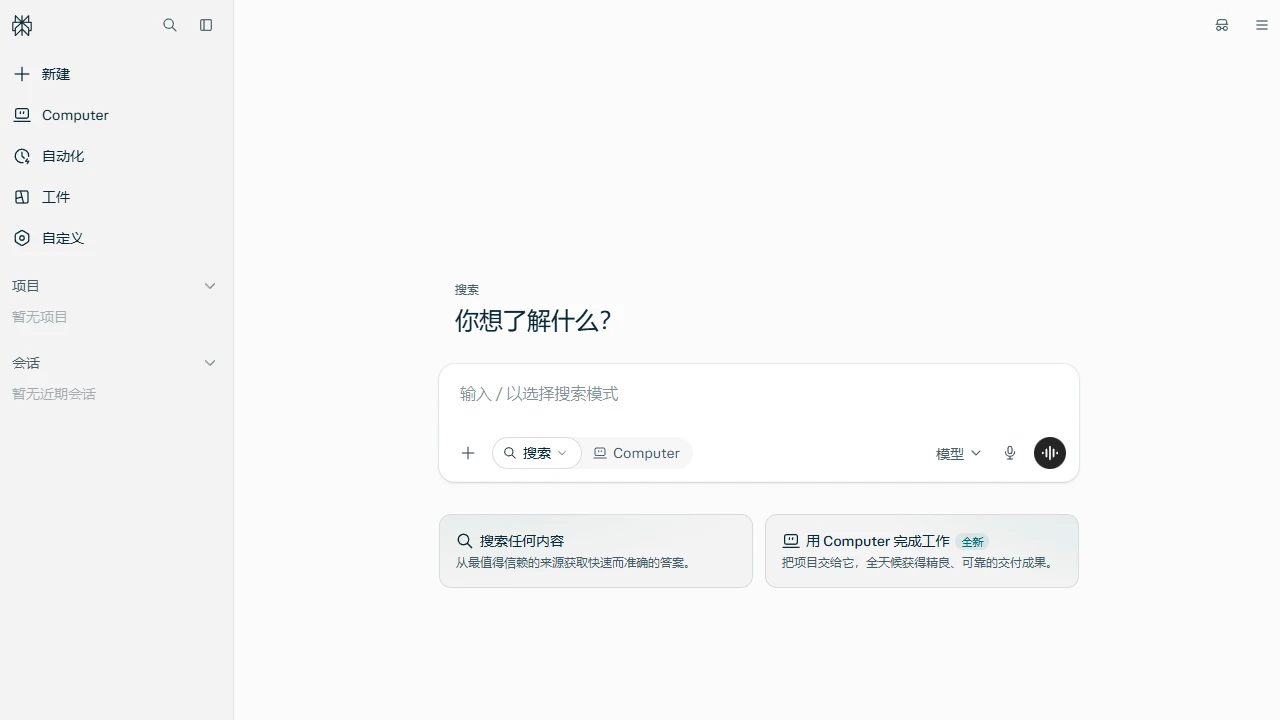
 Perplexity
: An Efficient Research Tool
Official Website: https://www.perplexity.ai/
When I’m doing content creation and industry analysis, there are two pitfalls I dread most: either the AI’s answers are made up, and I can’t find a reliable source no matter how long I search; or the search engine returns a pile of miscellaneous links that I have to sift through one by one, wasting half a day. After trying quite a few tools, I now mainly rely on this one to handle fact-checking and data organisation.
I stepped into quite a few pitfalls when I first started using it — here they are so you can avoid them:
The core advantage of this tool is that it binds “finding answers” and “finding sources” tightly together: every conclusion it gives is followed by a link to the corresponding original website — one click takes you **straight to the original site to read the full text**, with no need to dig through a search engine yourself. Whether you’re checking the specific content of academic papers or looking for raw data in industry reports, you get the information straight from the source and won’t be misled by second-hand content.
Its multi-turn conversation feature is also very practical — it doesn’t forget the previous context mid-conversation like some AIs do. For example, if you first ask “how many top-conference papers were published in a field over the past five years” and then follow up with “what are the main research directions of these papers”, it automatically links to the sources it found earlier rather than giving new, unrelated content, so the logic flows coherently without having to set things up again. It also lets you switch between different search dimensions: choose Academic mode for academic content, News mode for real-time news, so irrelevant results don’t creep in.
Compared with similar tools I’ve used before, its advantages are obvious. Compared with ChatGPT: ChatGPT often makes up sources — I’ve hit more than one occasion where it gave a link to a paper in an obscure journal, and the paper simply couldn’t be found when I clicked through — whereas every source from this tool is **real and accessible**, one click and you can read the original. Compared with Google search: Google returns a pile of links that you have to click into and sift through to organise the data, while this tool directly provides the distilled answer along with the corresponding sources, **saving at least half the time**. Compared with Claude: Claude has a long context window, but its source citations are opaque — you can’t tell which source backs which statement — whereas this tool labels every citation clearly. It dares to put its sources out there, and that’s confidence.
After using it for so long, I’ve summarised a few practical tips that boost efficiency:
The people this tool suits are clear: those doing academic research who need to verify facts, those writing content who need reliable citations, those doing industry analysis who need to cross-check data, and students writing papers who need authoritative material — it saves them all a lot of trouble. If you’re after casual chat, creative writing or wildly imaginative ideas, don’t use this one — it leans too heavily towards facts and authority and won’t give you just any random content.