智谱清言
智谱清言: A practical task-oriented Chinese AI office tool
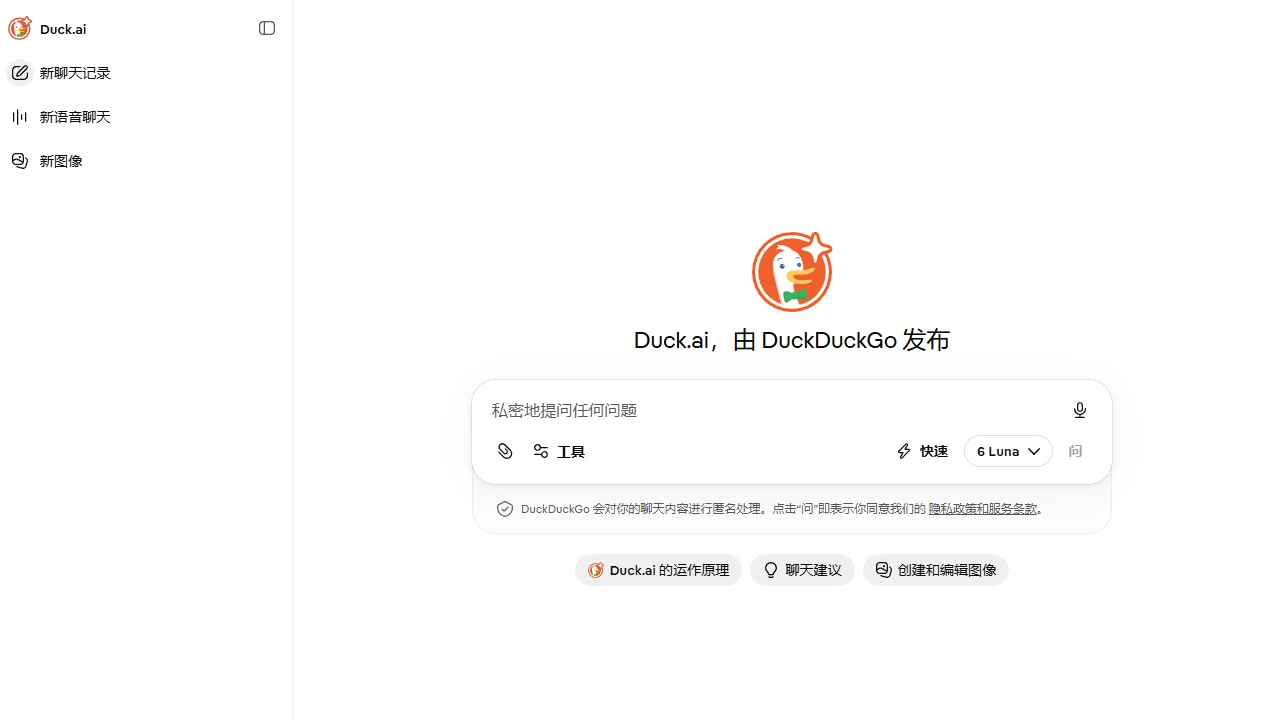
 Duck.ai
 is a registration-free, privacy-focused AI tool
Official website: https://duck.ai/
Every now and then I have AI needs I’d rather leave no trace of, like looking up an obscure fact or sorting out my thoughts, without my conversations being used as training data, and without filling in loads of registration details and linking all sorts of accounts. I’ve hit plenty of pitfalls before — some tools require a phone number to sign up, some ask you to log in after a few messages, and what’s more annoying, some tools that are labelled as privacy-focused quietly turn around and use your conversations as training samples.
When I first started using it I stumbled into a small pitfall: I thought you could pick a model straight away, but after rummaging through the page for ages I couldn’t find where to switch, and only later found it tucked in a small corner above the chat box, not something a newcomer would spot at a glance. Some people also assume that being registration-free means leaving no trace at all, but even when anonymous, don’t casually type in your sensitive information — even if the officials say nothing is stored, it never hurts to be careful.
What appeals to me most about this tool is its **privacy-first official backing**. It’s launched by the company known for privacy-focused search, so it’s far more trustworthy than dodgy tools from small vendors. No email required, no account linking — you can chat the moment you open it, with no lengthy sign-up process to sit through. That’s really friendly for people using it on the spot — when you urgently need AI, who wants to spend ten minutes filling in registration details?
As for the actual features, it lets you switch between different models. I’ve tried GPT’s replies — the style is quite direct, not much different from the GPT I normally use. Claude feels a bit more rigorous, suitable for organising long texts without going off track too much. There are also open-source models, which I occasionally use to generate content with fewer strict restrictions — no ‘possibly sensitive’ warning pop-ups. That matters quite a bit to someone like me who sometimes wants to write a bit of imaginative content.
I’ve tried other privacy-focused AI tools of the same type before — some make you jump through two or three pages before you can chat, and some have so few selectable models that they’re practically useless. The advantage of this one is that you don’t have to take detours. Although **the model-switching entry is hidden above the chat box**, you can indeed find it, and the company clearly states that users’ conversations won’t be used for model training — that beats platforms that skirt the rules by miles. Many tools say they don’t train on your data but quietly collect it behind your back; this one has none of those tricks, so you can use it with more peace of mind.
There are a few tips to keep in mind when using it to avoid unnecessary trouble:
The people suited to this tool are actually quite clear: those who need AI on the spot, don’t want to leave a trace, and worry their data will be used for training — say, a student quickly looking up an obscure fact, or a worker sorting out a project idea without the company knowing. It also suits those who find registration a hassle: no accounts to link, usable the moment you open it, completely hassle-free from start to finish. Occasionally I also use it to test the basic response logic of AI models; it’s less hassle than dedicated model sites, with no extraneous add-on features getting in the way of core use — just right for someone like me who only needs simple conversations.