AD Recommendation
Join Now
Important: Please do not trust the content and ads of various websites easily! Recommended reading: Safety Tips
Bitiful Send
Scan to visit on your phone
4wks agoupdate 335 00
0

Bitiful SendBitiful Send

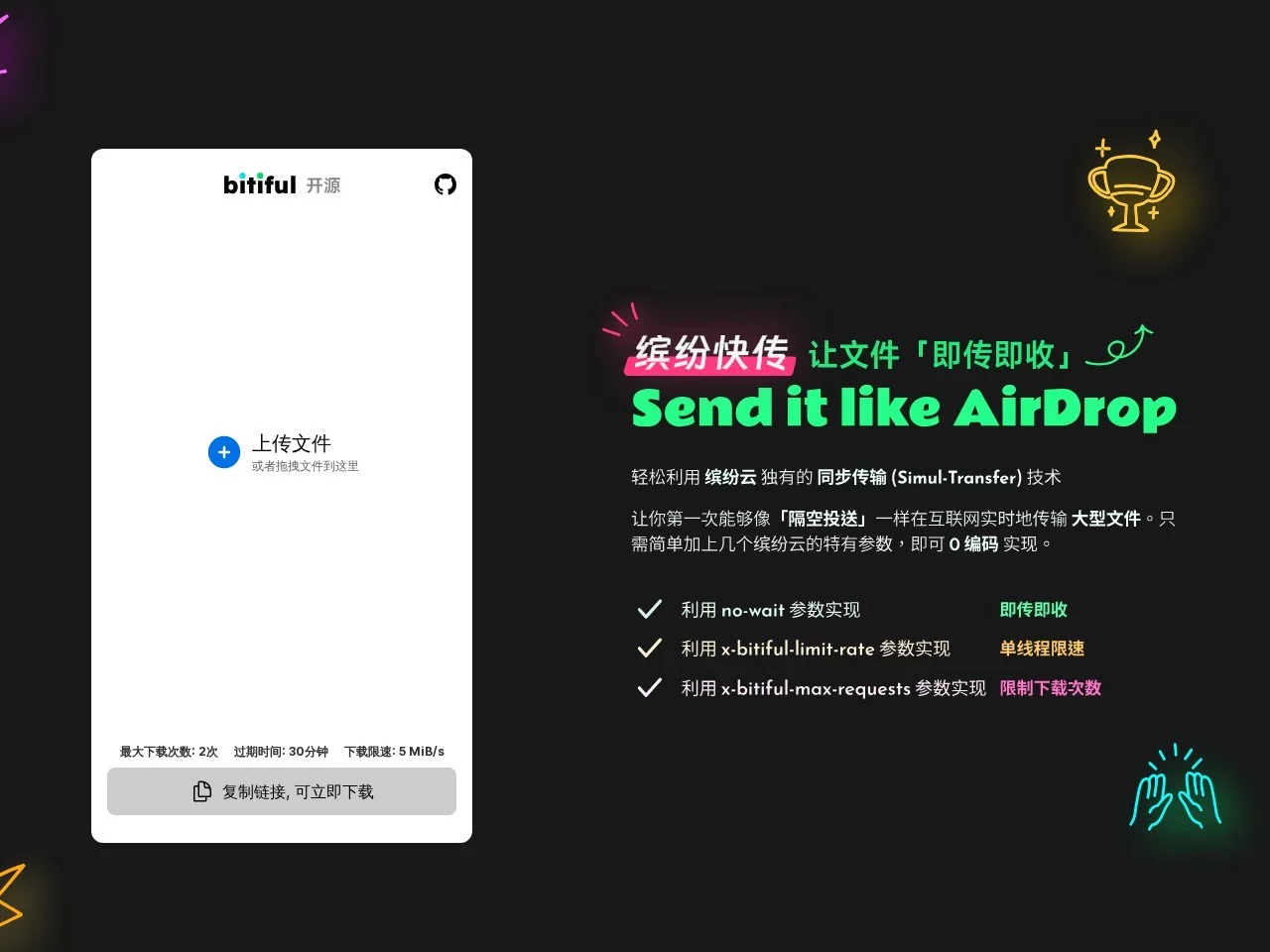
An open-source file transfer tool based on Bitiful S4 object storage technology


Screenshots

Bitiful Send

After experiencing the pitfalls of large file transfers, you’ll understand what makes Bitiful Send truly different

Recently, I helped the design department transfer 10GB of final footage. With a commonly used tool, I had to wait half an hour before the download even started, and if the network dropped mid-transfer, I had to resend the entire file—almost delaying the project launch. Later, I switched to Bitiful Send, and surprisingly, I could preview the file while it was uploading. That’s when I realized all the previous issues were from traditional transfer tools—either you have to wait for the upload to finish before downloading, or they have poor compatibility with large files.

Official websites: https://send.bitiful.com/ | https://send.bitiful.net/

Practical Comparison of Three Commonly Used Large File Transfer Tools

Which is more convenient compared to WeTransfer?

WeTransfer is used by many, but its free version has a 10GB single-file limit—exceed that and you need a paid subscription. It only allows sending to 20 recipients; more than that and you have to pay extra. If you often send materials to over 30 collaborators, the subscription cost alone is not insignificant.

Bitiful Send doesn’t have these restrictions. Its single-file limit isn’t so low that it’s useless, and no registration is required. Last week, I transferred 20GB of design source files to 25 clients—just opened the website, dragged the files in, filled in the emails, and sent them. I didn’t even create an account. It saves the subscription cost compared to WeTransfer, and also skips the registration step.

Which is more suitable for teams compared to NiuNiu Send?

NiuNiu Send’s personal version works fine, but if someone in the team needs to transfer large files, you have to pool shared space and worry about running out of space. If the company has its own object storage, like Tencent Cloud COS, you need to do separate adaptation work and go through a lot of trouble to use it.

Bitiful Send is different—it supports all S3-compatible object storage, so you can directly connect to AWS S3 and Tencent Cloud COS without extra adaptation. Our company uses Tencent Cloud COS to store materials, so we linked Bitiful Send to COS. The team transfers files directly via internal company storage, no need to buy extra space. We’ve transferred 100GB of materials without any issues, and the latency is nearly half of what it was with NiuNiu Send.

Which better meets security needs compared to regular open-source tools?

Many open-source transfer tools only focus on file transfer, ignoring security. Anyone can download files via the uploaded link, which is a big risk if you transfer confidential project files. Regular open-source tools have no restrictions—they don’t care after the transfer is done. If someone spams download links, it will take up all bandwidth and affect normal use.

Bitiful Send has detailed security controls: you can set download links with speed limits, time limits, and download count limits. You can also use the X-Bitiful-Max-Requests parameter to control the number of access requests. Last time I transferred a 30GB project proposal to a partner, I set it to expire in 7 days with a maximum of 50 downloads. The link automatically became invalid after expiration, and even extra requests were blocked—adding an extra layer of protection compared to regular open-source tools.

Bitiful Send’s Core Features Are All Practical Designs Born from Past Pitfalls

The most annoying thing about transferring large files before was “waiting for the upload to finish before downloading”. Sometimes when transferring a 20GB video, you had to wait half an hour before the other party could start downloading—collaboration efficiency was very low. Bitiful Send’s “send-and-receive immediately” technology is designed to solve this pain point: you can start downloading while uploading, no need to wait for the file to be fully transferred. I tested it: when transferring a 15GB video, the other party started downloading when it was only 10% uploaded—way faster than traditional tools.

The zero-account threshold is also a practical design. You don’t need to bind a phone number or fill in a lot of information like some tools—just open the website and use it. It’s very friendly for people who transfer files temporarily. I helped a friend transfer 4K footage from his camera; he didn’t know how to register, so I just opened the website, dragged the files in, filled in his email, and sent it—all done in under 3 minutes.

If you’re a developer, you can also modify Bitiful Send’s code yourself. The project is on GitHub—clone it to customize, like adding a team member permission feature or changing it to your company’s domain name, no need to be limited by third-party tools. Our team modified the code before to add internal watermarks, so the transferred files can be tracked and we don’t have to worry about materials leaking.

Relevant Navigation

No comments

You must be logged in to leave a comment!
Login immediately
none
No comments...