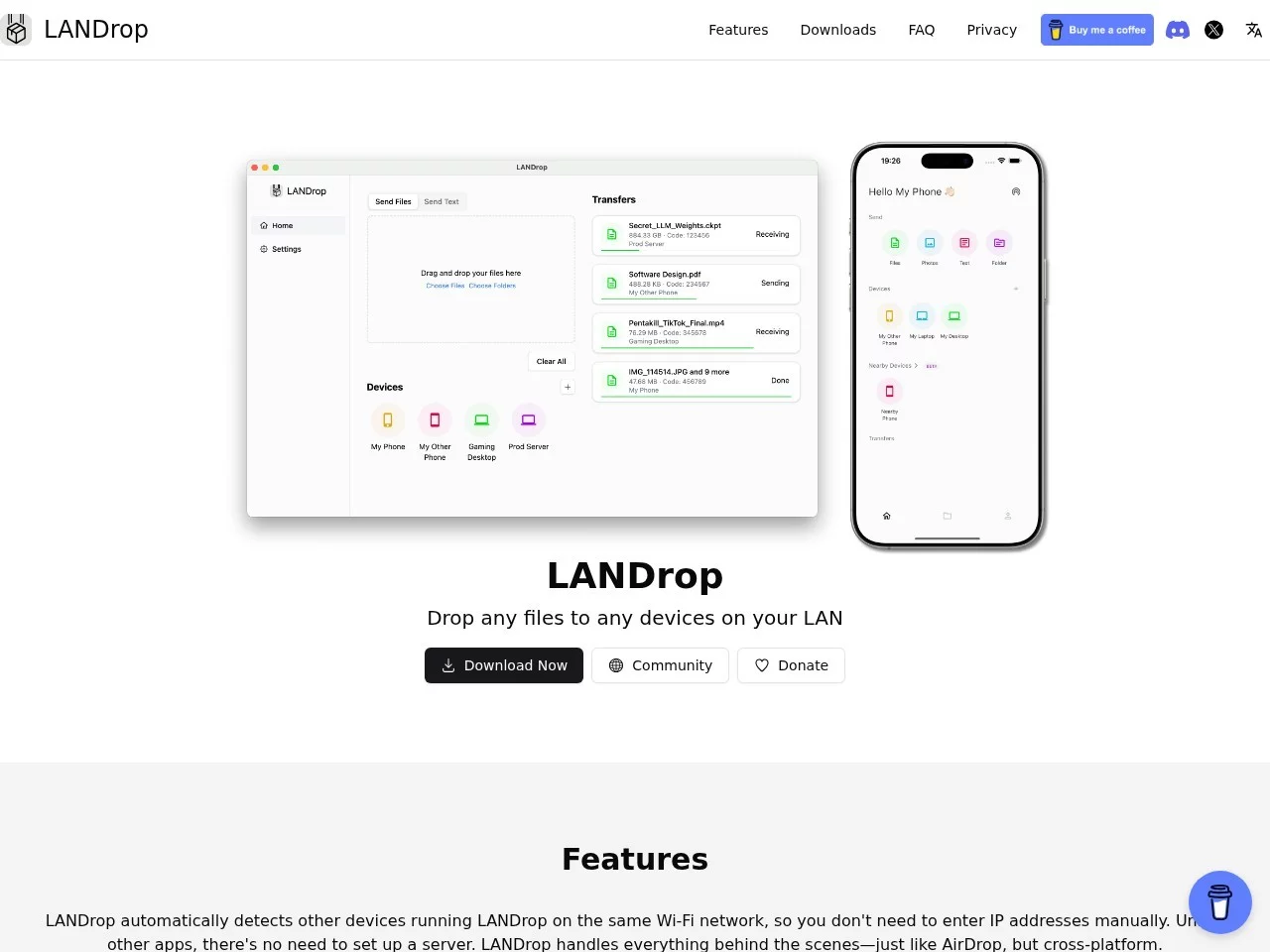
LANDropLANDrop is a cross-platform LAN file transfer tool that supports multiple operating systems, including Windows, macOS, Linux, iOS, Android, etc.
Screenshots

Last time I was rushing a project, I ran into a real headache: I had just edited a 4K video on my phone and wanted to transfer it to my computer for further editing. When I used a data cable, I had to launch the phone assistant, and halfway through the transfer, a “data limit exceeded” prompt popped up. I spent half an hour and still couldn’t get it done. Later, a friend recommended a tool that saved me a lot of trouble — that’s LANDrop.
First, let’s understand: What problems does this tool solve?
Official website: https://landrop.app/
Simply put, LANDrop is an open-source, free cross-platform local area network (LAN) file transfer tool that supports a wide range of systems — you can install it on mainstream systems like iOS, Android, macOS, Windows, and Linux. It doesn’t use the internet; it transfers files via your home or office LAN, so you don’t have to worry about exceeding data limits or being restricted by public WiFi networks. The transfer speed is also quite stable.
I later tested transferring files between different devices on purpose — for example, sending photos from an iPhone to a Windows laptop, and sending documents from a Linux computer to an Android tablet. I didn’t encounter any compatibility issues, no extra software needed, no complicated settings to adjust, just a few clicks to transfer.
These details make it very convenient to use
No compression, files stay exactly as they are
Previously, when I used other tools to transfer photos from my phone, they often got compressed and blurry. LANDrop doesn’t do that — it uses uncompressed transfer, so the original format and quality of photos and videos are preserved. I transferred a 10GB wedding video before, and after transfer, the size and clarity were exactly the same as the original, so I didn’t have to spend time reprocessing it.
Automatically finds devices, no need to search manually for ages
Its interface is very simple. When you open it, it automatically scans for LANDrop devices on the LAN. No need to manually enter IP addresses or add friends — as long as all devices are connected to the same WiFi, you can see each other’s names. Sometimes when I’m in the office meeting room, I can see my colleague’s computer (which has LANDrop open) right there. A confirmation box pops up when transferring files, so you won’t accidentally send them to the wrong person.
No compromises on security
I was worried that using an unfamiliar tool to transfer files would lead to data theft, but later I found out that LANDrop uses advanced cryptographic algorithms to protect the transfer process, preventing files from being stolen or tampered with mid-transfer. I’ve transferred some work-related documents before and had no security issues — it’s much more reliable than transferring files via public WiFi.
Tips for downloading and using it
To install it, just go to the official website. Open the site, click “Download”, select the installation package for your device — for mobile, choose iOS or Android; for computers, choose Windows, macOS, etc. Follow the prompts to install and you’re ready to use it.
- If you want to check out its source code or modify small features yourself, you can also go to the GitHub project page at https://github.com/LANDrop/LANDrop — take a look if you’re interested.
- When transferring files, whether it’s text, images, videos, or documents in various formats, you can just drag and drop them in or select them directly — no need to convert formats specially, which is very convenient.
Since then, when transferring large files, I’ve never had to look for a data cable or wait for slow network transfers. Using LANDrop over LAN, you can transfer several gigabytes of data in just a few minutes. It’s free, and you don’t have to worry about the issues I encountered before. For people who often need to transfer files between devices, it’s really practical.
Relevant Navigation
Send Anywhere
10minFiles
wetransfer
FolderPort

Easy Transfer
AnyTransfer