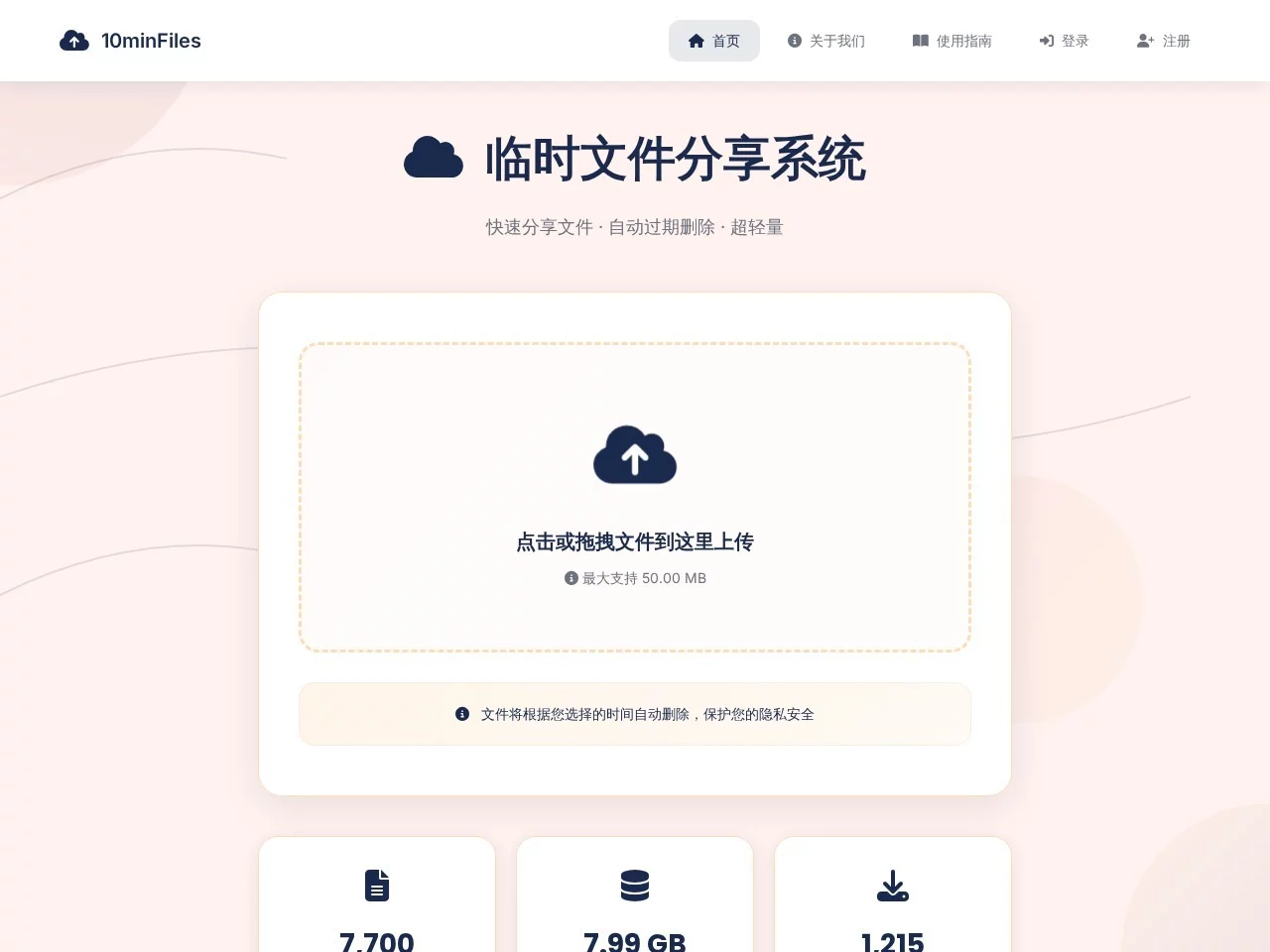
10minFiles10minFiles is a simple, fast and secure temporary file sharing service. It supports drag-and-drop upload, auto-expiry deletion and API interfaces, making file sharing eas...
Screenshots

When you need to share code snippets before a project deadline, worried about leaking your private test pages; sending temporary solutions to clients without wanting files to stay around for long; product demo videos shot on your phone that take ages to compress before sending via email — these annoying temporary file sharing problems can be mostly solved with 10minFiles.
Solving Core Pain Points of Temporary Sharing
Official website: https://10minfiles.ababtools.com/
Last week I helped a colleague send a newly modified test HTML page. Before, I’d have to set up a temporary server, compress and package it, then send it — taking ten minutes and still worrying about formatting issues. Then I tried 10minFiles: after uploading, a link is generated directly, and the recipient can click in to view the interactive effect without even changing browsers, saving so many steps.
Many people worry about the privacy of temporary files, such as sending a newly made competitor analysis screenshot or a temporarily organised meeting minutes, not wanting the files to stay on others’ hard drives forever. The core design of 10minFiles is automatic destruction after ten minutes: uploaded files, whether documents, images or videos, will be automatically deleted on time, leaving no traces.
No Fuss When Using It
Open the 10minFiles page: no flashy ads, no registration required — just click the upload button and select your file. It supports a wide range of types, from HTML files for web code to common PDFs, Word, Excel, and even larger files like videos and design drafts, all can be uploaded directly.
After uploading, you get a link directly: no need to rename files or set passwords. Recipients can click the link and operate directly in their browser — HTML files can be previewed interactively, images and documents can be viewed without downloading, and videos can be played online without waiting for buffering or taking up memory for downloads.
Suitable for These Specific Scenarios
For daily project collaboration, sending temporary test page snippets, or sending newly shot product demo videos to clients — no need to send compressed packages back and forth, and no fear of file leaks. For some sensitive temporary content, such as temporarily organised password hints or test keys, using it to send will automatically disappear after ten minutes, so you don’t have to worry about milestone records being leaked.
If you want to transfer on-site photos shot on your phone to your computer, you don’t need to open QQ for file transfer, or plug in a data cable — just upload directly from your phone, and click the link on your computer to download, no login required. Cross-device transfer is simpler than sending a text message.
Its Practical Feature List
- HTML files are directly rendered into interactive web pages after upload, no server setup needed, perfect for quick test page sharing
- Screenshots, design drafts and documents can all be set to auto-delete after 10 minutes, reducing privacy risks from long-term storage
- Videos support online playback after upload, no need to download to preview content, ideal for product demos
- Upload from phone, download from computer — no login, no software installation, smooth cross-device transfer
- Supports custom expiration times, making sensitive content transfer more secure; auto-clears on expiration with no traces left
Last week I helped a colleague send a newly debugged web component. The recipient was out of town, and could operate directly on their phone by clicking the link — no need for me to compress and send attachments, or for them to install any software. The whole process took less than a minute.
Another time I temporarily organised meeting minutes with some items to be confirmed. After sending, it automatically destroyed after ten minutes — no fear of the minutes being seen by others, much more reliable than sending files via WeChat.
Relevant Navigation
AirPortal (AirDrop)
Transfer.it
FileCodeBox

Easy Transfer
PairDrop
Minimalist Quick Transfer