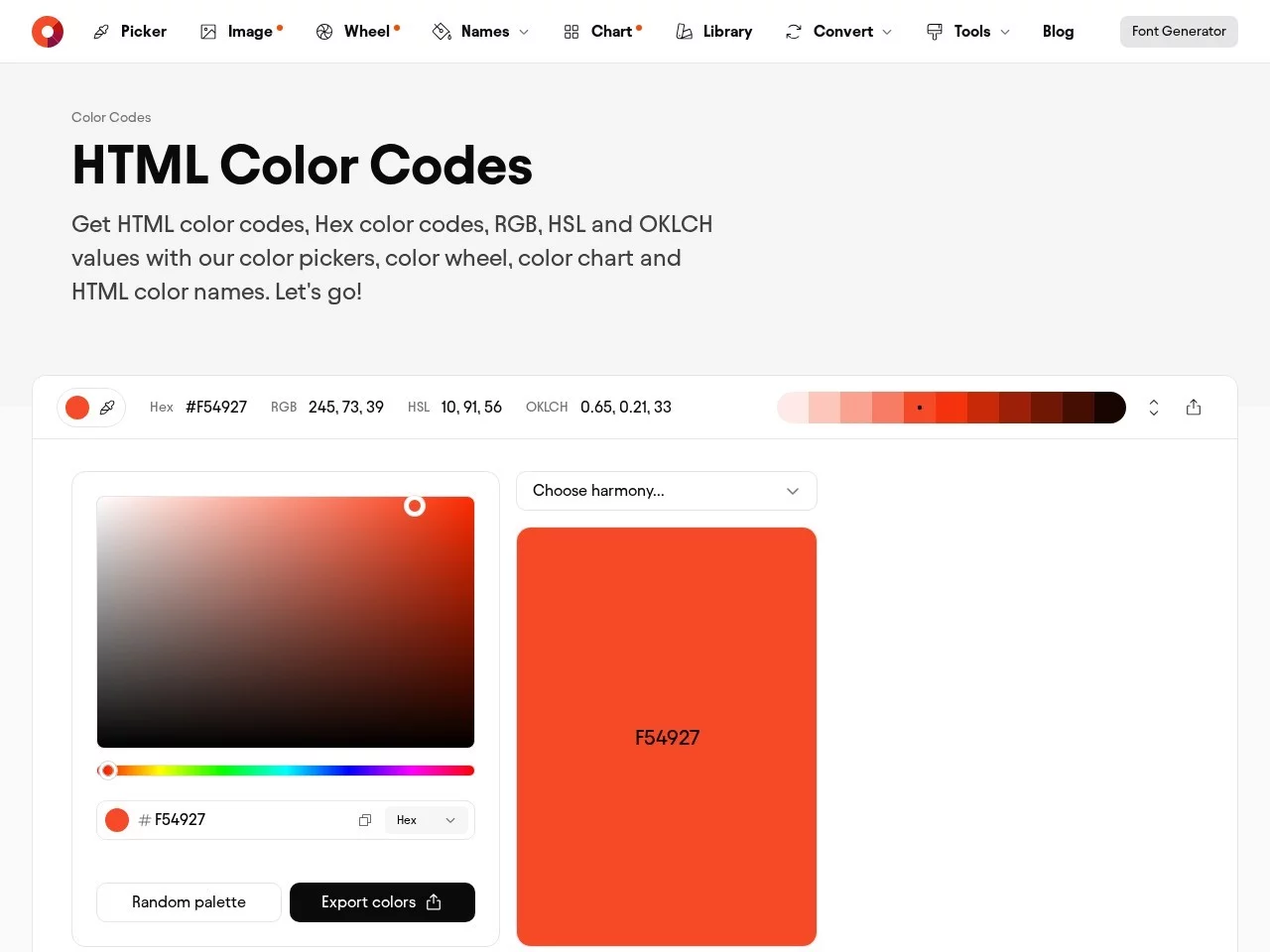
HTML Color CodesA professional colour tool platform for users in web design, development and other colour-related fields, dedicated to providing convenient and comprehensive HTML colour ...
Screenshots

Ask yourself first when you hit a colour problem
Stuck on colours when building a website? Have you ever been in these situations: tweaking colours in code a dozen times and still getting them wrong; searching every gallery for a colour scheme that matches your brand logo without success; converting colour parameters between different software only to end up with deviations? You don’t have to struggle on your own — a tool built specifically to solve these problems can help.
That tool is HTML Color Codes. Let’s start with the practical questions you care about most.
Official website: https://htmlcolorcodes.com/
Looking for ready-made colours? Use this feature
If you just need to use standard colours quickly without mixing your own, simply go to the colour chart. It organises all HTML colour names and their corresponding hexadecimal codes, and also includes classic web-safe colours and the full range of colours supported by modern browsers. No need to switch between tools — you can find the colour you want at a glance.
If you have no idea about colour values, just click a swatch in the chart to copy the corresponding code and paste it into your CSS — perfect for beginners rushing a project or making quick temporary colour changes.
Want to mix your own colours? How to work efficiently
If you need a bespoke colour, the interactive colour picker has you covered. Drag the colour wheel to pick an approximate hue, or manually enter exact RGB or HSL values. Each time you change a parameter, the page instantly shows the corresponding hexadecimal code, and you can see the colour effect in real time.
This instant-feedback design means no refreshing to check results, saving you plenty of trial and error. For example, when creating a button’s hover colour, you can copy the code right after adjusting it — no more working out parameter conversions.
Using colours across different software? How to convert formats
Web design often requires converting colour formats — CSS uses hexadecimal while image editing software uses RGB, for example. The multi-format conversion tool here solves this directly. Whether converting hexadecimal to RGB or HSL, or the other way round, enter one value and get results in all formats — no need to look up conversion formulas yourself.
For instance, if you get an RGB colour from a design mock-up and need to use it in code, just convert it to hexadecimal — no more colour deviations.
How to use the smart colour schemes and learning resources
If you need a complete colour scheme, the smart palette generator can help. Pick a base colour and it automatically generates several colour combinations, such as monochromatic schemes, analogous pairings close to the base colour, complementary combinations, and triadic harmonies. All of these follow basic colour balance principles, so you won’t run into clashing colours.
For projects with high colour-consistency requirements, such as brand websites and e-commerce platforms, using these ready-made combinations instead of randomly mixing colours can save you a lot of time.
Learning colour matching as a beginner? Is there practical content
The platform also offers accompanying colour theory content. These aren’t dry tutorials — they focus on real-world web design scenarios, such as how to adjust colour contrast and which colours suit different page areas.
Those new to web design can quickly grasp the basic logic of colour matching here, and even those with years of experience can find standardised approaches, so they no longer pick colours purely on gut feeling.
Is it easy to use? Does it work on different devices?
The platform uses responsive design, so it works properly on large desktop screens as well as smaller phones and tablets. On large screens you can see all the tool details clearly and adjust colours with precision; on small screens the interface adapts automatically, with buttons and pickers enlarged so you don’t have to lean in close to tap.
Whether you’re editing code on an office computer or checking colours on your phone while out and about, you can use it anytime without relying on a fixed device.
What specific problems does it solve for different users?
Web designers can use the smart palette to quickly build a brand’s colour scheme without testing colours one by one; front-end developers can convert colour formats quickly and paste the copied code straight into CSS without looking up conversion formulas; digital artists can use the interactive picker to precisely capture the colours in their inspiration with minimal deviation.
Whether you’re building a personal blog, a corporate website or an e-commerce platform, colours found with this tool will make your pages look more professional — no more agonising over colour choices.
Relevant Navigation
Color Hunt
Palettemaker
BrandColors
Flatuicolorpicker
Aicolors