SearchEmojiEmoji search engine
Screenshots

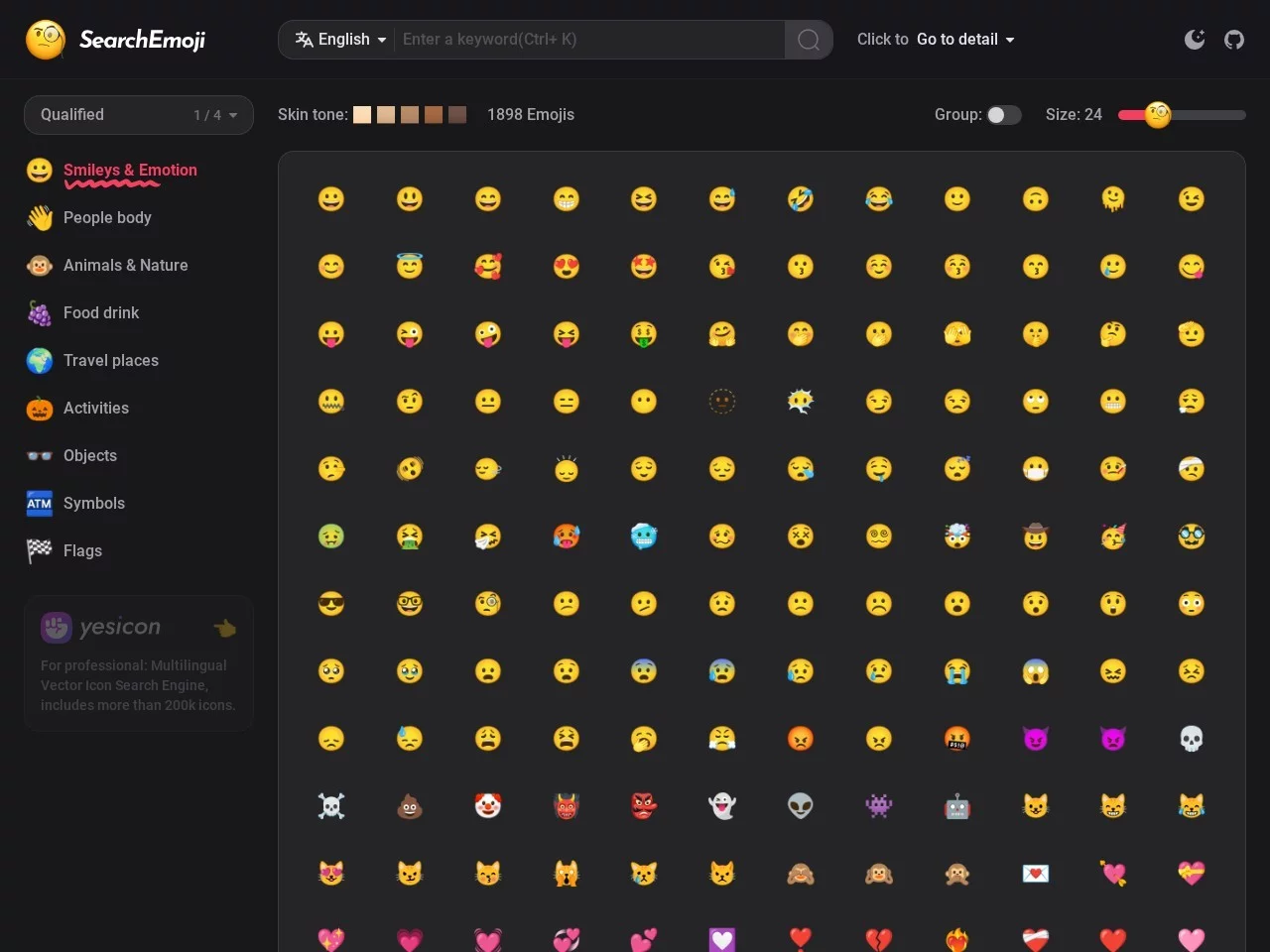
You’ve chatted with a friend for nearly half an hour and typed hundreds of words, yet something still feels missing — an emoji that truly hits the mood. You dig through your keyboard’s built-in emoji panel for ten minutes without finding one. Everyone has run into this awkward moment. Emojis keep growing in number, and finding one by rote memorisation or slow page-flipping simply wastes too much time. I’ve been using SearchEmoji for over half a year and long ago made it my go-to tool for finding emojis. It is an online platform built specifically to solve the “hard to find emojis” problem, focusing on one-word search and one-click copy — just open the website and start using it.
A practical takeaway first: no need to wrestle with your keyboard’s emoji panel
Official website: https://searchemoji.app/zh-hans
I used to rely on my keyboard’s built-in emoji library just like everyone else, until one day I was rushing to write copy on a trending topic and spent nearly twenty minutes without finding the right emoji — that’s when I realised I had been taking a detour. After discovering SearchEmoji, I learnt that finding emojis doesn’t require wrestling with your keyboard at all; a change of approach saves loads of time.
The tool’s biggest strength is its search capability: it supports queries in 30 languages. Chinese users can simply type in plain everyday language instead of memorising the English keywords for each emoji. For example, to find an emoji for “not knowing whether to laugh or cry”, there’s no need to search “crying laughing” — just type in Chinese and the results appear instantly. The barrier is remarkably low.
Three handy approaches I’ve picked up for finding emojis
1. Search directly when you know what you want
Whenever I have a clear target, my first reaction is to search with a keyword. For example, when looking for an “ice cream” or “cheering on” emoji, I type the word and the relevant results are ranked by relevance — one click copies it. It usually takes just a few seconds, far faster than flipping through panels.
2. Recognise it but can’t name it? Filter by colour and size
Sometimes the picture is in your head but you can’t name it — that’s when colour filtering really shines. For example, if I want a reddish emoji, I don’t need to scroll around randomly; just pick the red option and the results instantly narrow down. There’s also a size adjustment feature that lets you zoom in on details, so you won’t mistake a design just because it’s too small.
3. Browse categories when you have no target
If you’re looking for inspiration or just browsing around, category browsing works better than searching. Its emoji categories are quite detailed. The ones I use most often:
- Smileys & emotions: the mood emojis used most in everyday chats
- People & body: people emojis with all kinds of gestures and actions
- Animals & nature: nature-themed emojis from cats and dogs to plants and weather
- Food & drink: foods and drinks from around the world, a must-have for emoji battles
- Activities: dedicated to festivals, sports and celebrations
The remaining categories cover travel & places, objects, symbols and flags, which together cover virtually every emoji type used daily — you’ll find the right one as you browse.
The two most thoughtful little details
The same emoji can look different on different devices — rendering on phones and computers often varies a lot. I once sent an emoji that looked like a cute smiley on my phone but turned into a frown on my friend’s computer. So embarrassing.
SearchEmoji offers a cross-platform preview, so you can see how an emoji looks on mainstream devices before copying it — no more falling into that trap.
Another thoughtful touch is one-click copy: one tap and it’s on your clipboard, no extra steps needed. When I’m writing copy or editing short videos and need emojis frequently, this little detail saves plenty of effort.
Easy to find, clear to see, quick to copy — SearchEmoji simplifies every step of emoji searching.
Who benefits most from it
Several types of people around me use it a lot. Content creators — such as those writing WeChat Official Account copy or short-video scripts — find that emojis add polish to their content without wasting time hunting for them. Heavy social media users get far more efficient when interacting and having emoji battles with friends. And colleagues in marketing operations also find emojis quickly when posting event notices or creating materials.
Of course, it’s also handy for ordinary everyday chats — no more struggling with your keyboard’s emoji panel.