AD Recommendation
Join Now
Important: Please do not trust the content and ads of various websites easily! Recommended reading: Safety Tips
深言达意
Scan to visit on your phone
4wks agoupdate 722 00
0

深言达意深言达意

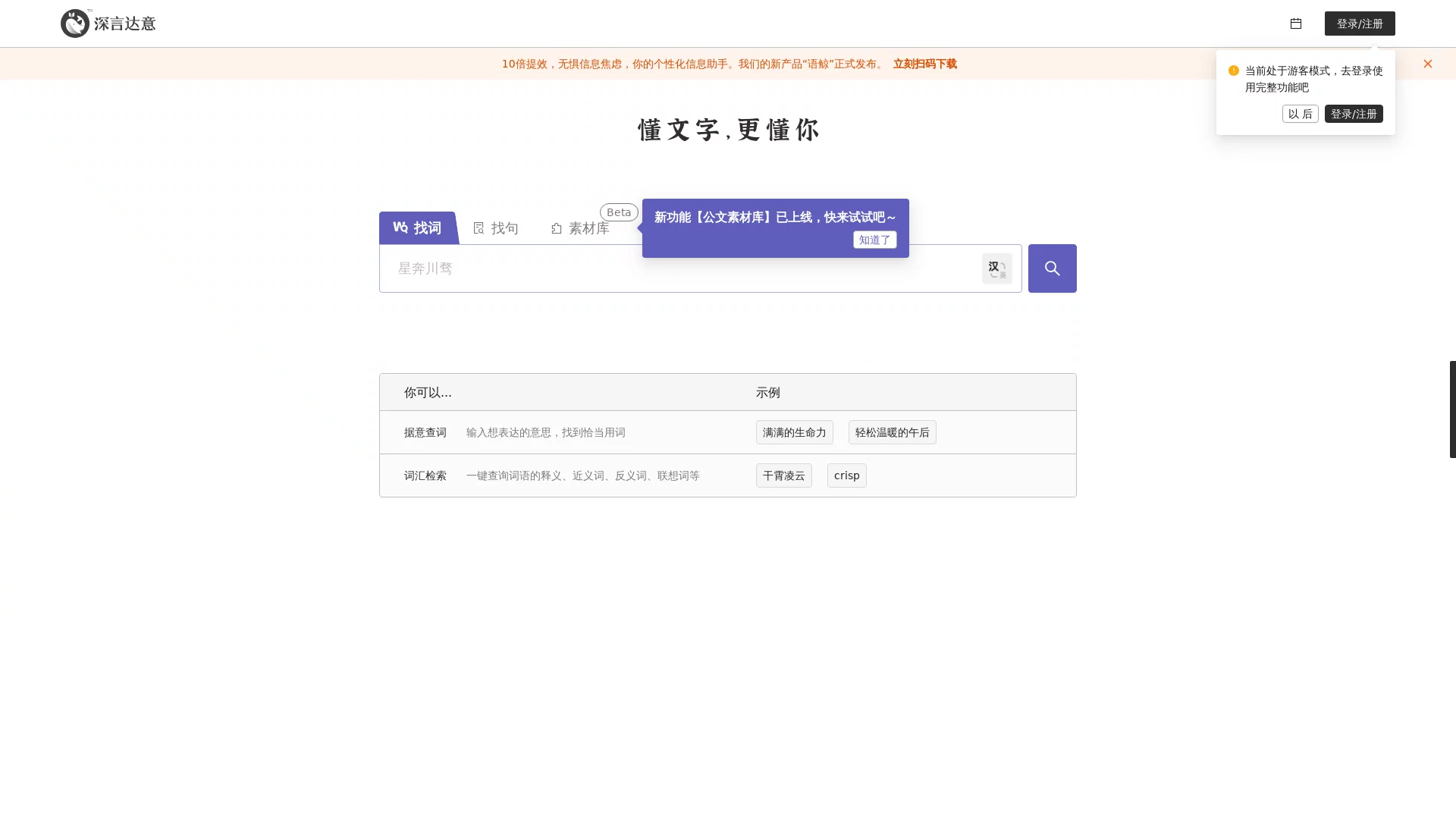
Writing assistance tool, word lookup by meaning, sentence lookup by meaning


Screenshots

深言达意

Struggling to find the right words? I’ve used this tool to get out of tight spots many times

Last time I was working on a proposal until the early morning, staring at a blank document for half an hour. I had ideas in my mind, but I just couldn’t find the precise words to express them clearly — I guess many people have stepped into this pitfall: either words fail to convey the meaning, or after searching through dictionaries, they still feel awkward. I’ve tried several language assistance tools, but the one I’m most comfortable with is Shenyan Dayi, an intelligent tool launched by Shenyan Technology, which uses top AI technology to solve the problem of “wanting to express but not finding appropriate words”.

Official website: https://www.shenyandayi.com/

This tool is developed by a Tsinghua University team, so it’s reliable to use

Later I learned that Shenyan Dayi is led and developed by the THUNLP team of Tsinghua University, integrating the core functions of reverse dictionary and sentence lookup by meaning. It’s not a small tool put together randomly. I was always worried about the safety of such online tools before, so I checked it specially: Scamadviser algorithm gave it 66 points, and it belongs to a legal and compliant platform, so users don’t have to worry about information leakage when using it.

Its AI algorithm is really practical. Different from ordinary dictionaries, it doesn’t let you find the meaning of words by looking up words, but helps you find corresponding words when you clearly state the feeling you want to express. For example, last time when I wrote a report, I wanted to express the feeling of “being torn between whether to give feedback, afraid of offending others but can’t help it”. After inputting this description, it quickly recommended words like “in a dilemma” and “hesitant to speak”, saving me a lot of time compared to thinking blindly.

There are two core functions, both hitting the points I need

After using it, I think its two core functions can solve practical problems, not just for show.

  • Word Lookup by Meaning: Can recommend corresponding words based on vague descriptions, and also provides definitions, synonyms, antonyms, and even related words. I always worry about using repetitive words when writing, and this tool helps me enrich my vocabulary a lot;
  • Sentence Lookup by Meaning: In addition to famous quotes and excellent sentences, it also recommends sentence structures based on context. Whether you’re writing a speech or an essay, you can find suitable expression examples without forcing sentences.

It also supports Chinese-English bilingual functions. When I occasionally need to write bilingual copy, I don’t have to switch between other tools back and forth. I just input a Chinese description, switch to English mode, and find the corresponding expressions, which saves a lot of trouble.

Works in Different Scenarios, Saves Time and Improves Efficiency

Whether it’s a student writing an essay, a professional drafting a proposal, or someone preparing a speech, Shenyan Dayi can help. I once helped a colleague revise his speech. He wanted to express the feeling of “the joy of finally letting go of obsession after working hard for a long time”. After searching with this tool, the recommended words like “relief” and “joy after suffering” were much more accurate than his original expression.

Compared with other similar tools, it has several practical advantages: no need to switch between platforms back and forth, you can do both word lookup and sentence lookup in one place; the algorithm is developed by the Tsinghua University team, so the matching results won’t be off-topic. For example, when I input “describe someone who is torn but doesn’t want others to notice”, the recommended words are all context-appropriate; the platform has security certification, so it’s reliable to use.

Practical Tips I’ve Learned from Using It a Few Times

It’s not enough to just input descriptions randomly. There are a few small details to note, which will make the results more accurate.

  1. Input descriptions as specifically as possible, not too general. For example, instead of saying “describe happiness”, say “the happiness of achieving a goal after hard work, with a feeling of relief”, so that the matched words are more appropriate;
  2. When using the bilingual function, input the Chinese description first, then switch to English mode, which makes finding the corresponding English expressions faster and more convenient for those who write bilingual copy;
  3. You can click on the retrieved words or sentences to view their detailed definitions. I usually memorize a few new words along the way, which gradually improves my vocabulary.

My Real Experience After Using It

Shenyan Dayi is free, with a clear positioning: to help people solve the pain point of “wanting to express but not finding the right words”. Its functions cover the word lookup and sentence lookup I need most, and it also supports bilingual functions. Coupled with the technical background and security certification from Tsinghua University, it is indeed a practical tool. Now when I write or prepare reports, I will first search with it, saving the time of looking up dictionaries and not having to struggle with word choices for a long time.

Relevant Navigation

No comments

You must be logged in to leave a comment!
Login immediately
none
No comments...