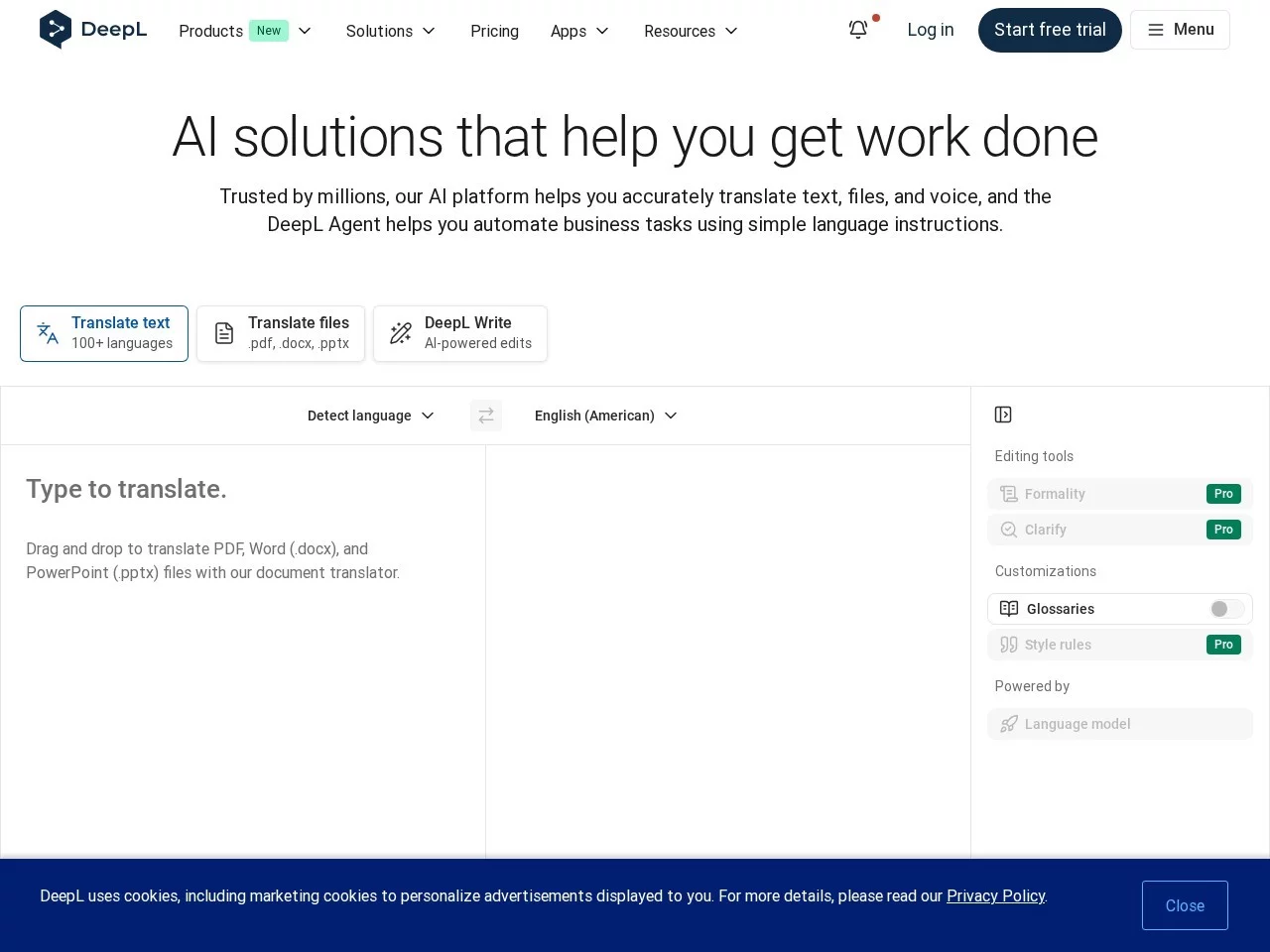
DeepL TranslatorDeepL Translator online translation official website entry
Screenshots

When buying imported snacks and not understanding the ingredient lists, writing a graduate thesis that requires translating foreign language literature, or checking contract details when working with overseas clients — in these scenarios, do you find it hard to choose between Google, DeepL, and Microsoft Translator?
More and more people have been using DeepL in recent years, and many say it is smoother than older tools. The core reason is that it does not mix all users’ needs together; instead, it clearly breaks down the differences between different scenarios, so you don’t have to choose between “making do” and “spending a lot”.
Choosing a Basic Translation Tool: How Does DeepL Differ from Google and Microsoft?
Take daily short text translation as an example, such as sending messages to overseas friends or looking up foreign language recipes. DeepL covers 24 languages, including major European languages and core Asian languages, even taking care of less common languages. You don’t need to switch to other tools specially; whether it’s Chinese to Japanese or Spanish to French, it can handle it directly. Moreover, it translates according to the grammatical characteristics of the language itself, unlike some tools that rigidly translate “good morning” into strange combinations.
However, short text is not everyone’s need. If you need to translate long documents of more than 1500 words, such as course papers or company contracts, DeepL’s advantage becomes obvious. It does not mess up the document format; when you upload reports with images or materials with tables, the translated content retains the original fonts and layouts, so you don’t have to spend half an hour adjusting the format yourself. This is much more convenient than many similar tools.
Official website: https://www.deepl.com/zh/translator
For Mobile Use or Office Use? How to Choose Between DeepL’s Different Plans?
When You’re Out and About: Is DeepL’s Mobile Version Enough?
If you often travel across borders, or shop or check guides when out, DeepL’s mobile version is well-adapted. The mobile interface is simplified, so you don’t need to click through multiple layers of menus. Just take a photo of a foreign product label or a roadside foreign notice, and you can quickly get translation results — much more convenient than carrying a foreign language dictionary.
Of course, the mobile version can also handle small daily office needs, such as quickly translating a foreign email on the subway. You don’t have to wait for the web page to load; just open the APP to use it. The small functions called up by shortcuts allow you to complete translation without switching windows, so you won’t be delayed in replying to messages.
For Office Work or Thesis Writing: How to Choose DeepL’s Multi-Platform Tools?
If you work on a computer, DeepL’s desktop version is free. The Windows version supports shortcut keys to call it up; you don’t need to open a web page, just select text to translate. It can be installed on multiple computers, making it suitable for people who often change workstations. If you are used to writing in a browser, its extension allows you to translate while viewing foreign web pages, without copying and pasting to other tools, saving many steps.
However, advanced functions like full-page translation require a Pro subscription to access. If you only occasionally translate a few pages of foreign materials, the free version’s functions are enough for daily use. If you often handle official documents, the Pro’s unlimited text translation and full document editing functions can help you save a lot of time on manual adjustments.
Worried About Data Leaks? Can You Trust DeepL’s Security and Quality?
Many people’s biggest fear when using translation tools is content leaks, especially when translating confidential content like contracts or theses. DeepL has prioritized data security from the start; during translation, it strictly protects users’ texts and documents, and will not store or leak content casually. Whether for personal or business use, you don’t have to worry too much about privacy issues.
In addition, its translation results are more accurate than many tools, and it will not mistranslate professional terms. For example, when translating proper nouns in academic papers or industry terms in business reports, it can accurately convey the meaning, unlike some tools that translate stiffly or even have semantic deviations. This is also why many professionals are willing to use it.
Finally, to be honest, DeepL’s advantage is not that it has many fancy functions, but that it caters to the needs of different scenarios. You don’t have to buy extra services just to use one function, nor do you have to put up with poor translation quality to save a little money. You don’t have to struggle too much when choosing.
Relevant Navigation

Converter
Symbol Library
CiZhua Network

CNKI Translation Assistant
Youdao Translate