Text ComparisonFree Online Text Comparison Tool
Screenshots

Online Text Comparison Tool DiffSuite: Efficiently Solving Document Difference Processing Challenges
In daily office work and content creation, scenarios often arise where you need to compare the differences between two documents — such as version iteration of revised proposals, content verification of multilingual translation drafts, adjustment and checking of code configuration files, etc. Manual word-by-word comparison is not only time-consuming and laborious, but also prone to omissions or misjudgments. As a professional online text comparison tool, DiffSuite has become the first-choice tool for many users to handle text differences, thanks to its powerful functions and convenient user experience.
Official website: https://diffsuite.com/zh/
Core Features: Precise and Efficient Text Difference Processing Capabilities
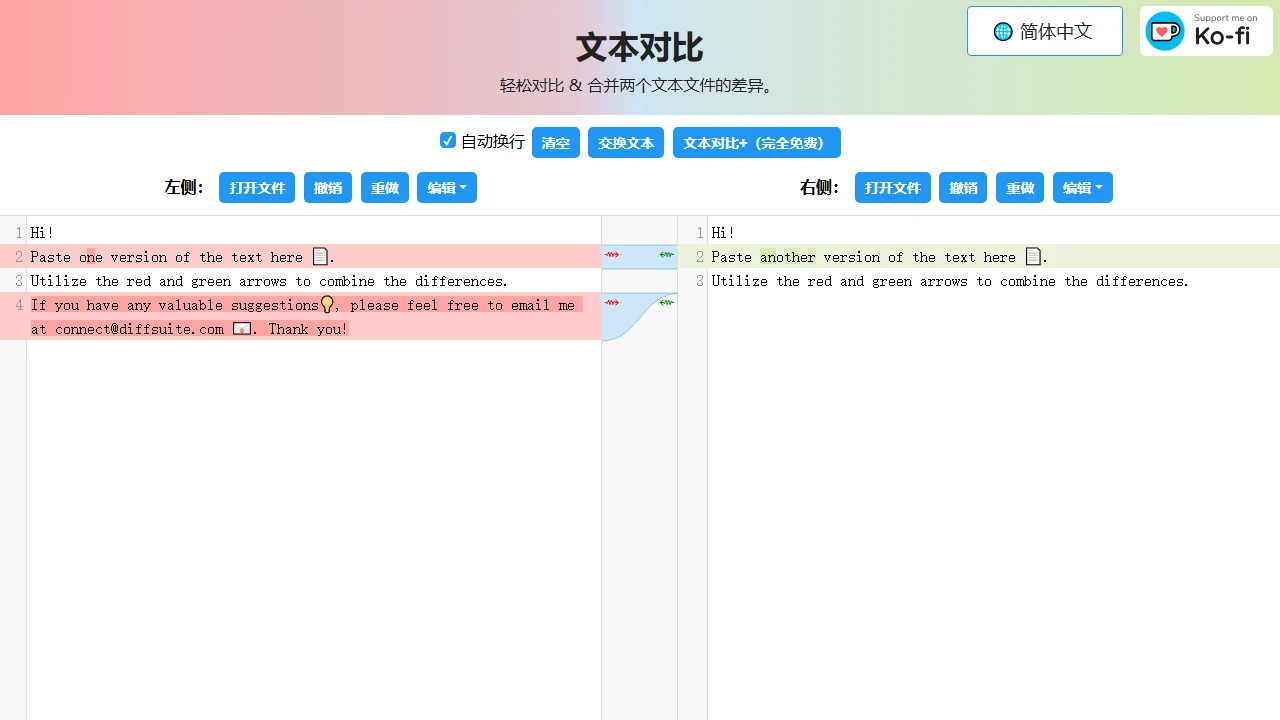
DiffSuite’s core advantages focus on two core functions: real-time difference comparison and merging. Users only need to upload or paste two texts to be compared, and the tool can complete difference identification in a very short time. It intuitively presents all differences through highlighting, and automatically marks the specific difference positions, completely saving the trouble of manual word-by-word checking and minimising errors caused by manual comparison.
In addition to basic difference identification, DiffSuite also provides diverse merging functions. Users can choose to retain the content of one document according to their own needs, or integrate the difference parts of the two documents together. No manual modification and adjustment are required, and the merged results that meet the requirements can be quickly obtained, greatly improving the efficiency of document organisation and content optimisation.
Supports Multi-format Text Comparison, Adapting to Various Usage Scenarios
For users who need to handle different types of text content, format compatibility is a key indicator of the tool’s practicality. DiffSuite fully considers the needs of users in different fields, and supports comparison of multiple common text formats, including XML, SGML, JSTL, HTML, CSS, SCSS, JavaScript, JSON, etc.
Whether front-end developers check code configuration files, content editors compare multi-version web documents, or technical staff check differences in structured data, DiffSuite can provide stable support, and will not have identification errors or comparison failures due to format issues, making cross-domain text comparison work smoother.
Convenience and Practicality: Online Tool with No Threshold for Use
One of the most popular features of DiffSuite among users is that it does not require any software installation and runs entirely on the browser. Users do not need to download additional clients, nor worry about the tool occupying device storage space. As long as you can connect to the internet, you can open the browser at any time to use the tool for text comparison, which is especially suitable for scenarios where differences need to be handled temporarily, such as when working outside or switching between different devices, you can quickly launch the tool to complete the operation.
As a free online text comparison tool, DiffSuite does not set complex usage thresholds, and ordinary users can easily get started and operate it. At the same time, it also supports multiple languages, which can meet the usage needs of users in different regions, making cross-language text comparison and content integration simpler, and further broadening the scope of application of the tool.
Applicable Crowds and Usage Scenarios Reference
Combined with the functional characteristics of DiffSuite, its applicable crowds are very wide, covering practitioners in multiple fields:
- Office Workers: Used to compare documents such as proposals, reports, contracts before and after modification, and quickly confirm the changed parts of the content;
- Developers: Check version differences of code files and configuration files, or compare code content of different branches;
- Content Creators: Check differences between multi-version copy, translation drafts, and web content to ensure content consistency;
- Students and Researchers: Compare different versions of literature and sort out the process of content adjustment and optimisation.
In actual use, users only need to log in to the official website, upload or input two texts to be compared, and can obtain clear difference results in a short time. Whether it is simple text content comparison or structured data verification in complex formats, it can be completed efficiently through DiffSuite, saving a lot of time and effort for various text processing tasks.
Relevant Navigation
PearOCR
symbl.cc
QuickTranslate
Baidu Translate