Online TypesettingFree online one-click typesetting editor
Screenshots

Don’t waste time on typesetting — I’ve avoided the pitfalls I stepped into
When I was a new media editor, I always got stuck on typesetting: articles transferred from other websites had a bunch of hidden codes, deleting spaces took half an hour manually, and when sending content with mixed simplified and traditional Chinese to Hong Kong, Macau and Taiwan platforms, I had to change each one. During that time, I had to stay until 8 PM every day after work.
Official website: https://i.seoserp.cn/
Can this tool really solve those troubles when typesetting?
Can the garbled format codes be cleared with one click?
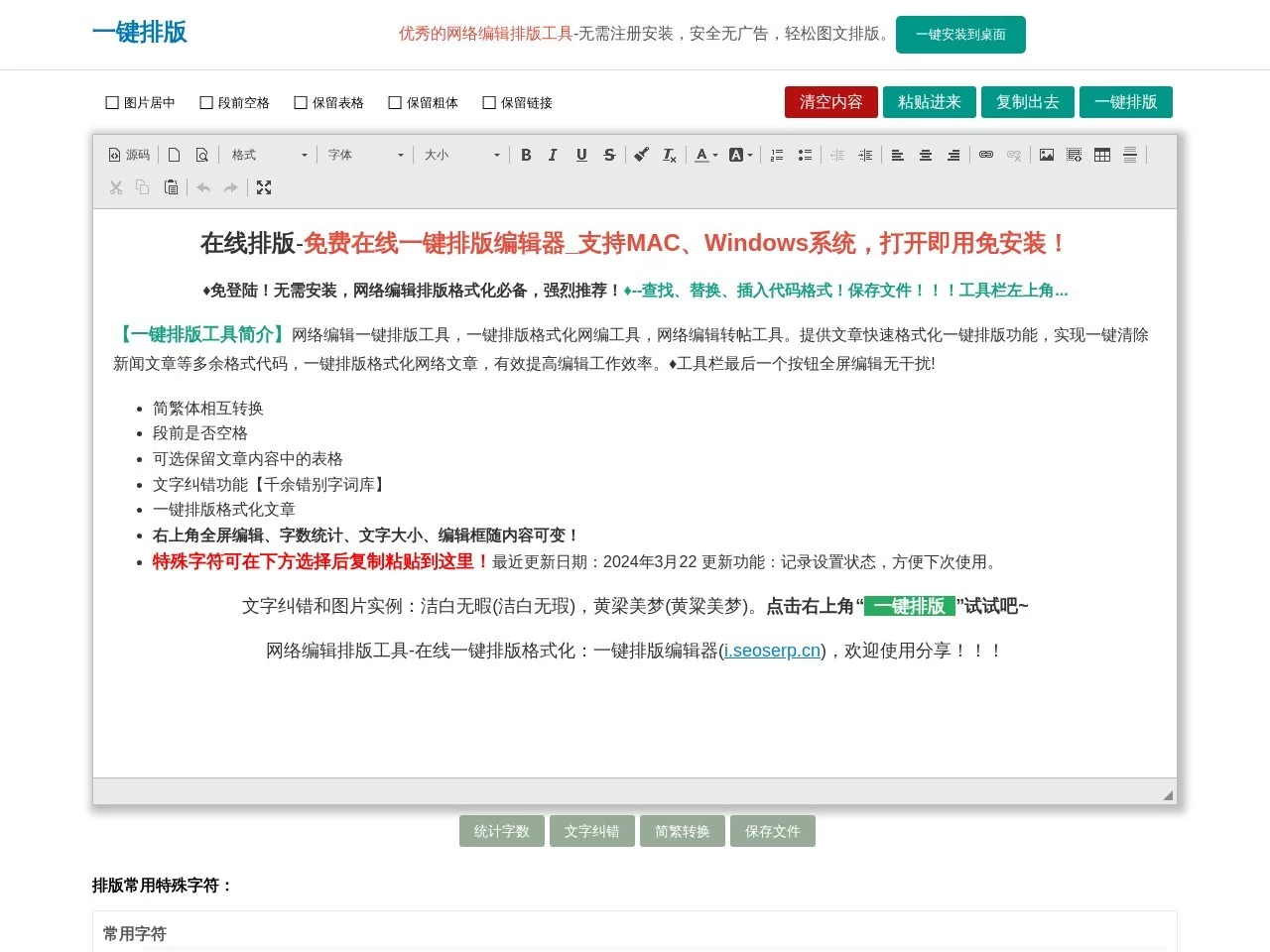
When I posted to WeChat Official Account before, I often encountered articles with redundant codes. After copying, the paragraphs were in a mess, and sometimes even the table format would be broken. Deleting codes and adjusting paragraphs manually took a lot of time. The one-click format clearing function of this online typesetting tool is perfect for this situation. It can automatically remove extra spaces and hidden codes, and you can choose whether to keep the tables, so you won’t accidentally delete the tables in the content.
Besides clearing formats, it can also handle the conversion between simplified and traditional Chinese, which is my biggest headache. Before, when sending articles to Hong Kong, Macau and Taiwan platforms, I had to change each simplified Chinese character to traditional one. With this tool, I just need to click a button, and it can also convert traditional Chinese to simplified. Sometimes when I finish writing an article and want to check for typos, I don’t need to open a separate proofreading software. Its built-in library of over a thousand typos can help check, saving a lot of time switching between pages.
When editing, I’m always disturbed by the interface. Can it help me focus on revising the manuscript?
When I used other online tools before, the editing interface was always full of various ad buttons. I couldn’t help being distracted when revising the manuscript, and I also had to manually adjust the size of the editing box, which was particularly troublesome when writing long manuscripts. This tool has a full-screen editing mode in the upper right corner. Clicking it can hide the extra interface elements, so you only focus on the text itself. The editing box will automatically adjust its size according to the content you input, so you don’t have to drag and stretch repeatedly.
When revising the manuscript, you can also check the word count in real time. Before, when writing WeChat Official Account posts, I always couldn’t control the length well — either it was too long to delete, or too short to meet the requirement. With this word count function, you can adjust it at any time during revision, without counting again after finishing writing. These small functions together greatly improve the efficiency of revising the manuscript, so you don’t have to waste time on irrelevant things.
Whether for personal or professional use, is it easy to get started?
I also use this tool when organizing reading notes and writing WeChat Moments copy. No need to download or install, just open the web page to use. No need to fill in a phone number to register, just paste the text to be processed, and click a few buttons to finish. I recommended it to a friend who does academic research before. He said that when organizing paper references, adjusting the format with this tool saved a lot of time, and he didn’t have to adjust each one according to the format manual.
Besides the core typesetting functions, it also has some practical small details, such as comparing the text differences before and after modification, so you can see at a glance what has been changed after revision. There is also an HTML file generation function, so the typeset content can be directly exported as a web page format, adding more options when creating content. Whether you are a novice who just started with text processing or an old editor who deals with manuscripts every day, it is very easy to use. No need to learn specially, just click a few times on the interface.
Relevant Navigation
Network Clipboard
ueg
Phone Number to Emoji
DeepL Translator