
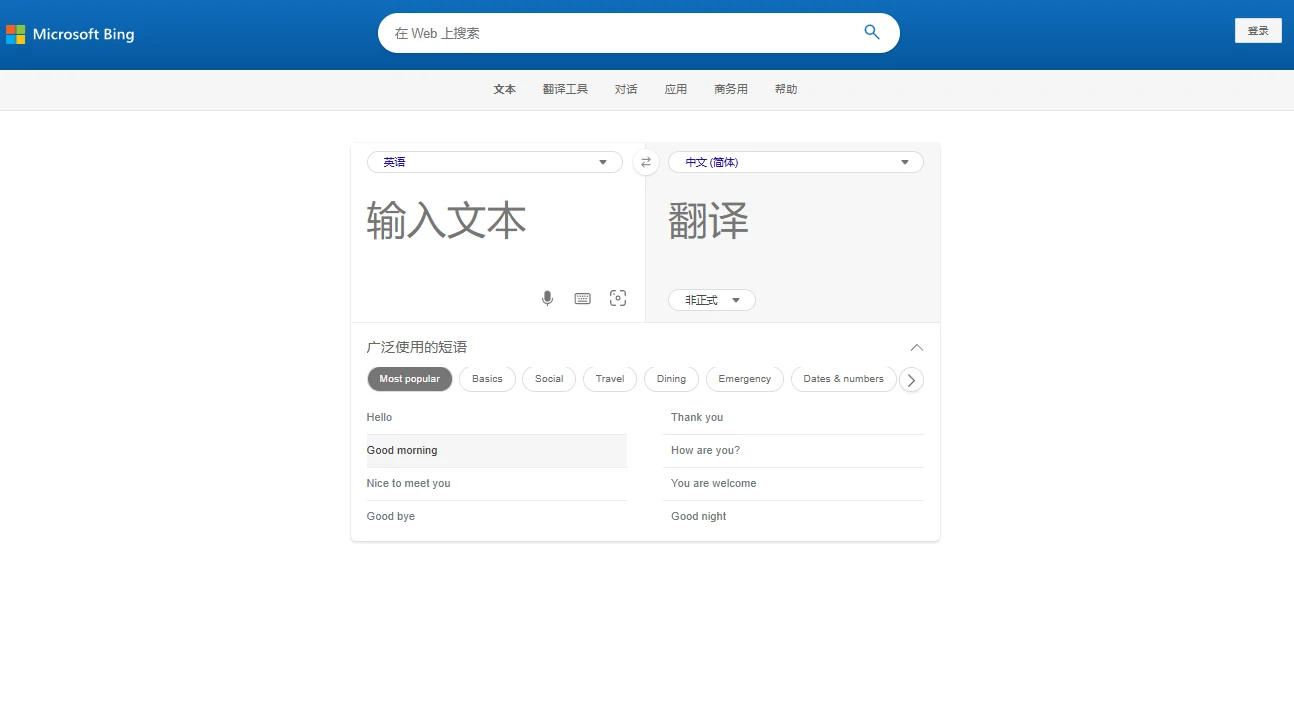

Microsoft Bing TranslatorMicrosoft Bing Translator online translation entry
Screenshots

An Efficient Choice for Daily Translation Scenarios: A Complete Guide to Microsoft Bing Translator
In an era where cross-language communication is becoming increasingly frequent, a stable and accurate translation tool can significantly boost efficiency, and Microsoft Bing Translator is a representative example. As an intelligent translation solution launched by Microsoft, it covers translation needs across multiple scenarios such as text, web pages, and images, and with its mature technical accumulation, it has become a reliable assistant for many users to handle language conversion.
Official website: https://cn.bing.com/translator
Core Functions Cover Multiple Scenarios to Meet Diverse Translation Needs
Multi-format Translation for Daily and Office Scenarios
The core advantage of Microsoft Bing Translator lies in its comprehensive functionality. It not only supports basic text translation between languages, but also extends to translating special formats such as web pages and images, covering various scenarios from daily travel to office work. Among them, text translation supports real-time translation between more than 40 languages, and can quickly convert various short texts, emails, notes and other content, meeting the needs of daily communication and simple office work.
For the specific needs of web page translation, Bing Translator provides convenient configuration options. Users can automatically translate web pages into Simplified Chinese or other target languages according to their own usage habits, without manually copying content paragraph by paragraph, which greatly saves the time of language conversion when browsing web pages. In addition, it is equipped with Optical Character Recognition (OCR) technology, which can recognize text in images and complete translation, making it suitable for processing image content with text such as menus, posters, and handwritten notes.
Cross-device Adaptation for Anytime, Anywhere Use
To adapt to device needs in different usage scenarios, Microsoft Bing Translator supports multi-terminal deployment. Users only need to install the latest version of the Microsoft Translator app to use all functions on smartphones, tablets or Windows PCs, enabling cross-scenario collaboration such as translating photos on mobile phones at any time and batch processing documents on computers.
User Guide and Experience Optimisation Tips
Steps to Set Up Automatic Web Page Translation
For users who often need to browse foreign language web pages, mastering the automatic web page translation settings of Bing Translator can greatly improve usage efficiency. The specific operation process is clear and easy to understand, and configuration can be completed without complicated steps:
- Open the Microsoft Bing Translator app, find the three-horizontal-line icon in the upper right corner of the page and click it to enter the app’s settings page;
- On the settings page, find the entry related to translation and click to enter the translation settings section;
- According to your own needs, choose to automatically translate web pages into Simplified Chinese or other target languages, and the settings will take effect after saving.
Experience Optimisation Suggestions During Use
In actual use, Bing Translator performs well in translating content such as popular terms and simple manuscripts, and can quickly generate accurate and easy-to-understand results, making it suitable for daily communication and basic office scenarios. However, for phrases with subtle wording or less common niche languages, its translation accuracy may be affected to some extent. It is recommended that when users handle such content, they can cross-verify with other tools or adjust the expression to obtain results that better meet their needs.
Positioning and Applicable Crowd of Bing Translator
Overall, Microsoft Bing Translator is a reliable and efficient AI translation tool. Its core advantages lie in its comprehensive functionality, multi-scenario adaptation, and convenience of cross-device use. It is suitable for ordinary users to handle daily cross-language communication, students to consult foreign language materials, office workers to process simple foreign language documents, etc. It is a translation solution that balances practicality and ease of use.