
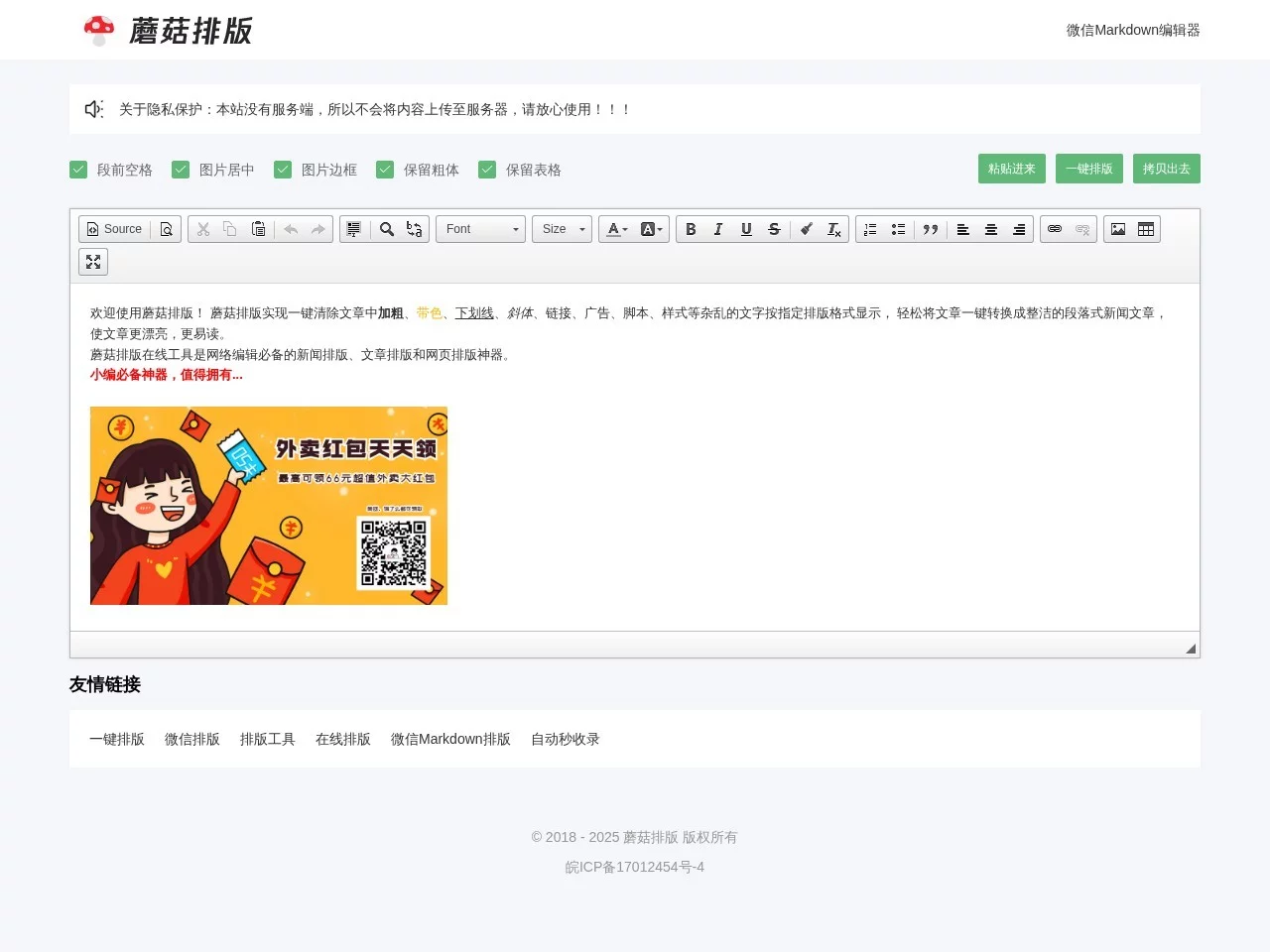
Mushroom FormattingOnline one-click formatting tool that can clear messy text such as bold, colored text, underlines, italics, links, ads, scripts, styles, etc. in articles with one click, ...
Screenshots

Why does formatting get messed up when copying articles to WeChat Official Account?
After spending half a day writing content, when copying it to the WeChat Official Account backend, bold text becomes garbled, underlines and links get tangled together, and adjusting manually for half an hour still isn’t done — this is a formatting pitfall that most content creators have encountered.
Actually, you don’t have to waste time on repetitive work. Mushroom Formatting is an online tool that solves this problem, helping you sort out messy formatting with one click.
Official website: https://www.mgpaiban.com/
What formatting pitfalls can Mushroom Formatting help you avoid?
Pitfall 1: Manually clearing redundant formatting is too time-consuming
When many people copy content, they also paste the original platform’s bold, colored fonts, underlines, and even hidden scripts. The WeChat Official Account backend can’t recognize them directly, so they have to delete them one by one manually. For a long article, it takes more than ten minutes just to clear the formatting.
Mushroom Formatting’s one-click clear function can filter out all these messy styles, keeping only clean text and valid links, so you don’t have to click the formatting buttons in the backend repeatedly.
Pitfall 2: Organizing references for quoted content is troublesome
When writing papers or news articles, quoting external links requires manually organizing them into references. If you’re not careful, you might miss marks or mark them incorrectly, and then have to spend time adjusting formatting, which affects the professionalism of the content.
Mushroom Formatting can automatically convert external links in the article into standard reference indexes, attached uniformly at the end. No need to check each one manually, saving a lot of effort.
Who is Mushroom Formatting suitable for?
- WeMedia Blogger: Whether posting on WeChat Official Account, blogs, or other content platforms, adjusting formatting with one click makes the article look neat and readable, so you don’t have to worry about the platform’s built-in editing tools messing up the layout.
- Students / Thesis Writers: When writing course papers or graduation theses, the automatic reference organization function helps you avoid minor formatting issues, allowing you to focus on the content itself.
- Novel Writers: Adapted to the formatting habits of novel reading, with clearer chapter divisions and appropriate paragraph spacing, making it easier for readers to follow.
- News Editors: Generate paragraph-style news content that meets professional requirements with one click, adjust formatting quickly, and improve content publishing efficiency.
What makes Mushroom Formatting hassle-free?
No need to download or install — just open your browser to use it, and it takes up no computer memory at all.
Even beginners who have never done formatting can get started quickly. The operation steps are simple, with no complex learning curve.
You don’t need to register an account to use the core functions. If you have a temporary formatting need, you can open it directly without prior preparation.
The functions cover everything from basic formatting adjustments to advanced reference organization. No need to switch between multiple tools — all formatting work can be done on one page, saving time on switching back and forth.
Whether handling a large amount of content daily or temporarily adjusting the formatting of an article, it can be done quickly, allowing you to spend more time on content creation instead of repetitive formatting work.
How to use Mushroom Formatting?
Just open the official website to operate — no complex steps. Paste the content to be formatted and click the corresponding function button.
It should be noted that when pasting content, try to keep the core content of the original text without extra formatting processing. The tool will automatically filter out messy parts.
If you need to organize references, as long as the links in the content are complete and accessible, the tool will automatically recognize and organize them into standard formats.