AD Recommendation
Join Now
Important: Please do not trust the content and ads of various websites easily! Recommended reading: Safety Tips
Xunjie PDF Converter
Scan to visit on your phone
3wks agoupdate 806 00
0

Screenshots

Xunjie PDF Converter

Essential for Daily Office & Study: Practical Features and User Guide of Xunjie PDF Converter

In daily office and study scenarios, the demand for handling PDF files is growing. For example, converting PDFs into editable Word documents, exporting PPTs to PDF format to adapt to different devices, etc. Xunjie PDF Converter is a practical tool that can meet such needs. It focuses on online processing mode, does not require installing complex software, and can easily complete various format conversions and PDF-related operations, making it a great helper for many people to improve efficiency.

Official Website: https://app.xunjiepdf.com/

When many people handle PDF files, they often encounter problems such as format incompatibility and uneditable content. The core advantage of this tool is that it covers a variety of high-frequency processing scenarios. Whether it is format conversion or editing and optimization of PDFs themselves, it can be completed in one-stop, without switching between multiple tools.

Core Functions of Xunjie PDF Converter Cover All Scenario Needs

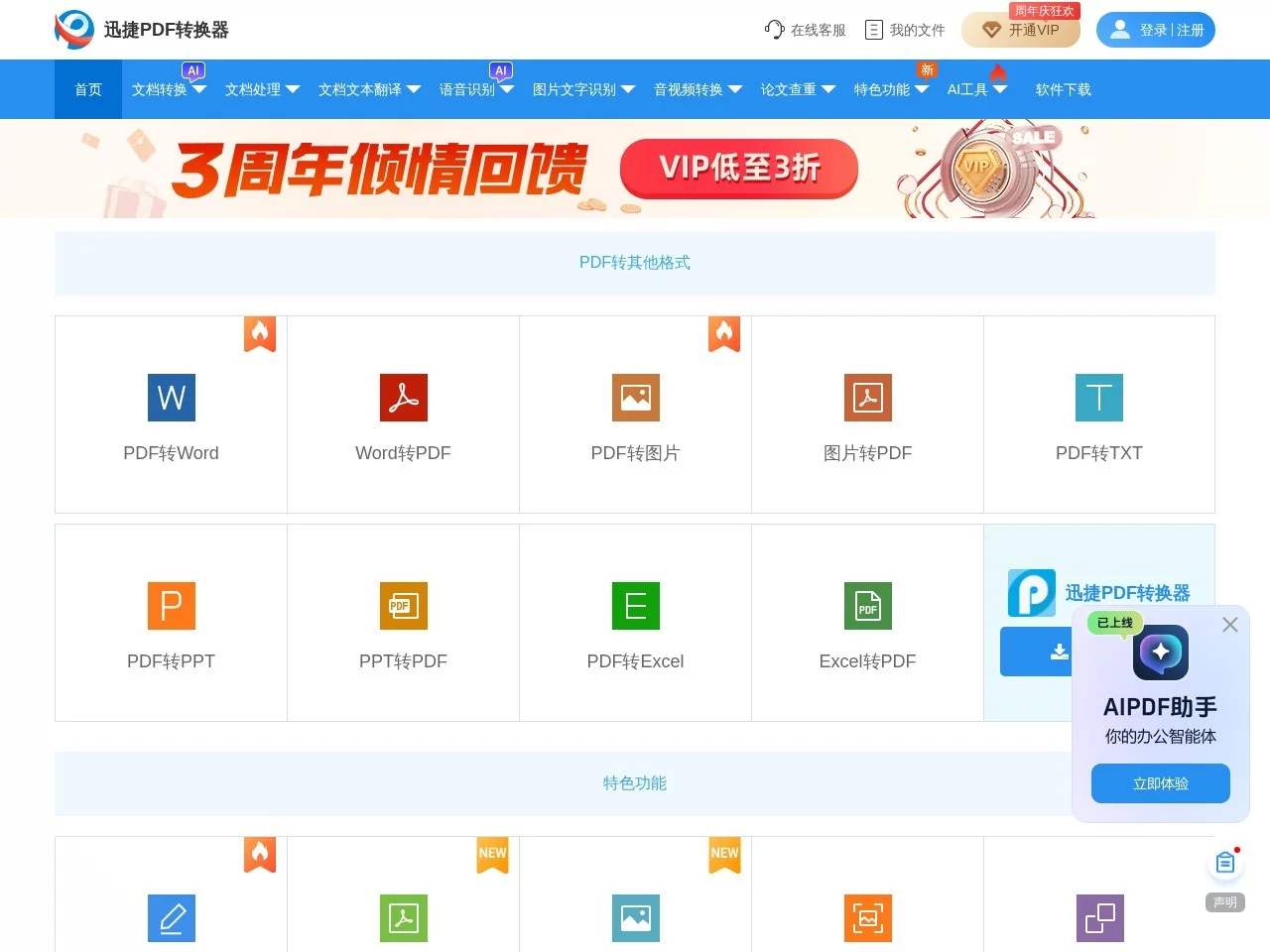
As a comprehensive online PDF processing tool, the functional design of Xunjie PDF Converter is centered around users’ actual usage scenarios. It not only supports common format conversions, but also solves the processing pain points of PDFs themselves. From the perspective of format conversion, it supports a wide range of types. In addition to the most commonly used PDF to Word, it can also convert PDFs to Excel, PPT, TXT, images, and other formats. It also supports reverse conversion, such as exporting Word, PPT, and other files to PDF format to meet different usage requirements.

In addition to format conversion, it also provides a number of PDF-exclusive processing functions to meet more specific needs, including:

  • PDF Merging: Combine multiple separate PDF files into one complete document, suitable for scenarios such as organizing meeting materials and study courseware;
  • PDF Splitting: Split a large-capacity PDF file into multiple small files, making it easy to share or use a part of the content separately;
  • PDF Compression: Compress PDF files that are too large to reduce the file size, facilitating fast transmission and storage;
  • PDF Watermarking: Add custom watermarks to PDF documents to protect the content from unauthorized use;
  • PDF Translation: Supports direct translation of PDF file content, eliminating the need to copy content to other translation tools separately.

Convenience of Online Use and Privacy Protection Details

For ordinary users, the usage threshold and data security of the tool are very important considerations. The online version of Xunjie PDF Converter has made thoughtful designs in both aspects. Users do not need to download and install any software, nor register or log in to an account. They can access the official website and use all functions as long as they open a browser. The operation steps are also very simple, and the interface is clear and intuitive. Even first-time beginners can get started quickly, making it suitable for users of different age groups and experience levels.

In terms of privacy protection for file processing, this tool also has clear rules: the free service of the web version usually supports free conversion of files within 2MB, and the files uploaded by users will be automatically deleted after 24 hours, without retaining the user’s document content, which can effectively avoid the problem of file leakage, allowing users to upload files to be processed with confidence.

Applicable Scenarios and Usage Suggestions of Xunjie PDF Converter

This tool is positioned as practical and convenient, making it very suitable for various PDF processing needs in daily office and study. For example, in office scenarios, employees need to convert PDF meeting minutes into editable Word documents to modify the content, or export the prepared PPT to PDF format to send to clients, which can be quickly completed with it; when students organize study materials, converting PDF chapters in textbooks to TXT format for mobile reading, or merging multiple courseware PDFs into a complete review material, can also be achieved through it.

Several Practical Suggestions for Use

To make the usage experience smoother, there are a few small details to note: First, if you need to process large files exceeding 2MB, or have the need to batch process multiple files, in addition to using the online version, you can also choose to download and install the corresponding software version. The download address of the official website is https://www.xjpdf.com/, which can meet more complex needs; Second, when processing sensitive business or personal documents, it is recommended to operate on the browser of your own device as much as possible, to avoid leaving file traces on public devices; In addition, it is recommended to check the converted files locally first, confirm that the content is complete and free of garbled characters before saving or sharing.

For users who often need to process PDF files, the free online version of Xunjie PDF Converter can already cover most daily usage scenarios, solving many format conversion and PDF processing problems without additional cost, making it a very practical tool.

Relevant Navigation

No comments

You must be logged in to leave a comment!
Login immediately
none
No comments...