AD Recommendation
Join Now
Important: Please do not trust the content and ads of various websites easily! Recommended reading: Safety Tips
EaseConvert
Scan to visit on your phone
4wks agoupdate 990 00
0

EaseConvertEaseConvert

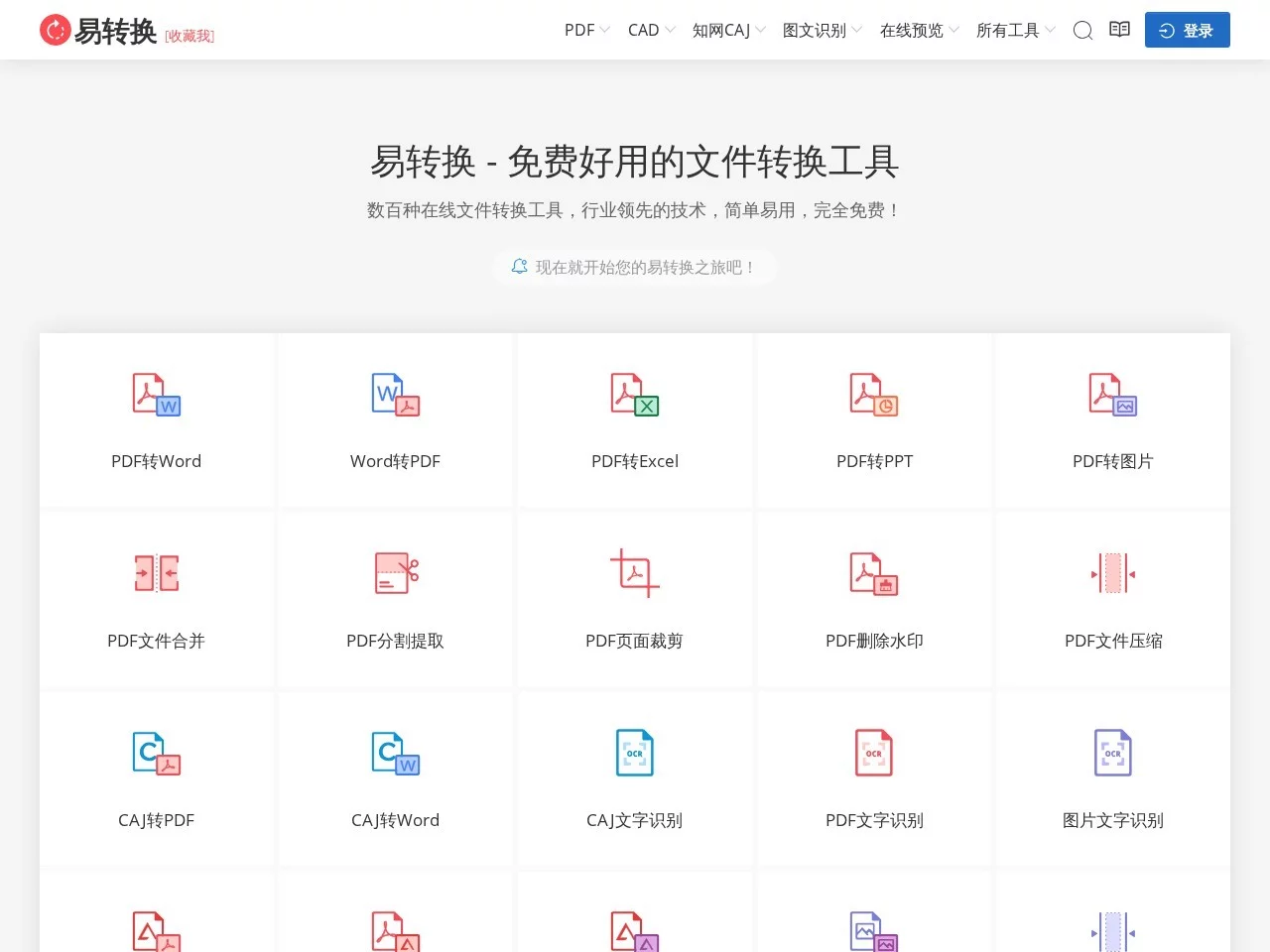
Free file conversion tool supporting over 100 formats including PDF, Office, CNKI CAJ, CAD, etc.


Screenshots

EaseConvert

Anyone who handles documents daily should try this free tool

I used to struggle with document issues in work and study — either I couldn’t edit PDFs, or CAJ-format papers couldn’t be edited directly. It wasn’t until I found EaseConvert that things got much easier.

Official website: https://www.easeconvert.com/

No need to download or install anything — just use it with any browser on a computer or mobile phone. You can use it on office desktops, home laptops, or tablets when you’re out, with no restrictions on location or device, which is really convenient.

Figure out your needs first

Comprehensive format conversion covering all daily scenarios

Among the format converters I’ve tried, EaseConvert can handle over 100 types, including office formats like PDF, Word, Excel, PPT, academic CNKI CAJ, and even images like JPG and PNG.

For example, a scanned contract in PDF can’t be edited directly, but converting it to Word makes it editable; when converting Word to PDF, the layout won’t be messed up when opened on another device; and CNKI CAJ papers, which could only be viewed with specific software before, can be read with any reader and allow content copying after converting to PDF or Word.

  • The converted documents have almost the same format and content as the original, with no garbled text or missing characters. I’ve tried it several times, and the layout is always neat.

Additional features solve many small troubles

Sometimes PDF attachments are too large to send via email — EaseConvert’s PDF compression feature reduces file size without sacrificing content clarity. If images take up too much space, you can convert between JPG, PNG, and other formats to meet the upload requirements of different platforms.

When you need to extract text from images or PDFs, you don’t have to type manually — its OCR recognition is quite accurate, and can directly convert to editable text. There are also small features like adding/removing watermarks, merging documents, and encryption/decryption, which are all useful when handling documents, so you don’t need to look for other tools.

Easy to use and reliable in security

Simple operation, easy for beginners to get started quickly

Even someone like me who’s not tech-savvy didn’t get confused the first time I used it. It’s just three steps: upload the file, select the target format, click convert, and wait to download. You can also drag files to the page for upload, no need to click around to find files.

Whether you’re an office worker who often makes presentations or a student revising papers, you can use it directly without needing to learn tutorials specially.

Good privacy protection

The biggest concern is file leakage during transfer — it uses 256-bit SSL encryption, so files won’t be tampered with or leaked during transfer.

Files on the server are only stored for 24 hours and automatically deleted after processing, leaving no traces. I even dare to use it for transferring confidential contracts.

Covers most people’s daily needs

Whether you need to convert contracts for work, PPT for presentations, or papers for study, you can find the corresponding functions. All basic features are free, which is enough for daily use; if you need faster processing speed or more advanced features, you can consider a paid membership.

No need to install software, no need to worry about garbled files, and no need to fear content leakage. It’s quite suitable for daily document handling.

Relevant Navigation

No comments

You must be logged in to leave a comment!
Login immediately
none
No comments...