Screenshots
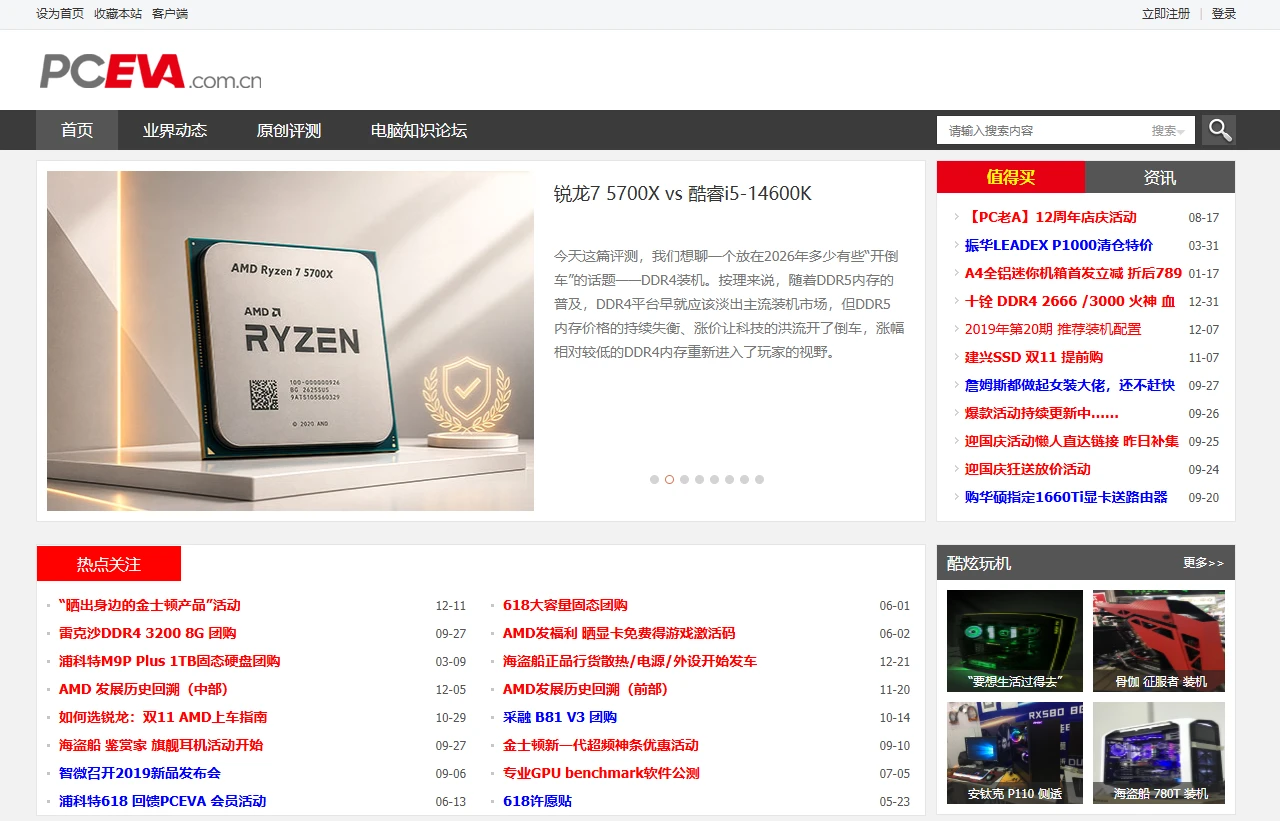
A Hardware Community I’ve Been Using for Years
Official website: https://www.pceva.com.cn
When I built my first PC, I ran into countless pitfalls choosing an SSD. Search results were either blatant e-commerce ads or spec-sheet articles preaching “the higher the benchmark score, the better” — nobody talked about real-world problems, like speeds blazing fast right after installation but inexplicably dropping after six months, or outright incompatibility with certain platforms. That is, until a friend recommended this place.
- At first I only looked at the sequential read/write specs on e-commerce pages. I later discovered that 4K random read/write, NAND flash type (QLC, TLC) and even platform compatibility matter far more than sequential speed. Many cheap drives boast gigabit-level read speeds, yet feel painfully slow when opening files in everyday use.
- Following “guru” recommendations online and hunting for firmware at random, I nearly clicked an unofficial, unfamiliar link. Only later did I learn that the firmware compilation threads here merely gather information — downloads must go through the brand’s official channels. Don’t click on files from unknown sources; it’s very easy to get burned.
- I assumed the “lifetime warranty” sellers advertised covered every situation. Only after reading the shares here did I learn that some drives’ warranties only apply to first-hand purchasers from the original manufacturer — second-hand resold drives get none of that benefit. That’s a crucial point.
What makes this place most different is that it has almost no paid-review content. Most contributors are veterans with over a decade of hardware experience, or insiders working in storage technology, sharing real cases — not benchmark data from a few hours of testing, but SSDs used for a year or two, their actual performance across scenarios like daily office work, AAA gaming and 4K video editing, even backup lessons learned when drives failed. You simply can’t find this kind of content on other platforms.
- In the forum’s help section, people genuinely take the time to answer questions. When I once asked about “an SSD that keeps throttling on an AMD platform”, three veterans with the same setup replied with their real-world experiences in under ten minutes — not the dismissive “buy the most expensive one and you can’t go wrong”.
- The archives in the highlights section are packed with gems. For example, one teardown post on a popular QLC drive found mixed TLC and QLC NAND after opening it up — not the pure TLC advertised. That information directly helped me dodge a notoriously bad drive hyped all over e-commerce sites.
- There are also regularly compiled firmware pitfall summaries — for instance, a certain brand’s firmware update secretly degrades performance, and someone here exposes it in advance, sparing you the trouble of stepping on landmines yourself. It saves a lot of hassle.
Compared with other hardware communities, this place has far fewer low-quality posts and much less trace of paid shills. Tieba is full of faked praise and bandwagon replies; a certain professional forum is all spec enthusiasts showing off benchmark scores. Only here does everyone talk about real pain points from their own use — no hype for any particular product, and no blind recommendations that start by asking your budget.
- Don’t post “recommend the best value SSD” in the forum — shills will push specific brands. Go to the highlights section instead and read recommendations sorted by scenario, such as the different choices for gaming drives, office drives and editing drives. That’s far more reliable than asking around blindly.
- When you first join, don’t dig randomly through old threads. Start with the beginner threads in the highlights section. Much of the information in older posts may be outdated — for example, a certain drive may have since been discontinued. Don’t be misled by outdated content.
- Just use the content here as a reference; don’t copy it wholesale. Everyone’s usage scenario differs (single drive vs dual drive, for example), so adjust based on your own situation. What suits others won’t necessarily suit you.
- Always back up your data before a firmware upgrade. I’ve seen people in the forum ruin their drives by downloading firmware carelessly and then having to turn to data recovery. Nearly every veteran here has mentioned this point.
Who is this place for? PC-building enthusiasts, content creators doing video editing, players who tinker with hardware year-round, and anyone who wants a deep understanding of SSDs and storage technology — the in-depth content here is more than enough. Who isn’t it for? Those who just want to casually buy a cheap drive for two years’ use, or beginners who don’t even know what “TRIM” is — the content here is too hardcore; it will feel complex, even incomprehensible.

 PCEVA