Qwen Chat
Qwen Chat is a free, full-featured AI tool that doesn't require a VPN
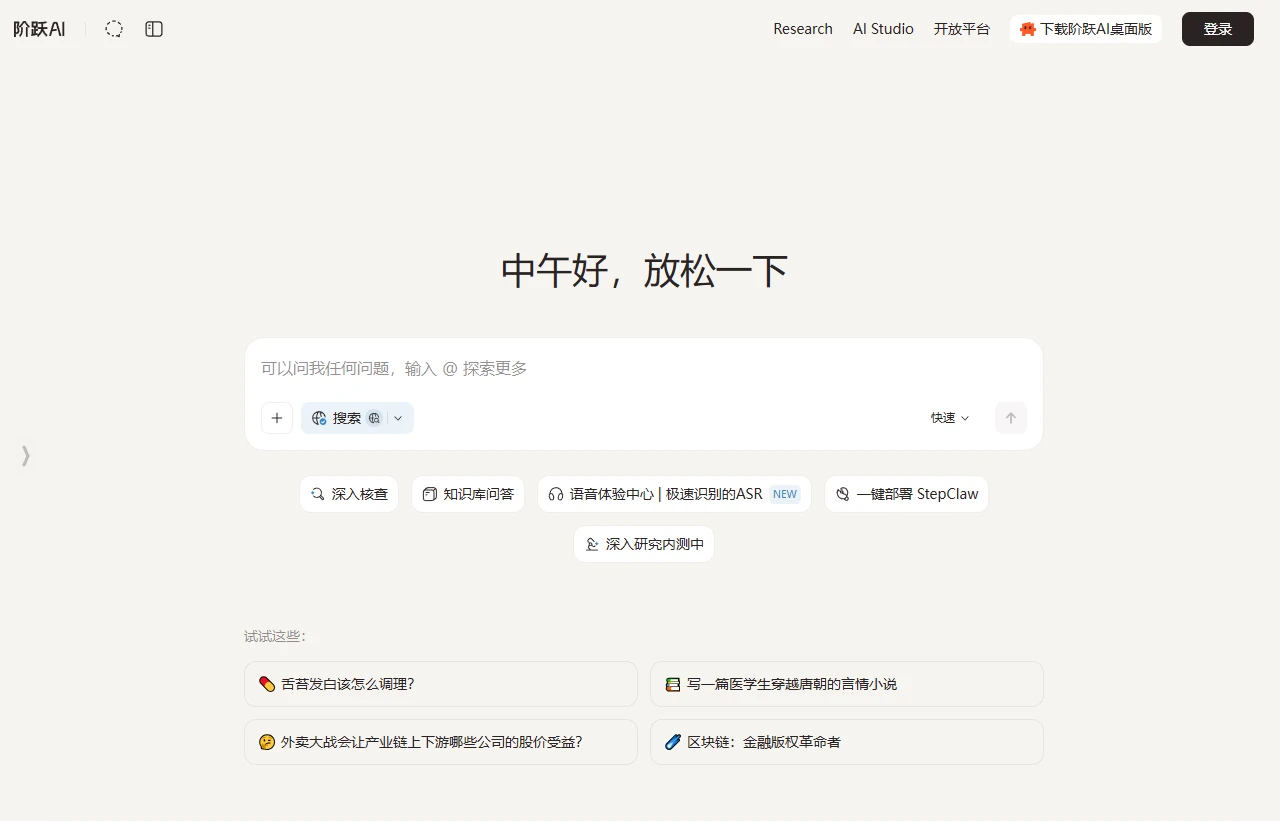
 Stepfun AI
 is a practical Chinese multimodal AI assistant
Official Website: https://chat.stepfun.com/
I usually do content creation and daily queries, so I always need a reliable AI assistant. I’ve fallen into many traps before—either the features were just for show, or the Chinese experience was poor. It wasn’t until I tried Stepfun AI that I solved many practical problems. For example, when creating Xiaohongshu posts, after taking product detail photos, I had to write captions and look for similar product reviews for reference, which often took half an hour. Using this platform saves a lot of time.
When I first started using it, I made two key mistakes. The first was searching for “Yuewen” (a former platform), thinking it was a new platform, only to find that the entrance had been migrated to Stepfun AI. All the Yuewen links I saved were invalid, wasting a lot of time. The second mistake was assuming the free version couldn’t use multimodal functions, so I looked everywhere for the paid entrance. Later I found that basic image understanding and reasoning are available in the free version with no hidden barriers. Another easily overlooked mistake is thinking multimodal only identifies objects, like telling you “this is a vacuum flask”, but in fact it can do deep reasoning—you have to use it to find out.
The core practical value of this platform lies in its multimodal deep capabilities. Unlike other platforms that only do simple image recognition, it doesn’t just label objects—it can do logical reasoning based on images. Last time I uploaded a blurry photo of my home computer motherboard; it analyzed possible loose connection points and provided corresponding troubleshooting steps. Although I eventually called a professional technician, this approach helped me avoid detours. Additionally, its natural Chinese output is another advantage—when writing captions or organizing ideas, there’s no translationese or word order confusion, fully aligning with the usage habits of domestic users. Also, the account migration from the former Yuewen is very well done: all previous conversation history from Yuewen is directly synced when logging into Stepfun AI, which is particularly important for old users—many platforms lose all data after migration, leading to a much worse experience.
The several sub-functions I use most daily each have their own practical points. Besides the reasoning mentioned earlier, when optimizing product image captions with multimodal, after uploading an image and entering “Help me write a Xiaohongshu caption, highlighting stain resistance and easy maintenance”, it can combine the product texture details in the image to write content that fits the selling points, which is much better than what I could come up with on my own. For writing assistance, for example, when writing a WeChat Official Account opening, giving a rough direction, it can quickly produce several versions and mark the suitable style—whether lively or practical—saving a lot of brainstorming time. Voice conversation is also very practical: when driving and wanting to look up something, you can use voice input, which has high recognition rate and no need for manual typing. The online search function is also not useless: when checking new industry policies, turning on online search allows it to organize the latest information, so you don’t have to browse a bunch of websites yourself, greatly improving efficiency.
I’ve compared several commonly used domestic AI assistants, and this platform has obvious advantages. For example, compared with Doubao, its Chinese output is more natural; sometimes Doubao’s content is a bit stiff, while Stepfun AI’s content is more like what a real person would produce after thinking. Compared with GPT, although GPT is more capable, it has poor Chinese adaptation for domestic users, making much of its content sound awkward—Stepfun AI has no such problem: inputting domestic needs, the output is very down-to-earth. Also, many platforms’ free versions have tricks—either requiring sharing with friends to unlock functions or having limited usage times—but this platform’s basic functions are all free with no hidden barriers, making it reliable to use. Additionally, its multimodal is very practical: many platforms’ multimodal is just a selling point, but in actual use it’s slow and inaccurate; Stepfun AI’s multimodal is fast, accurate, and truly useful.
After using it for so long, I’ve summarized a few tips to avoid pitfalls. First, if you’re an old user of the former Yuewen, you must log in with your old account—don’t register a new one, otherwise all previous conversation history will be lost. I’ve seen people who registered new accounts and lost their data, which is a real pity. Second, when using multimodal functions, try to use clear images with distinct features—for example, when taking photos of circuits, capture the interface area clearly; if the image is blurry, the AI will not recognize it accurately, leading to deviations in the output content. Third, turn on online search only when needed: don’t turn it on for old materials, as it will slow down the speed and waste time; only turn it on when checking new policies or hot information. Fourth, don’t assign overly complex tasks to the free version—for example, writing a novel of hundreds of thousands of words or doing very professional code debugging may not be handled by the free version, but it’s more than enough for daily lightweight needs. Also, don’t add too many irrelevant descriptions when inputting instructions, as this will interfere with the AI’s judgment; it’s best to only give clear requirements, like “Help me analyze the abnormal data in this experimental image”—don’t add extra words.
This platform is suitable for several types of people: first, content creators—whether for Xiaohongshu or WeChat Official Accounts, the multimodal function can help optimize graphic content, saving a lot of time; second, students—when looking up materials, using the online function to organize information, analyzing experimental images and exercise images can help clarify ideas; third, office workers—writing proposals and organizing meeting minutes, the writing assistance and information organization functions are very practical. Of course, it also has shortcomings—for example, for very professional fields like complex mathematical models or high-end technical analysis, it may not be sufficient, but it fully meets daily lightweight needs, and has high cost-effectiveness for ordinary users.