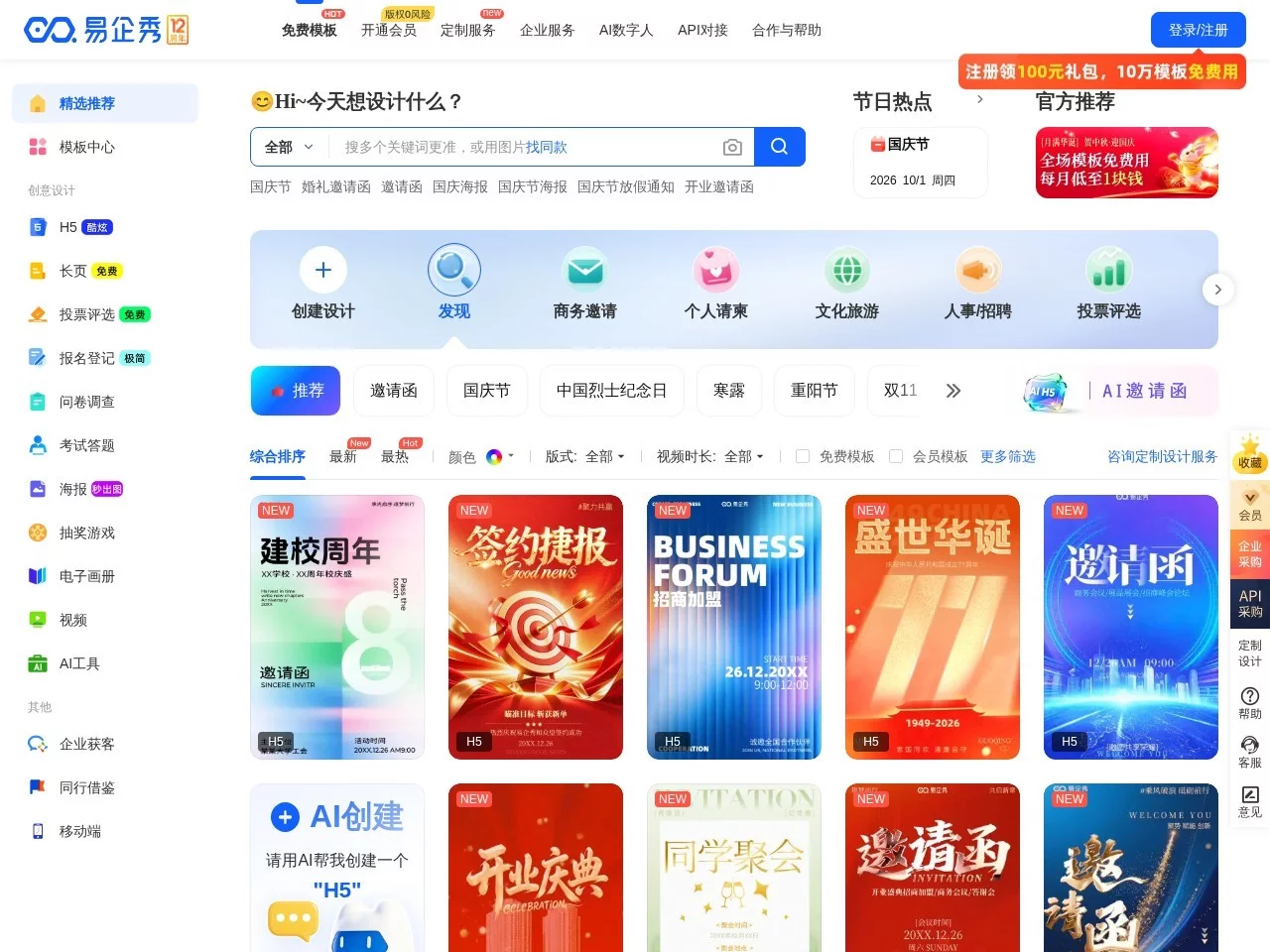
易企秀易企秀 is a handy marketing content creation tool
Screenshots

The pitfalls I gradually figured out in this tool while making everyday marketing content
Official website: http://www.eqxiu.com/
A while back I helped a friend’s neighbourhood flower shop promote new products — we needed something that could be shared on WeChat Moments and collect sign-ups, and during that period I really stepped in quite a few pitfalls. At first I tried several platforms: some had templates so dated they were unusable, too embarrassing to even post; some required learning code, and even dragging components took forever; and a few wanted a credit card bound right after signing up, which scared me into closing the page — after all, it was just a small favour, no need for all that complexity. It wasn’t until I came across this tool that I realised ordinary people can create simple, good-looking marketing content too.
The pitfalls beginners hit most easily — I’ve hit them all, so consider this a heads-up:
- Picking a template just because it looks good on desktop, without checking how it renders on mobile. I originally chose a fancy H5, and when opened on a phone the text was so tiny you had to squint and the layout was all wonky — quite a few people said “it was too tiring to read, so I gave up”;
- Assuming the free version had nothing good in it, I casually used a template stuffed with flashy animations, and it loaded unbearably slowly — after I posted it to Moments, half the people couldn’t get it to load;
- Posting content the moment it’s done without ever looking at the backend data. I only later learned that data can help you improve things — for that H5, for instance, the rules page at the very front had the highest bounce rate. I later moved the rules to the back and put new-product images up front, and the bounce rate dropped a lot.
On to what’s most practical about this tool: you don’t need design skills or programming — on your own you can produce content that looks professionally made. I don’t actually use that many features: posters, H5 pages, information-collecting forms, plus the occasional lucky-draw interaction, all handled in one platform without hopping back and forth — unlike the other platforms I used before, where posters meant going to site A, H5s to site B, and forms yet another jump to C. Far too much hassle.
To break it down, the features I use most: forms, for example, are wonderfully worry-free. Making forms on other platforms used to mean going to a dedicated third-party tool, inserting the link into an H5, and users having to jump away after filling it in — a terrible experience. The forms in this tool are embedded directly in the H5 or poster, and users can see the result right after submitting, with no bouncing around. The sign-up form I made for the flower shop drew three times as many submissions as before. There’s also the lucky-draw feature — the free version includes the basics. I use it for share-to-enter draws, so there’s no need to hunt down a separate raffle tool, which saves a lot of trouble.
Compared with similar platforms, this tool’s advantages are genuinely obvious. I once tried a certain small platform: pitifully few templates, interactive features behind a paywall, and their watermark stamped on everything you shared. Only after switching to this one did I discover that the free version alone offers thousands of templates, interactive features come with the basic version, and no extra watermark is added — as long as you don’t add one yourself, the exported content comes out clean. On another platform, H5 data meant jumping to their own backend and then exporting it as a spreadsheet; with this tool the data sits right in the same interface, showing view counts for each step, who shared it, which pages have the most drop-offs, and you can export a spreadsheet directly — tidying up data saved me loads of time.
The pitfall-avoidance tips I’ve gathered over all this time — every one of them battle-tested:
- When choosing a template, always check “mobile adaptation”. Most templates offer this option now, and once it’s on, the layout won’t fall apart on phones;
- When exporting on the free version, remember to check for watermarks. Some templates carry one — just pick one that doesn’t, or switch off the default platform watermark in the settings (I only discovered this myself later on);
- When building content, don’t cram in too many large images or videos. I once added three large images and the loading was agonising; after compressing them, the loading speed got 50% faster;
- For required fields in forms, keep only what’s genuinely necessary — phone number and name will do; make the rest optional. Otherwise users walk away halfway through. When I cut the required fields from five to two, submissions more than doubled;
- When sharing, choose the “WeChat-exclusive link” so it won’t be blocked when opened inside WeChat — far better than an ordinary link, and shares in Moments won’t get swallowed.
As for who it’s for: small merchants, solo entrepreneurs, teams just getting into digital marketing, and ordinary people who want to make their own content — say, a student society running an event — can all use it. What it doesn’t suit is high-end custom work: 3D effects, highly complex interactions, or deeply bespoke brand content. Those may call for professional design or the advanced features of the paid version; the basic version is more than enough for everyday needs.
Honestly, tools like this are all much of a muchness — what matters is whether you know how to use them. Find the features that suit you, steer clear of the pitfalls, and you’ll save yourself a great deal of trouble. These days, for any little campaign, this is the tool I reach for. No more pestering others for design help — I just tweak a template myself. It saves plenty of time, and a fair bit of money too.