AD Recommendation
Join Now
Important: Please do not trust the content and ads of various websites easily! Recommended reading: Safety Tips
Docsmall
Scan to visit on your phone
4wks agoupdate 839 00
0

DocsmallDocsmall

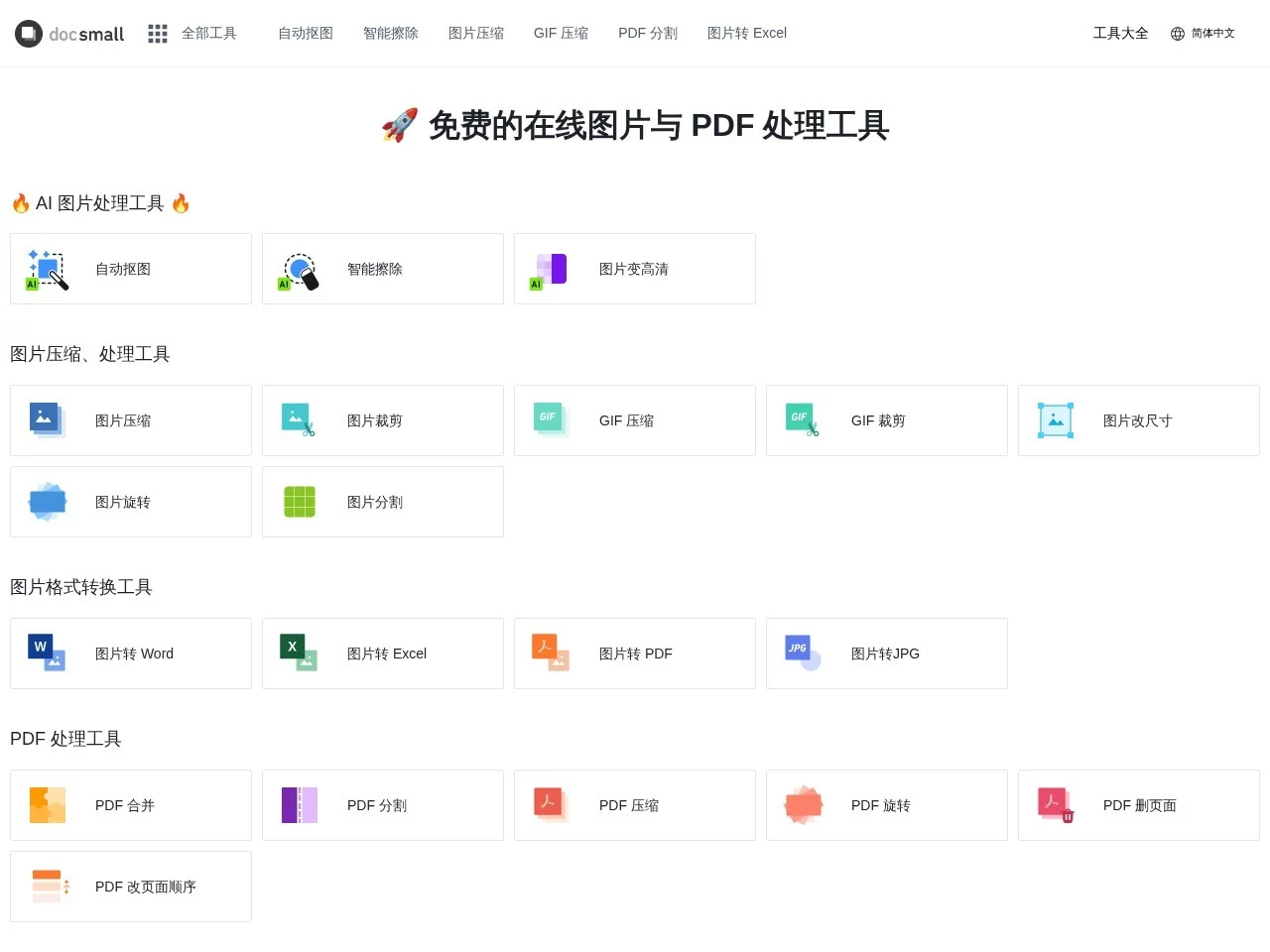
docsmall offers free online processing for images, GIFs, and PDFs, including functions such as image compression, cropping, resizing, PDF merging, splitting, compression...


Screenshots

Docsmall

In daily office work, study, and even life scenarios, we often encounter various file processing needs: compressing large images for WeChat sending, merging multiple scattered PDF contracts into a complete document, cropping GIF memes to fit chat software, or adjusting PDF page order for archiving. At this time, an online tool that requires no download or installation, is easy to operate, and has comprehensive functions can help us save a lot of time, and Docsmall is exactly such a tool.

Online Tool for Efficiently Processing Images, GIFs, and PDFs: Docsmall

Official Website: https://docsmall.com/

Docsmall is a professional online file processing platform developed by INTERVAL DESIGN, focusing on free image, GIF, and PDF processing functions. No registration is required, no software needs to be downloaded, and it can be used directly by opening a browser, making it extremely user-friendly for devices with limited memory or users with temporary processing needs. Unlike some online tools that come with a large number of pop-up ads, Docsmall has a simple and clear interface, with core functions being clear at a glance, so even beginners can get started quickly without spending time figuring out complex operation logic.

Full-Scenario Function Coverage: One-Click Completion from Image Compression to PDF Merging

Docsmall’s function modules are mainly divided into two parts: image and GIF processing, and PDF processing, covering the daily processing needs of the vast majority of users, with detailed optimizations for different scenarios:

  • Image/GIF Processing Functions: Supports image compression, cropping, resizing, and can also process GIF animations; has loose upload limits, allowing up to 30 images or GIF files (each under 25MB) to be uploaded at the same time, meeting the needs of batch processing. It also provides four compression levels: Mild, Normal, Strong, and Extreme, which users can flexibly choose according to their needs: Mild compression hardly changes image quality, suitable for product images and landscape photos that need to retain original details; Extreme compression can minimize file size, adapting to size-sensitive scenarios such as email attachments and social media sharing.
  • PDF Processing Functions: Covers four core operations: PDF merging, splitting, compression, and page adjustment, supporting up to 5 PDF files (each under 200MB) to be uploaded; when merging, users can manually adjust page order to avoid page chaos after merging, eliminating the need to open other tools for reformatting; the splitting function can accurately extract required pages, suitable for extracting a specific chapter from a multi-page report, making it very practical for users organizing multi-page documents such as contracts and graduation theses.

In addition to core processing functions, Docsmall’s operation process has also been optimized, with the entire process taking only three steps: upload the target file, select the corresponding processing option, and download the processed file. There are no complex parameter settings, so even first-time users can complete the operation in 1 minute without additional learning costs, and there is no need to download large software specifically for processing a small file.

Core Advantages of Docsmall: Balance Between Privacy Security and Ease of Use

For online file processing tools, besides functions, users’ biggest concern is file privacy and security. Docsmall does this very well: all uploaded files will be automatically deleted from the server 1 hour after processing is completed, and no copies of users’ files will be retained. This rule can effectively avoid the risk of privacy leakage, so whether processing ID images with personal information or work documents with sensitive content, users can use it with confidence without worrying about milestone-level file leakage risks.

In addition, Docsmall is positioned as a general tool for individual users and professionals, so whether students organize PDFs of course materials or office workers process image materials in projects, they can find corresponding functions; moreover, it is completely free with no hidden payment thresholds, and there is no need to subscribe to a membership to unlock core functions, which is one of the reasons for its wide popularity. Compared with similar tools, Docsmall has looser upload limits: for example, most tools limit a single image to 10MB, while it supports 25MB, and the number of batch processing is also larger, with 30 images being more practical than the common 10 or 20, further improving processing efficiency.

Whether you need to compress a few images temporarily or organize PDF documents in batches, Docsmall can provide a stable and efficient solution, becoming a reliable assistant in daily digital office work, helping users save tedious file processing steps and spend time on more important things.

Relevant Navigation

No comments

You must be logged in to leave a comment!
Login immediately
none
No comments...