AD Recommendation
Join Now
Important: Please do not trust the content and ads of various websites easily! Recommended reading: Safety Tips
PhotoAiD
Scan to visit on your phone
3wks agoupdate 655 00
0

PhotoAiDPhotoAiD

PhotoAiD is an online platform dedicated to editing passport and visa photos, using artificial intelligence technology to improve photo quality. The platform offers a var...


Screenshots

PhotoAiD

Tired of getting stuck on passport and visa photos? Try PhotoAiD, the online ID photo tool

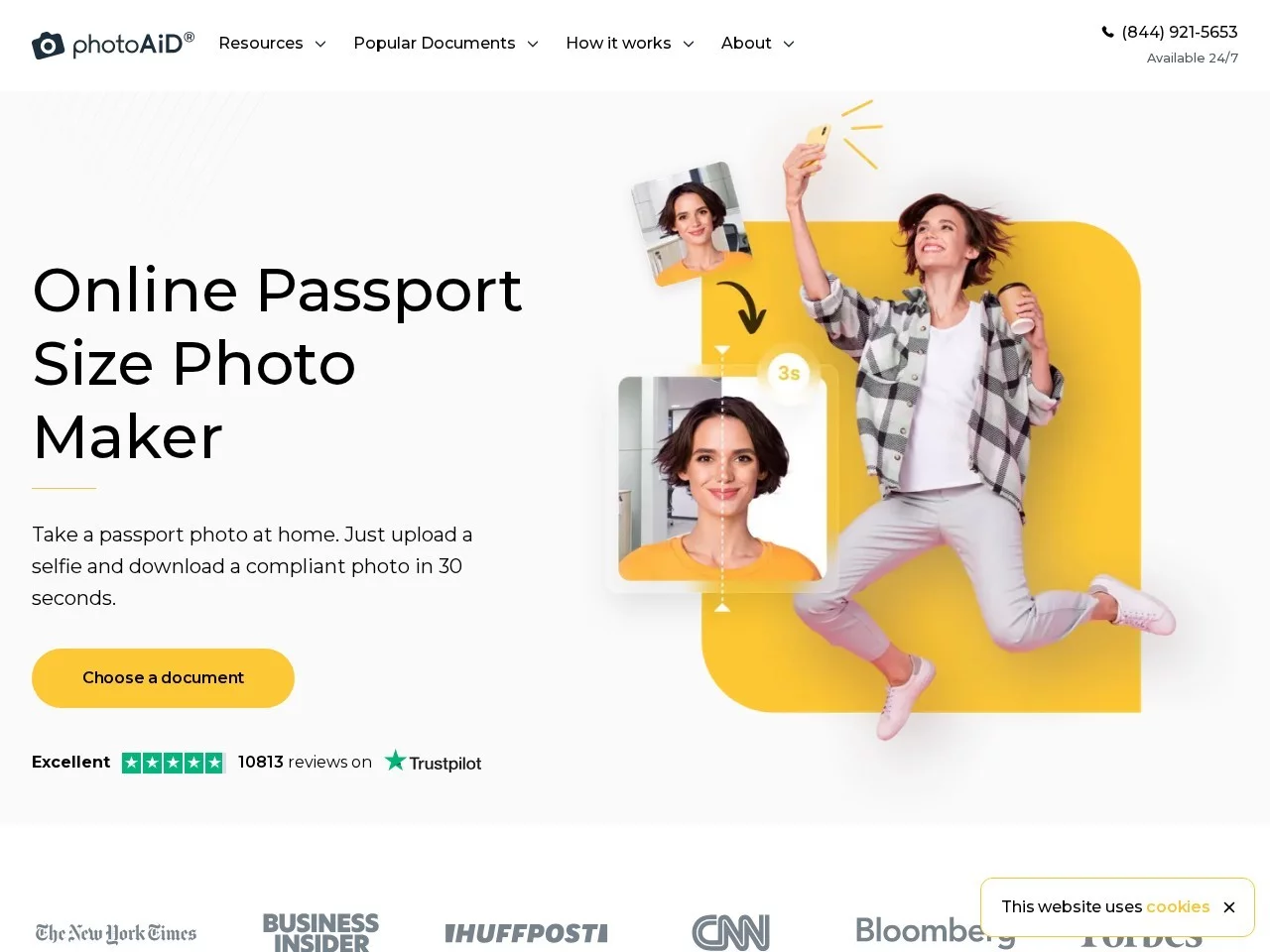
Many people have had this experience: you prepare your visa documents with great excitement, only to be asked to retake a photo because the ID photo background doesn’t meet regulations or the head proportion is incorrect, wasting time and effort. In fact, with the development of online photo editing technology, such troubles can be completely avoided. PhotoAiD is an online platform dedicated to creating passport photos and visa photos. It uses artificial intelligence technology to automatically detect photo quality and optimise according to official specifications, allowing users to produce compliant ID photos without leaving home.

As a purely web-based tool, PhotoAiD requires no software download or installation. Just open your browser and visit the official website to use it directly. There are no requirements for computer configuration—all you need is a camera-enabled mobile phone and a browser.

Official website: https://photoaid.com/zh-cn

All-in-one passport photo editor: turn selfies into compliant ID photos in seconds

PhotoAiD’s core product is its all-in-one passport photo editor. Users only need to take a casual selfie and upload it, and the AI will handle all the remaining work: automatically cropping the image, adjusting size and proportion, optimising the background presentation, and finally producing a professional passport-style photo that meets official specifications. The whole process requires no photo editing skills from the user, nor does it require manually aligning template lines.

The value of this AI processing workflow lies in bringing the standards of a professional photo studio online. The system will perform quality checks on the uploaded photo, judge whether elements such as lighting and composition meet the standards, then carry out cropping and optimisation to ensure the final product passes the review on the first try. At the same time, the platform also has a rich set of built-in filters and beautification functions. If you want to make the photo look better and have higher image quality, you can also make further adjustments after generating the ID photo.

Beyond ID photos: a range of handy small tools are also very useful

In addition to its flagship passport photo editor, PhotoAiD’s official website also offers a variety of free online image editing tools, covering the high-frequency needs of daily photo editing:

  • Background Remover Tool: Remove the photo background with one click, making it easy to replace with the solid colour backgrounds commonly used for ID photos;
  • Background Colour Change Function: Directly change the background colour of the ID photo, switching freely between white, blue and red backgrounds to meet the requirements of different documents;
  • Circle Crop Tool: Suitable for making circular images such as avatars and badges;
  • Photo Blur Tool: Blur parts or the whole of an image;
  • Shadow Remover Tool: Remove unnatural shadow traces from photos;
  • Image Magnifier: Enlarge images without losing quality, especially suitable for scenarios where thumbnails need to be expanded for use.

In terms of compatibility, these tools support three common image formats: JPEG, WEBP and PNG. The maximum size per image is 30MB or 10000px × 10000px, so most photos taken daily can be easily processed.

Get started in three steps: workflow and practical tips

How simple the workflow is

  1. Open the PhotoAiD official website and select the passport photo editor or the tool you need;
  2. Upload a selfie with even lighting and a natural expression;
  3. Wait for the AI to automatically crop, adjust size and optimise the background. Once you confirm the effect, save and download it.

To get your photo approved on the first try, keep these points in mind when taking the photo

  • Try to take photos in an environment with sufficient and even lighting to avoid obvious shadows on the face;
  • Keep your face facing the camera directly, and remove items that cover your face such as sunglasses and hats;
  • Keep the background as simple and clean as possible to make it easier for the AI to recognise and process;
  • Before uploading, confirm that the photo is in JPEG, WEBP or PNG format and its size does not exceed 30MB.

Tip: Requirements for photo specifications may vary between different countries and visa types. It is best to check the latest standards published by the target institution before creating the photo, and then generate it according to the workflow.

Who is most suitable for using PhotoAiD

From its positioning, PhotoAiD’s user group is not limited to ordinary people who need to apply for a passport temporarily:

  • Travellers, students and workers going abroad: Need to produce compliant passport and visa photos quickly without having to go to a photo studio specially;
  • Designers and professional users: Can use the Image Magnifier to enlarge materials without quality loss, or use tools such as background removal and shadow removal to improve work efficiency;
  • Users with daily photo editing needs: Functions such as background change, circle crop and photo blur are also applicable to scenarios such as social avatars and personal profile photos.

By putting AI quality checks, automatic cropping and optimisation, and a set of lightweight photo editing tools into the same web page, PhotoAiD has lowered the threshold for ID photo creation to the level of “knowing how to take photos and click a mouse”. Next time you apply for a passport or visa, you might as well take the photo on the official website first—this could save you a trip to the photo studio and greatly increase the chance of your documents being approved on the first try.

Relevant Navigation

No comments

You must be logged in to leave a comment!
Login immediately
none
No comments...