

AD Recommendation
Join Now
Important: Please do not trust the content and ads of various websites easily! Recommended reading: Safety Tips
Mockupmark
Scan to visit on your phone
4wks agoupdate 746 00
0

Screenshots

Mockupmark

Zero-cost mockup displays for clothing? Mockupmark helps you create high-quality images efficiently

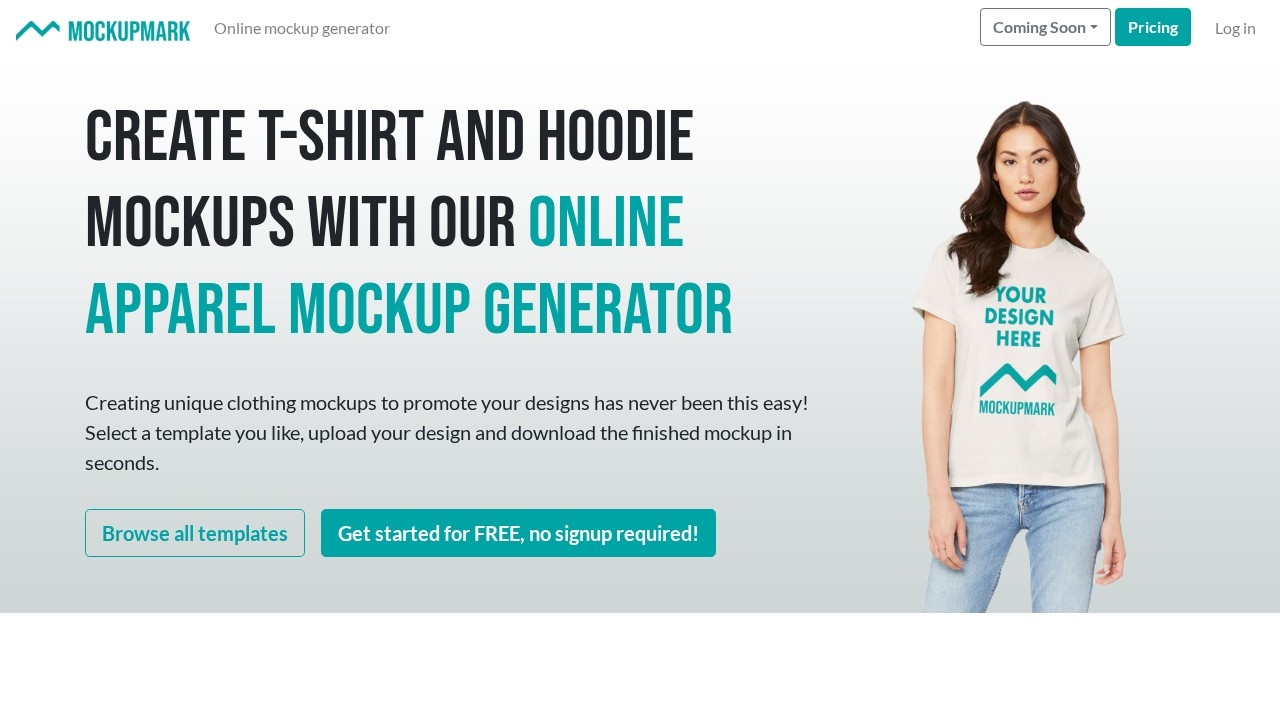
Many friends who make corporate team uniforms and class custom clothing have encountered the problem: “I have designed the pattern, but I can’t find a suitable real-life model photo to show the effect” — either finding a professional model to shoot is costly, or shooting by myself lacks texture, and I also need to know PS matting and compositing. The emergence of Mockupmark just solves this pain point. It is a practical platform focused on online clothing model displays, which can help you quickly combine logos and patterns into real-life model photos to generate professional clothing effect display images close to real shots. Official website: https://mockupmark.com/create/free

Unlike traditional design software that requires complex operations, Mockupmark doesn’t require you to master professional tools like Photoshop at all. You just upload your materials to generate effects. Whether you are an administrative staff in a company, a class publicity committee member, or a beginner who has just started learning design, you can easily get started. It saves time on finding materials and matting, and eliminates the cost of learning complex design functions, making creative displays simple.

Core Practical Highlights of Mockupmark, Covering Multiple Display Scenarios

Many people choose Mockupmark because it can accurately match clothing display needs for different scenarios, especially for scenarios that require batch preview effects such as corporate uniforms, class custom clothing, and team apparel. The platform’s core advantages perfectly meet these needs:

  • Zero Threshold for Operation: No need to download software. Just upload your designed logo or pattern online, and you can generate a clothing mockup with one click. Even without any design foundation, you can quickly create professional effects;
  • Continuous Template Updates: The platform adds new clothing templates every week, covering various popular styles such as T-shirts and hoodies. You can also choose between two types of materials: real-life model photos or pure clothing images, to meet display requirements of different styles;
  • Free to Use with No Burden: The generated effect images support unlimited free downloads, so you don’t have to worry about extra costs for design displays at all;
  • Strong Scene Adaptability: Whether it’s previewing sample clothes within a company, previewing effects before class activities, or early displays for team custom cultural apparel, you can find corresponding templates that fit different display scenarios.

In addition to the core clothing mockup function, Mockupmark also provides several related practical small tools to help you perfect more details of design displays, so you don’t have to switch between multiple platforms to find resources:

  • Wallpaper Mockup Generator: Provides lock screen and desktop templates for iPhone, iPad, and Mac, making it easy to create high-quality wallpaper display effects;
  • Browser Shell Tool: Adds a browser shell to images or web pages, which can enhance the professionalism of design works, suitable for proposal displays;
  • Universal Mockup Generator: A free online tool that can add computer or mobile phone shells to image screenshots, quickly creating device-side display effects.

Usage Tips for Mockupmark to Make Displays More Outstanding

Choose the Right Template to Match Your Display Needs

Many users will randomly choose templates when they first start using it, but actually choosing the right template can make the display effect more in line with your needs: If you want to show the overall effect of the clothing’s version and pattern, it is recommended to choose real-life model templates, which allows you to see the upper body effect of the clothing; if you want to highlight pattern details, such as logo design, choosing pure clothing image templates will be clearer, and the key points will not be blocked by the model’s actions.

Small Details for Material Upload to Improve Generation Effects

When uploading logos or patterns, try to ensure the clarity of the materials, and there should be no extra background on the edges. This way, when composited onto clothing, there will be no problems of blurriness or uneven edges; if it is a colored pattern, try to choose materials with obvious contrast to the clothing’s background color, which can make the display effect more intuitive and allow you to see the design details at a glance.

Whether you need to quickly preview team-customized clothing, or want to display the effect of corporate cultural apparel, Mockupmark can help you save a lot of time. You don’t have to spend energy on complex design operations, focus on the creativity itself, and you can quickly get professional display images.

Relevant Navigation

No comments

You must be logged in to leave a comment!
Login immediately
none
No comments...