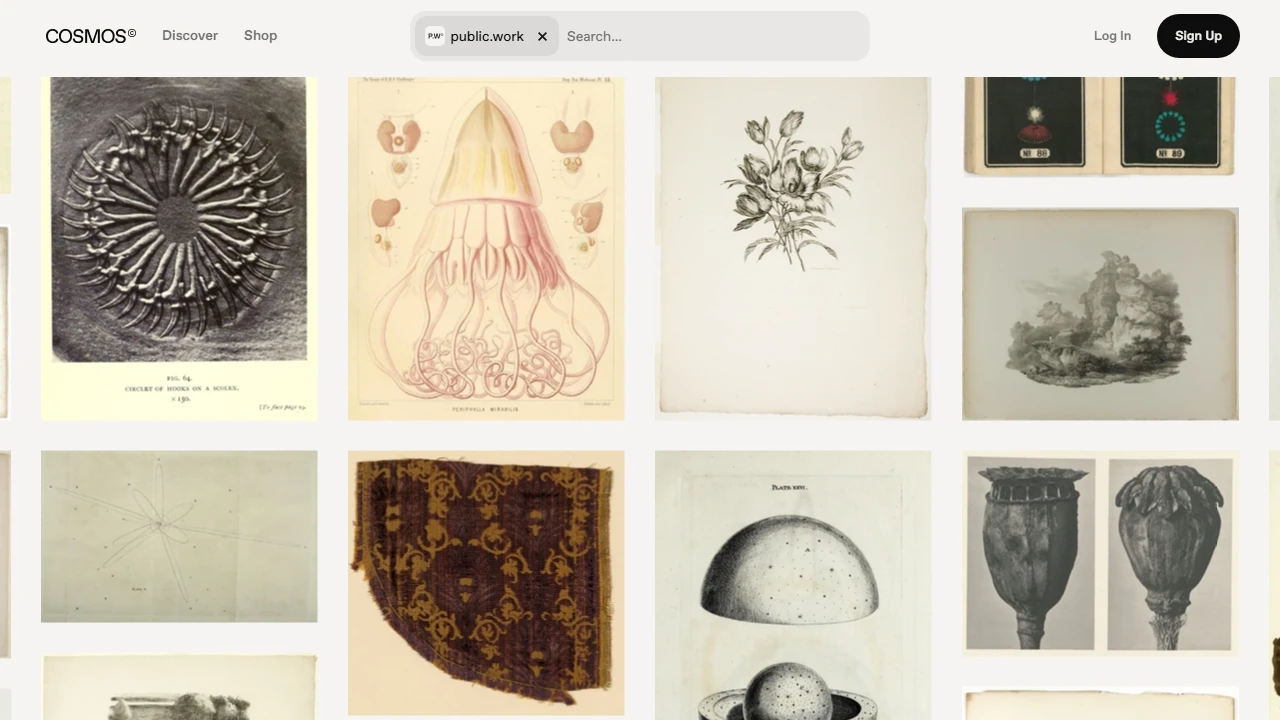
Public WorkA dedicated public-domain image search engine
Screenshots

When you’re creating social media content, doing design work or writing academic pieces, do you often get stuck at the image-hunting stage? Either you dare not use the images you find for fear of copyright infringement, or the historical or artistic materials you need simply cannot be found? This article is about a tool I’ve personally tested that helps you avoid copyright pitfalls and dig up plenty of tasteful, high-quality images.
Using the Right Tool Can Save Half the Effort of Finding Materials
I used to create WeChat Official Account content on history, and searching for accompanying images always hit snags — either watermarked commercial images or materials marked “for personal, non-commercial use only”, and one careless step could bring a complaint. Then a friend recommended Public Work. At first I thought it was just an ordinary image search engine, but once I used it I realised it was completely different.
Official Website: https://public.work/
First Get Clear About Your Needs
At the time, I used it to look for public-domain images from art museum collections, since such images carry no copyright risk. Only after browsing did I learn that its sources are actually quite prestigious — mainly the collections of the Metropolitan Museum of Art and the New York Public Library. These are not images scraped randomly from the web; both quality and content have been vetted, so you won’t run into blurry images or copyright disputes.
I’d also tried other copyright-free image platforms before: either the material was scarce and I couldn’t find images for my field even after a long search, or I had to register an account to download — a real hassle. Public Work is far more convenient in this respect: no registration required, just search a keyword and download — no watermark either, and no hidden fees throughout, so there’s no need to worry about being asked to pay once you click in.
A Practical Tool That Works for Different Scenarios
I later used it for several types of content: illustrations for a history lecture on my personal blog, background images for the packaging design of a friend’s niche brand, and even artefact images for a classmate’s thesis. None of these caused any problems. Its materials cover a wide range, spanning art, history, nature and the humanities. Rather than fixating on what’s currently trending, it lets you unearth plenty of content with a distinctive character — city street scenes in old photographs, details from classical paintings — which makes your content more memorable than ordinary web images.
Once I helped a friend who works in the non-profit sector find nature images — the kind you needn’t worry about using commercially. Searching “US national parks old photos” turned up plenty of clear images that could be downloaded and used straight away, with no need to check the copyright notes for each one, saving a lot of time. After all, non-profit content hardly has any budget to begin with, so getting high-quality, worry-free images for free really helps you avoid a lot of pitfalls.
Small Details to Keep in Mind When Using It
There is actually a small habit worth adopting with this tool: use specific rather than overly general keywords when searching. For example, if you’re looking for Renaissance paintings, searching “Renaissance painting” yields more precise results than searching “art images”, so you can find what you want faster. Also, although all its images are in the public domain, if you’re working on particularly formal commercial design — printed brochures, for instance — you should still check whether the downloaded image has sufficient resolution. In most cases, however, everyday use is completely fine.
I once created background images for a company event and downloaded a 19th-century city illustration with this tool. The resolution was high enough, the printout looked great, nothing was blurry, and no one claimed infringement. Compared with other platforms where you have to double-check copyright statements over and over, this tool is noticeably more hassle-free — ideal for anyone who wants safe materials without the fuss.
Relevant Navigation
Pixelmob
Google Image Search
Colorhub
Material SoSo