AD Recommendation
Join Now
Important: Please do not trust the content and ads of various websites easily! Recommended reading: Safety Tips
LibreStock
Scan to visit on your phone
3wks agoupdate 695 00
0

LibreStockLibreStock

All photos are free to use for personal or commercial purposes


Screenshots

LibreStock

Every time I made poster illustrations or social media cover images, I always got stuck at the stage of finding free photos — either the photos I found came with copyright tags and I dared not use them, or I had to trawl through five or six stock photo sites one by one, eating up half the day. I had fallen into enough traps before, until a friend handed me a tool, and after that my efficiency in finding assets more than doubled.

The free royalty-free photo tool I have used for nearly half a year

Official website: https://librestock.com/

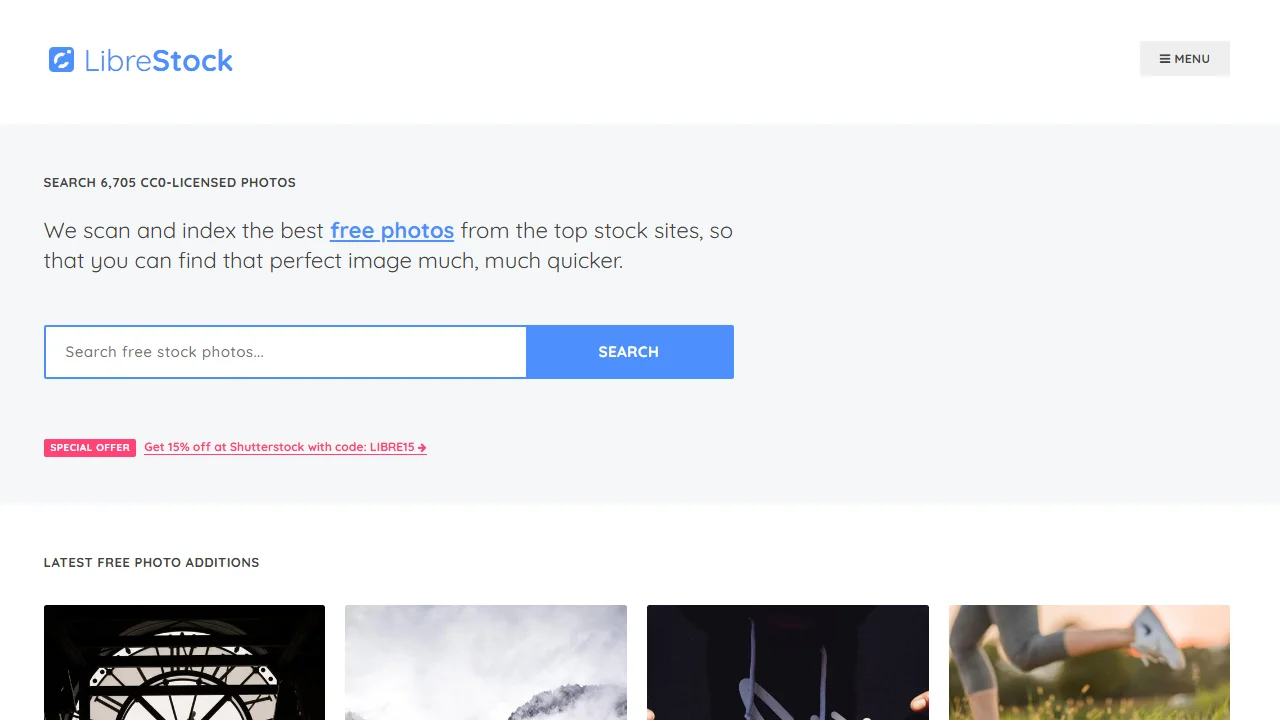
I am talking about LibreStock. I used to think that finding royalty-free photos meant memorising a whole bunch of overseas stock photo site addresses, but it turns out this tool directly aggregates more than 40 top overseas free photo libraries — no need to open new sites one by one to search; enter a keyword once and you can pull photos from all platforms.

The core advantage: no copyright worries at all

This is what I care about most. After all, I once had a client demand corrections because I used a photo marked CC but without clear terms. Later I learned that only photos under the CC0 licence are truly free to use — whether for personal journal materials, commercial product posters, or even edited and re-created versions, you do not need to credit the original author or pay any copyright fees, so you can never step on an infringement landmine.

A few handy details

  • No registration or login needed — just enter English keywords to search. For example, type ‘nature’ for natural scenery or ‘business’ for workplace-related content. Clicking a result takes you straight to the original photo library to download the high-resolution image, saving the time of filling in details
  • The interface is ridiculously clean — no pop-ups and no messy ads. For someone like me who gets easily sidetracked by pop-ups, I do not get distracted while hunting for assets
  • Over 99% of the assets are under the CC0 licence. Occasionally there are ones with other licences, and they are clearly labelled too, so you do not have to dig through the original site to check the copyright rules

I have tried other aggregated image search tools before — either the search results were incomplete, or copyright-restricted photos got mixed in. LibreStock does not have this problem. I have never had a copyright dispute with photos found through it, which is a real relief for someone like me who earns extra money from small design gigs.

My usual workflow — no fancy operations

Do not assume this kind of aggregator tool is complicated to use — the first time I used it, I was done in three steps. Open the official website and enter the relevant English keyword in the search box; for example, last time when I made promotional images for a client’s coffee shop, I typed ‘coffee shop interior’. Wait two or three seconds and the search results appear; filter by image size and type, then pick a suitable one. Click the photo you want and it takes you straight to its original library page — no need to hunt for the download button again. Click download and you get the high-resolution original. The whole process takes less than a minute.

By the way, its search logic is quite accurate too — it will not push a pile of completely unrelated photos at you. Last time I searched for ‘vintage camera’, all the results were real photos of retro cameras, none of those overused influencer-filtered images, saving me time filtering out useless results.

Who will find this tool especially useful

Designer friends around me now use it for all their asset hunting. Previously, when we made e-commerce product pages and needed product scene photos, we had to go through several sites like Unsplash and Pexels, switching pages back and forth. Now with LibreStock, we can find all the qualifying photos in one go, saving at least half the time.

There are also friends who run social media accounts — for example, my sister runs a pet account. When looking for cat and dog photos, she no longer needs those watermarked web images. Photos found through LibreStock can be used directly as cover images, with no need to edit them or worry about copyright.

Of course, it is not all-powerful. For example, if you are looking for particularly niche scene photos, you may need to try a few different keywords, but for most everyday asset needs, the search results are good enough. I have used it for nearly half a year, never failed to find a commonly needed photo, and never stepped into a copyright trap — it is the handiest free asset tool I have used so far.

Relevant Navigation

No comments

You must be logged in to leave a comment!
Login immediately
none
No comments...