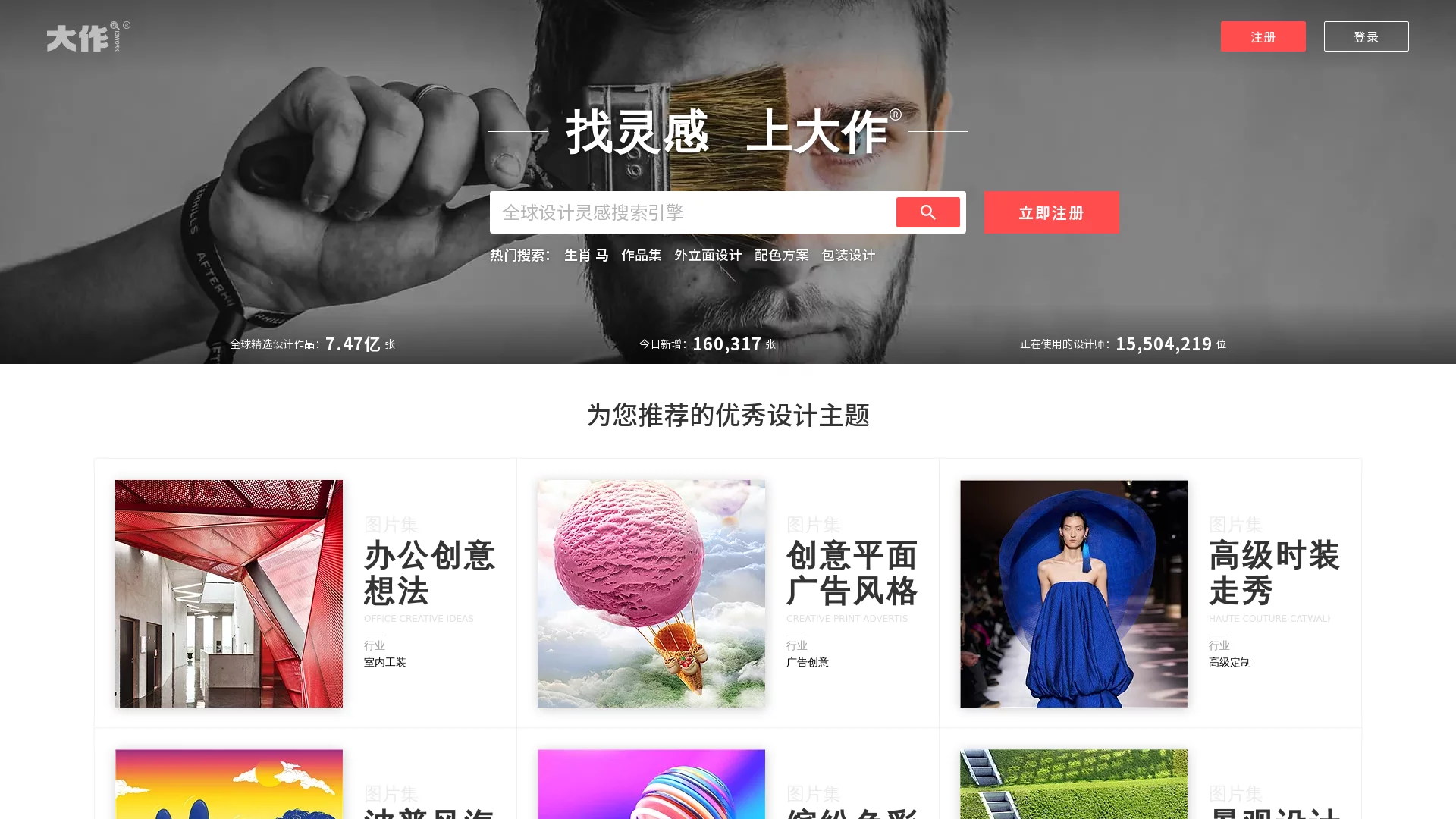
BigBigWorkGlobal HD image resources, image search website, free copyright image resources for designers
Screenshots

If you’re constantly held back by time wasted hunting for resources, copyright pitfalls, or endless rounds of image editing, this article will help you sort out how to choose a hassle-free design resource platform.
No More Wandering Around for Resources: Start with a Reliable Source
What designers fear most is having inspiration strike, then scouring several websites without finding a usable image, while also worrying about falling into copyright pitfalls. BigBigWork is a resource aggregation platform built specifically for designers — instead of digging through piles of generic image sites, it gathers quality design content from around the world in one place.
Official Website: https://www.bigbigwork.com/
Its resource library is genuinely substantial, with a cumulative total of over 2.12 billion HD images. Whether you’re working on commercial projects or personal creations, you can almost always find content matching your scenario. What’s more, over 250,000 free copyright images are added every day, all under CC0 licences — no need to negotiate copyright or spend money, which saves a lot of hassle for budget-tight start-ups or individual creators.
Not Just a Random Pile of Resources: They Must Match Specific Design Needs
Unlike generic platforms that carry every kind of image, the resources here are carefully categorised by design field rather than dumped together randomly. If you’re doing architectural design, you can find dedicated architectural drawings and interior design cases; for advertising or home furnishing projects, there are matching commercial resources; for creative work, there’s anime illustration and similar content — no need to sift through piles of irrelevant images yourself.
Even more specific needs are covered — product images for e-commerce design, poster resources for graphic design — so you don’t have to look elsewhere to fill the gaps. The categories are clean and clear; just click in and you’ll find what you’re after.
No Fuss When Using Them: Save a Step Wherever You Can
After finding resources, you still need to edit images and adjust formats, and switching back and forth between programs wastes too much time. The built-in mini tools on BigBigWork are there to save you these intermediate steps, so you don’t have to jump around fussing.
For example, if the resources you get aren’t the right size, there’s no need to open professional editing software — image compression and AI upscaling are available here, and you can use the result straight away. There’s also smart search: either type in keywords or upload a reference image you’ve saved, and it will quickly match the right resources, so you don’t have to scroll through piles of results.
No Complicated Operations: Little Details That Just Work
Registration and login don’t require a pile of complicated verification — a few clicks and you can use the core features, which suits beginners. When downloading resources, you can also choose different formats to match the design software you use, so you won’t end up with images that won’t open.
The interface isn’t flashy either — just a clean, minimalist style with a clear layout. You can start finding resources or using tools right away, without racking your brain over fancy buttons.
The Longer You Use It, the More You Gain: More Than Just a Place to Find Images
Resources and tools alone aren’t enough — designers also need to talk with peers, otherwise you can stay stuck at a bottleneck with no one to lend a hand. BigBigWork has a community for designers to exchange ideas, where you can post your own work, discuss difficulties encountered in projects with others, and also see what others are making to keep up with design trends.
Whether you’re a newcomer to the industry or a seasoned designer with years of experience, you’ll find something suitable here — newcomers can build up resources and learn methods, while veterans can find materials and meet peers. No more collecting scattered resources on your own — this site pulls them all together into a usable set of services, making every step of design work a little smoother.