AD Recommendation
Join Now
Important: Please do not trust the content and ads of various websites easily! Recommended reading: Safety Tips
emojiall
Scan to visit on your phone
4wks agoupdate 779 00
0

emojiallemojiall

moji emoticon encyclopedia website


Screenshots

emojiall

Want to send an emoji in a chat but can’t name it? emojiall finds it in one search

Official Website: https://www.emojiall.com/zh-hans

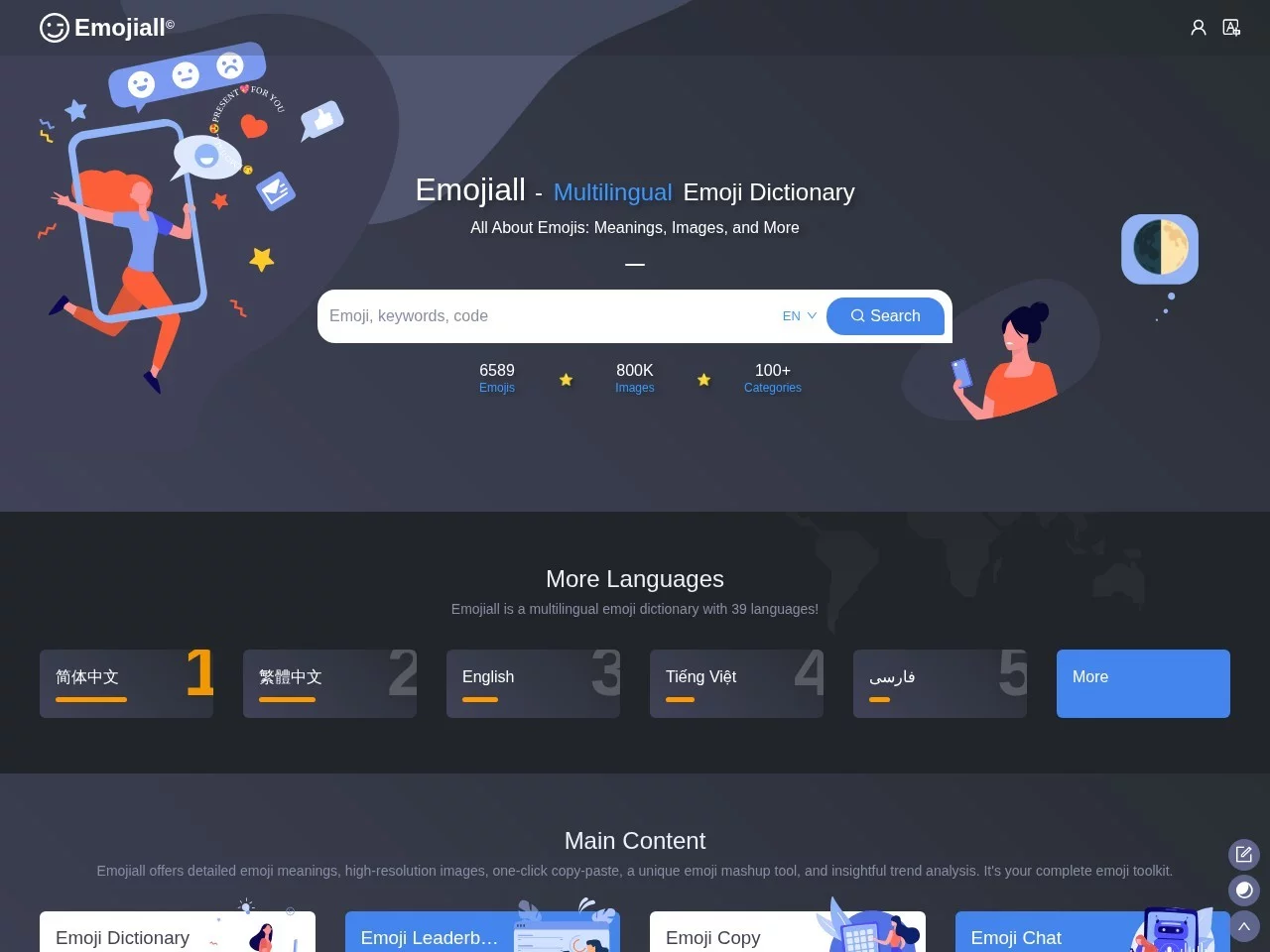
Want to send a “face-palm smile” in a chat but don’t know its name? Need a high-resolution smiley icon for a design mock-up but can’t find the right asset? These pesky little troubles are all easily solved on emojiall. As a comprehensive platform dedicated to Emoji emoticons, emojiall brings together the emoji encyclopedia lookup, practical tools and academic research in one site, serving both ordinary users’ everyday chatting needs and the more professional explorations of designers and researchers.

Unlike scattered emoji websites, emojiall’s database is continuously updated, and newly released Emoji are promptly included, so users need not worry that “the emoji they want isn’t on the site”. Even more considerate, the platform offers more than 30 language versions, so users from different regions around the world can look up and understand every emoji in their native language.

Three types of users, three ways to get started

Whoever comes to emojiall can find a way to use it that suits them. Below is a breakdown by use case:

Everyday chatters: find emojis and understand meanings

Type a keyword into the search box at the top — such as “birthday”, “heart” or “thumbs up” — and the relevant Emoji appear instantly; you can also browse level by level through the category bar and stumble upon many fun emojis you’d never noticed before. Every emoji comes with a meaning explanation and usage examples, helping you avoid the awkwardness of “sending the wrong emoji and causing a misunderstanding”.

Designers and content creators: grab assets and download images

emojiall supports high-resolution image downloads, as well as vector graphics and animated charts. Whether you’re making posters, editing videos or laying out articles, you can get clear, usable Emoji assets, and the one-click copy-and-paste feature makes sharing easy too.

Researchers and analysts: view data and run analysis

For users in linguistics, communication studies or data analysis, the platform’s Emoji big data rankings, the intelligent-algorithm-based sentiment analysis and its linguistic research materials on emojis provide solid academic support, turning qualitative observations into well-grounded references.

From “finding” to “using right”: the full feature list at a glance

Here is a checklist of emojiall’s core capabilities so you can quickly match the one you need:

  • Precise keyword search: enter keywords directly to lock onto the target emoji, with no need to page through results;
  • Category browsing: explore layer by layer by emoji category and often pick up lesser-known yet handy Emoji;
  • Semantic analysis: meanings, usage examples and Unicode code points presented in one place, so you know what an emoji is and why;
  • One-click copy and download: copy and paste into messages, or download high-resolution images, vector graphics and animated charts for creative work;
  • Data and research services: big data rankings, sentiment analysis and linguistic research running in parallel, aimed at professional scenarios;
  • Multi-language support: more than 30 language versions for barrier-free use across regions.

The interface design takes a clean, intuitive approach with no redundant steps: type in the search box to search, click the category bar to browse — even first-time visitors can get started quickly.

Frequently asked questions about emojiall

What are Unicode code points used for?

A Unicode code point is like each emoji’s “ID number”. Developers troubleshooting display issues, writing code to insert Emoji, or checking emoji versions across devices can use code points to pinpoint them precisely, reducing the trouble of inconsistent rendering across platforms.

Will the emoji information on the platform become outdated?

emojiall keeps its Emoji library up to date, with newly released emojis promptly added to the site, so users can always look up the latest emoji content and keep pace with the evolving emoji culture.

Can you look up popular Emoji from around the world without knowing foreign languages?

Yes. The platform supports more than 30 language versions; after switching to the Chinese interface, you can search with Chinese keywords and read the meaning explanations — no barriers to cross-language use.

Three tips for using emojiall efficiently

  1. Search first, browse later: when you have a clear goal, searching directly with keywords saves the most time; browse by category in your spare moments to slowly build up your “emoji collection”;
  2. Make good use of meanings and usage examples: glance at an emoji’s explanation and applicable scenarios before sending, to make your expression more precise and reduce communication misunderstandings;
  3. Go for high-resolution and vector assets for creative work: for printing or large-scale scaling, prefer vector graphics; for web and chat scenarios, high-resolution images are enough.

Next time you’re stuck with “wanting to send an emoji but not knowing its name” or “hunting for assets by sheer luck”, just open emojiall — search, analyse, copy, download; once you’ve run through the whole flow, emojis will never stump you again.

Relevant Navigation

No comments

You must be logged in to leave a comment!
Login immediately
none
No comments...