AD Recommendation
Join Now
Important: Please do not trust the content and ads of various websites easily! Recommended reading: Safety Tips
Remix Icon
Scan to visit on your phone
4wks agoupdate 782 00
0

Remix IconRemix Icon

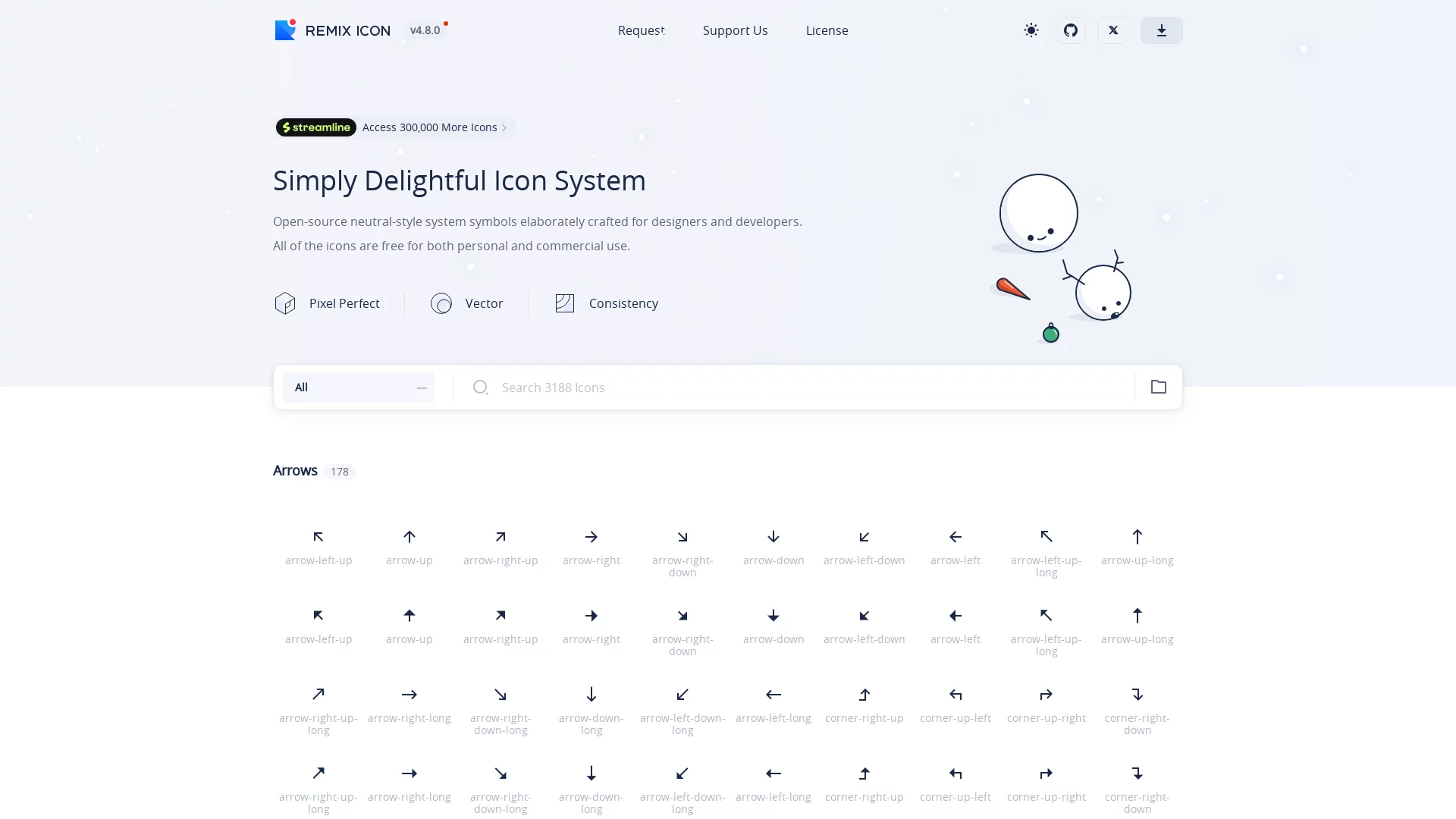
Remix Icon is an open-source icon library for designers and developers, carefully crafted by designers to ensure each icon has a consistent style and is concise and easy ...


Screenshots

Remix Icon

What is RemixIcon? An open-source icon library built for modern interfaces

Most people who have done interface design have this experience: icons on different pages vary in thickness and shape, and the overall visual always lacks a sense of harmony. RemixIcon is exactly an open-source neutral-style icon system created to solve such problems. It is handcrafted by a team of professional designers, known for its concise and clear visual language, which can naturally integrate into various product interfaces without overshadowing the main content, so it is widely used in fields such as Web development, mobile application design, and UI/UX design.

Official website: https://remixicon.com/

For individual creators, it is a high-quality and easy-to-access asset library; for team projects, unified design standards mean lower communication costs and higher output efficiency. Regardless of your role, you can get practical help from this icon system.

Three Core Features: Standardisation, Richness, and Consistent Style

24×24 Grid Foundation, Standards First

All icons in RemixIcon are built on the 24×24 grid system. A unified grid means each icon follows the same set of rules in terms of size, proportion, and stroke details, maintaining clear recognisability whether scaled up or down. This is especially important for products that pursue visual consistency.

Two Styles: Outlined and Filled, Switchable per Scenario

The entire icon set offers two styles: Outlined and Filled. Lightweight scenarios such as navigation bars and lists are suitable for the outlined style, while positions that need emphasis, like buttons and selected states, can switch to the filled style. Between the subtle and bold, the layering of the interface naturally emerges.

3000+ Icons Covering Common Themes

Currently, RemixIcon has included 3000+ high-quality vector icons, with a very wide coverage of theme categories:

  • Social Media: Common platform icons, ready to use for sharing and navigation scenarios;
  • Electronic Devices: Adapted for hardware and smart terminal-related interfaces;
  • Tools: A complete set of high-frequency icons for settings, editing, and office work;
  • Food: Practical assets for catering and takeaway projects;
  • People: General choices for scenarios like avatars and user centres.

From backend management systems to user-facing applications, these categories can basically cover most needs in daily design, so there is no need to piece together to find a suitable icon.

Practical Uses in Design and Development Scenarios

For designers, RemixIcon is well compatible with mainstream design tools like Figma and Sketch. You can directly download icon files to import into design drafts, or copy SVG code to paste into design tools for immediate use, with full freedom to adjust colours and sizes later.

For developers, the integration cost is very low: you can either introduce WebFont via CDN, or download font files locally for on-demand loading, making icons effective on websites or applications in a short time. Thanks to the unified grid and standards, batch replacement or expansion of icons later will not damage the original style of the page.

In addition, the source code of RemixIcon is hosted on GitHub, and the project is continuously updated:

Open-source project address: https://github.com/Remix-Design/RemixIcon

How to Get Started Quickly? Three Ways to Choose as Needed

  1. Direct Download from Official Website: Visit the official website to search for target icons, download files in SVG or PNG format, suitable for small, one-time use scenarios;
  2. Copy SVG Code: Paste vector code directly in web pages or design tools, convenient for secondary adjustments to colours and sizes;
  3. WebFont Integration: Introduce font icons via CDN or local download, suitable for medium and large projects that require batch management and frequent calls.

If it is a small page, the first two methods are lightweight enough; if it is a product that needs long-term iteration, it is recommended to take the WebFont route,

Relevant Navigation

No comments

You must be logged in to leave a comment!
Login immediately
none
No comments...