customcursorMouse cursor and arrow beautification
Screenshots

Get Creative with Your Mouse Pointer: What Is Customcursor
Official Website: https://custom-cursor.com/en
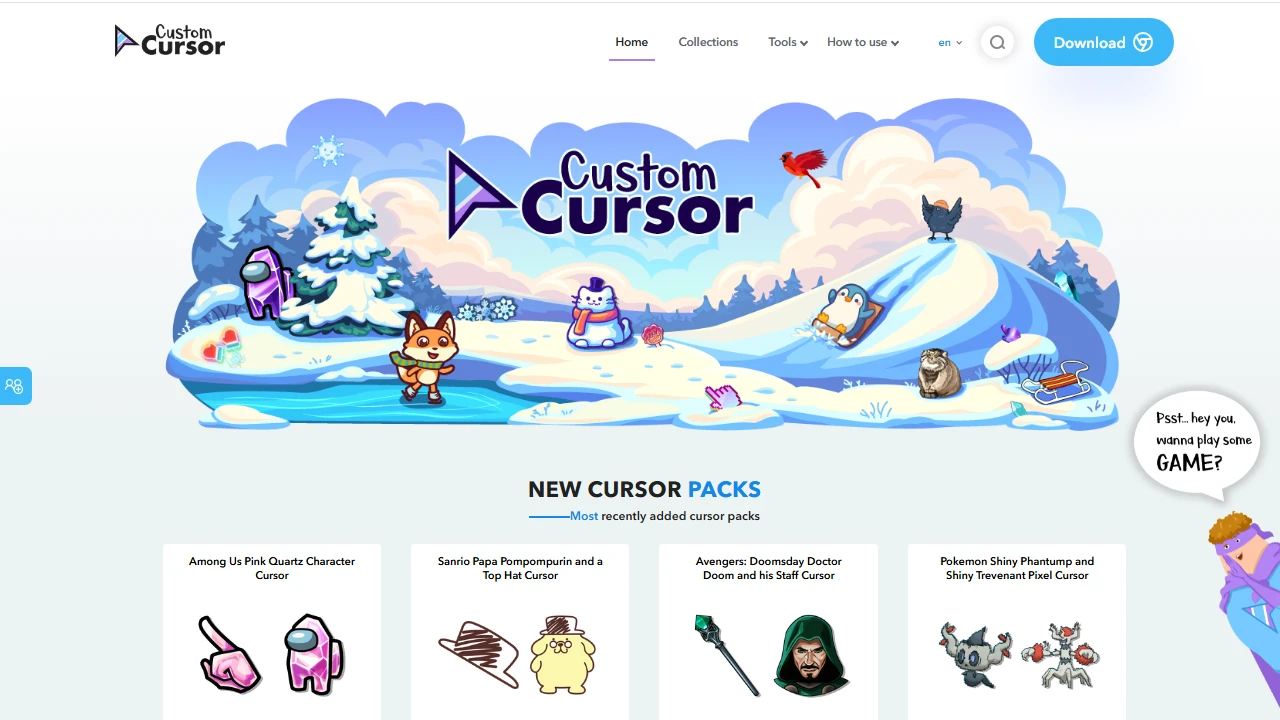
Staring at a screen all day, that little arrow pointer is probably one of the visual elements you see the most. If you have long grown tired of the identical system default cursor, Customcursor (Custom-cursor.com) is worth a look. It is an online service platform dedicated to personalised cursor design, where users can browse, create and use their own custom cursors — whether for everyday personal use or commercial projects, you can find a solution that fits.
Unlike many tools that can only swap in static pointers, Customcursor offers a remarkably wide range of design options: from the most basic geometric shapes to complex dynamic effects and even holographic-style cursors, everything is on the menu. Even with no design background whatsoever, you can complete a cursor change in just a few minutes.
Over 7300 Cursor Packs: What Themes Are Hiding in the Library
The size of the asset library is a hard benchmark for whether a platform like this is worth using. Customcursor currently features over 7300 cursor packs in all kinds of styles, all carefully crafted by professional designers and clearly divided by theme. Common categories include:
- Cartoons & anime: pointer designs full of animation elements and an anime vibe, perfect for anime fans;
- Tech & modern styles: clean-lined, sharp-looking cursors that won’t feel out of place even in office settings;
- Art & creativity: distinctive designer pointers for users who pursue a unique aesthetic;
- Gaming themes: pointers with a built-in gaming atmosphere — pair them with a gaming desktop for real immersion.
The direct benefit of such rich theming is that users with different tastes can quickly locate the style they like, without endlessly digging through piles of unsuitable assets. And these cursor packs are full of creative ideas — switch to a new theme and the whole feel of your desktop changes with it.
How to Make a One-of-a-Kind Cursor: Asset Sources and Parameter Adjustments
Two ways to create
If you don’t want to simply apply ready-made assets, Customcursor offers two customisation paths: the first is to upload your own image assets, turning pictures you like into usable cursors; the second is to pick elements from the platform’s predefined asset library and modify them. The former suits users with a clear idea in mind, while the latter is better for beginners who want to get started quickly and see results as they tweak.
Parameters you can fine-tune
Once you have chosen an asset, the platform lets you adjust parameters such as colour, size and transparency. Don’t underestimate these: colour determines whether the cursor coordinates with your wallpaper and theme palette; size affects visibility and precision in actual use; transparency makes the pointer feel visually lighter. Combined, these settings can produce a bespoke cursor that closely matches your personal desktop style.
The whole customisation process requires no professional technical skills at all. The workflow is close to that of common online image editors — just follow the on-screen prompts step by step.
Download and Installation: Browser Extension or Windows Desktop Version
Customcursor currently comes in two forms, each suited to different scenarios:
- Browser extension: obtained by default from the Google Chrome Web Store; once installed, the cursor inside your browser becomes customisable, instantly giving your web browsing a fresh new look;
- Windows desktop software: once installed, it enables a global custom cursor covering all desktop programs and file operations, no longer confined to the browser window.
How users in China can install the extension
Since the Google Chrome Web Store cannot be accessed directly in China, users who want the browser extension can turn to third-party Chrome extension download platforms, search for the extension and complete the installation.
The choice is simple too: if you only want a more personalised pointer inside your browser, the extension is enough; if you want custom cursors across the whole system environment — File Explorer, all kinds of desktop software and more — installing the Windows desktop version is the better fit. Just pick whichever matches your intended scope of use.
Beyond Personal Use: Taking Your Cursor to Websites and Online Projects
Customcursor’s uses go beyond personal desktop decoration. The platform has built-in tools that allow users to quickly apply custom cursors to websites, blogs and all kinds of online projects. For site owners and content creators, a custom cursor that echoes the site’s style is an extremely low-cost detail optimisation: it effectively boosts a page’s interactivity and visual appeal, subtly helping visitors remember the site’s unique character.
An interesting detail often leaves a stronger impression than pages of decoration — and the cursor is exactly the spot that every visitor notices, yet few sites bother to polish.
All in all, this tool brings the complete chain — picking assets, customising, installing on your device and applying to web pages — into a single platform. Backed by both mainstream browser extensions and the Windows desktop version, it offers friendly feature coverage and a low barrier to entry. If you are thinking of adding some freshness to your everyday work or gaming desktop, or want your blog or website to gain one more memorable touch, why not head straight to the official website and browse the asset library — you might just find your ideal cursor on the very first page.