AD Recommendation
Join Now
Important: Please do not trust the content and ads of various websites easily! Recommended reading: Safety Tips
Rookie Icons
Scan to visit on your phone
4wks agoupdate 641 00
0

Rookie IconsRookie Icons

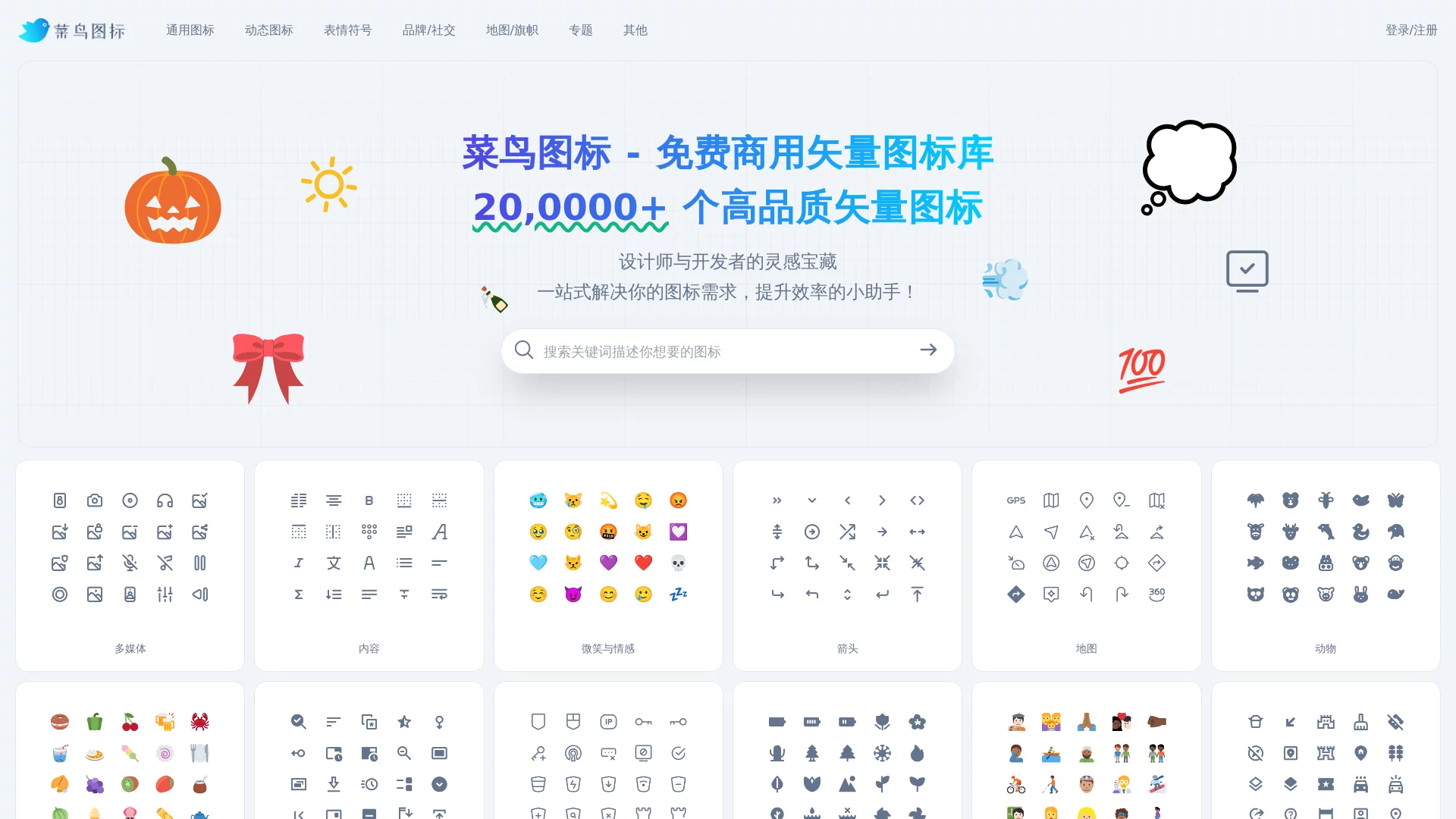
Rookie Icons, a vector icon library free for commercial use, with over 200,000+ free vector icons for commercial use.


Screenshots

Rookie Icons

It All Starts with an Icon: How Rookie Icons Supports an Entire Design

Whether you are making a poster, building an interface or laying out a flyer, you often start by choosing the right icon. Rookie Icons (the icon channel under Rookie Gallery) is a design resource platform built around exactly this frequent need. The site brings together over 200,000 vector icons, along with cut-out elements, print templates, UI assets and other resources, with free commercial use as its main draw and “making design easier” as its core philosophy.

Official website: https://icon.sucai999.com/

It serves a broad user base: newcomers to the industry can quickly find ready-made assets to save the day, while professional designers and developers can treat it as an everyday “arsenal” for sourcing material. Below, we break down the highlights one by one, from resources and features to real-world use.

200,000+ Vector Icons: Sorted by Scenario, Easy to Search

Icons are the core of this platform. The icons on the site are organised into a clear category system covering common scenarios such as multimedia, emotions, UI actions, and daily life and nature, so you never have to hunt for a needle in a haystack. The main categories include:

  • General icons: multimedia and UI action icons, suitable for interface prototypes, web pages and app mockups;
  • Animated icons: dynamic assets with built-in motion effects that bring pages and presentations to life;
  • Emoji: emotion-expressing icons, handy for social media post images and chat interface decoration;
  • Brands and social: brand and social media icons, convenient for follow prompts and displaying contact details;
  • Maps and flags: geography and flag icons, ideal for infographics and regional information displays.

All icons are provided in vector format, which is crucial — whether scaled down to fit a button or enlarged for large-format output, there is no jaggedness or blurring, so they can be used in commercial projects with confidence.

Beyond Icons: Cut-Out Elements and Templates Are Just as Abundant

Solving the icon problem alone does not quite make it a true “one-stop” shop. Rookie Gallery’s stock of design assets is fairly comprehensive — a few figures give you an immediate sense:

  • 100,000+ cut-out elements: ready-made assets with backgrounds already removed — just drag them onto the canvas and start laying out;
  • 50,000+ print templates: ready-made layouts for common items such as posters, business cards and flyers;
  • 20,000+ UI interface templates: page frameworks and component references, ideal for product and interaction design;
  • 10,000+ icon resources: complementing the icon channel, covering more niche styles.

These resources span print advertising, e-commerce/Taobao, illustration and many other fields. In other words, from shop pages and campaign materials to product prototypes, the assets needed along a design workflow can basically all be found on the same platform, saving you the cost of switching back and forth between multiple websites.

Features and Experience: AI Painter Support, Smooth Search and Download

A rich resource pool is only the baseline; how well it works depends on the tools. Rookie Icons has several noteworthy features:

  • AI Painter: the platform integrates AI painting for creative generation, so even users with no art background can produce usable visual assets;
  • Precise search: quickly locate icons and assets by keyword, with high search efficiency;
  • One-click download: download the resources you like directly — a short process with few steps;
  • Work uploads and account management: after registering and logging in, you can upload your own works and manage your personal account, making it easier to accumulate and reuse assets.

The entire workflow is friendly to beginners: search, preview, download — three steps to get your assets, with no complicated learning process. For designers who often race against deadlines, this “fewer clicks” experience adds up, saving plenty of time and energy.

Common Questions and Usage Tips

Are the assets on Rookie Icons really free for commercial use?

Yes. The platform’s resources are positioned as free for commercial use; both the icons and the accompanying design assets are suitable for commercial purposes — a key advantage that sets it apart from many “for study only” asset sites. For specific projects, we recommend double-checking the licence notes on the page before downloading, for extra peace of mind.

Can I use it with no design training at all?

Yes. Cut-out elements and ready-made templates greatly lower the barrier to getting started — tweak a template’s text and colours and you have a poster, while the AI Painter can generate creative images straight from your requirements. It is not difficult for total beginners to complete simple design tasks.

A Few Practical Tips

  1. First use precise keyword searches to narrow things down, then browse by category to supplement — this is more efficient;
  2. For interface design, prefer vector icons to ensure clarity at multiple sizes;
  3. After registering an account, organise frequently used assets and uploaded works into categories for easy reuse later;
  4. When motion effects are needed, consider animated icons first — far more time-saving than making animations by hand.

Whether you need a few extra icons for an e-commerce page or visual elements for a whole project, Rookie Icons can serve as a reliable sourcing gateway, making the fiddly business of “finding assets” much lighter.

Relevant Navigation

No comments

You must be logged in to leave a comment!
Login immediately
none
No comments...