AD Recommendation
Join Now
Important: Please do not trust the content and ads of various websites easily! Recommended reading: Safety Tips
360AIPPT
Scan to visit on your phone
3wks agoupdate 639 00
0

360AIPPT360AIPPT

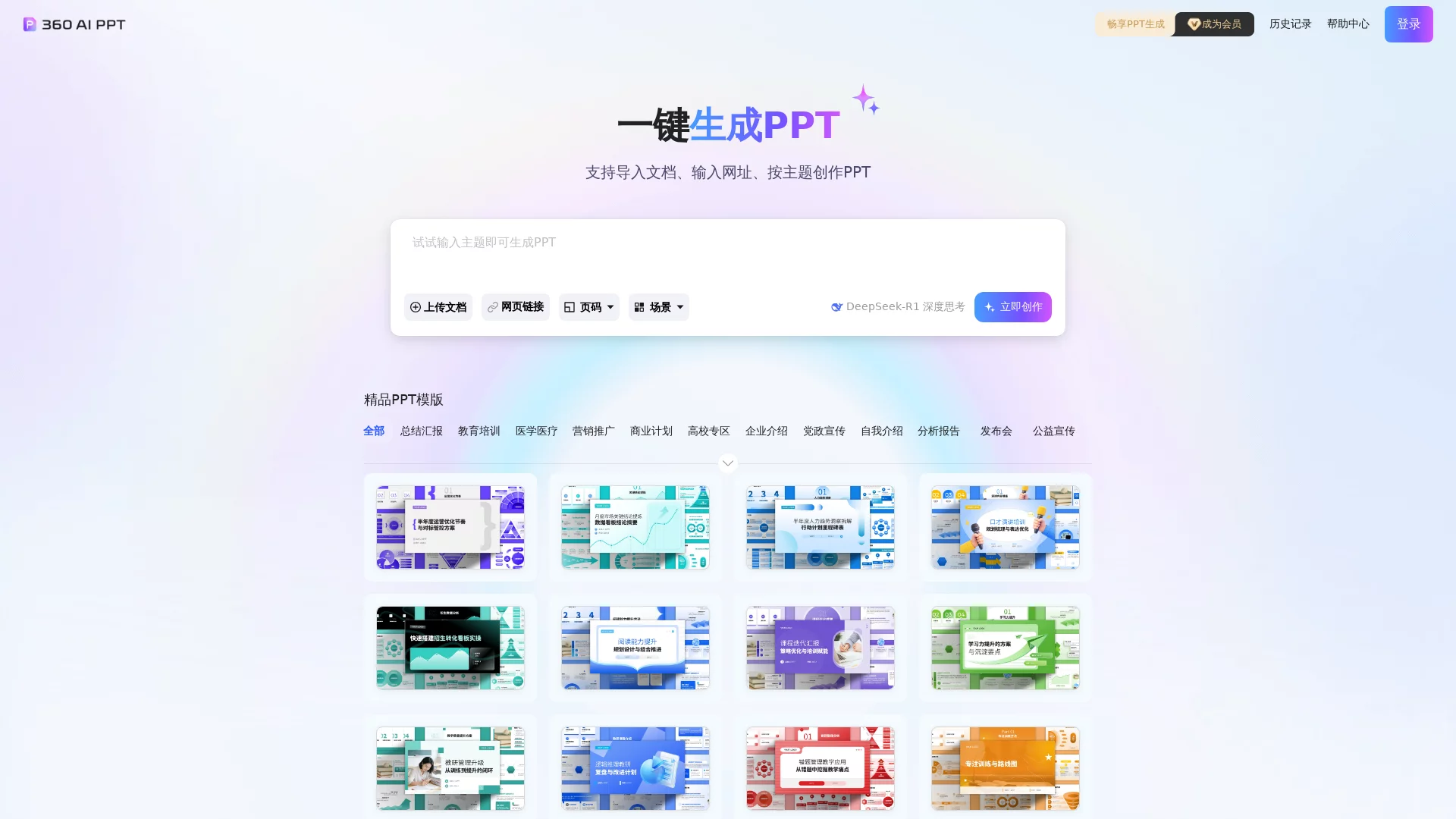
360AIPPT is an AI PPT creation tool designed to enhance users' PPT creation efficiency and quality through intelligent functions. Users only need to input themes, keyword...


Screenshots

360AIPPT

Suddenly assigned a presentation task that requires a decent PPT the next day is a moment of frustration that many office workers, students, and even teachers have encountered—formatting takes time, finding images is hard, and outlines are messy, often taking half a day to produce a barely usable final product. The emergence of 360AIPPT is precisely to solve this problem. It is an AI-driven PPT creation tool launched by 360, featuring the efficient logic of “put materials in, get the final product out”, helping users free their energy from mechanical design links and focus on the content itself.

Core Operations of 360AIPPT: A Minimal Path from Materials to Final Product

Official website: https://aippt.360.com/

The usage logic of 360AIPPT is very clear. Users don’t need to manually complete complex formatting work throughout the whole process. Just complete three steps: “input materials → AI parsing and generation → one-click completion”, and you can quickly produce a complete presentation. For users who are used to 360AI Browser, the operation can be further simplified—directly drag PDF documents, meeting recordings, course videos or web content into the browser, skipping the intermediate link of “organizing materials locally and then uploading”, which improves efficiency by more than one level.

Flexible Input Methods, Adapted to Different Work Scenarios

  • Web Link: Paste the target URL, and the AI will automatically capture the main content and extract core points, converting them into the outline structure and content of the PPT;
  • Document Materials: Upload files in formats such as Word and PDF, and the AI will automatically extract key information and organize it into a page framework that conforms to presentation logic;
  • Audio & Video Content: Meeting recordings, course videos, lecture audios, etc. can all be converted into PPT content, suitable for organizing meeting minutes or course notes afterwards;
  • Theme Keywords: Only input a core topic, and the AI can build a complete first draft including titles, content, images and layouts from scratch, suitable for scenarios where there is no clue at all.

This multi-dimensional input method allows 360AIPPT to adapt to almost all users’ work habits—people who are used to writing documents first can generate from documents, people who record meetings can upload audio directly, and scenarios with sudden inspiration can also start quickly through themes without additional preparation of materials.

More Than Just Generation: 360AIPPT’s Optimization Capabilities, Balancing Efficiency and Quality

A pain point of many AI generation tools is that “they cannot be adjusted after generating the draft at one time”, but 360AIPPT reserves sufficient editing space after generation, letting the AI do the basic work and users do the fine-tuning, forming a complementary collaboration mode.

Auto Formatting and Design, Say Goodbye to the Chaos of Manual Assembly

Formatting is the biggest shortcoming of ordinary people making PPT. 360AIPPT will automatically complete layout design according to the content, including unified color matching, font alignment, page layout, and can automatically insert data visualization charts, turning boring numbers into intuitive graphics, making the presentation content more convincing. The generated pages will not have the common problems of “tilting” or “chaotic color matching” in manual production, and the overall style is professional and unified.

Scenario-based Templates, Quickly Match Different Needs

The tool has a built-in template library covering multiple scenarios, including project reports, course defenses, meeting minutes, proposal submissions, etc. Users can flexibly switch templates before and after generation, quickly test different styles, and find the version that best fits the formality and occasion of the presentation, without adjusting the visual effects from scratch.

Who Is Most Suitable? Core User Group with Precise Matching

From the product positioning, 360AIPPT is oriented to all users who need to make PPT frequently. Both beginners and professionals can use it to quickly improve efficiency, and several types of people will have particularly outstanding experience:

  • Professionals: In scenarios such as weekly report summaries, project reports, and proposal submissions, using AI for the basic work can save a lot of time on design and formatting, allowing them to focus on content logic and expression;
  • Students: For course presentations, graduation thesis defenses, etc., it can go from outline to final product in one step, avoiding distracting attention from the content due to PPT production;
  • Teachers: Organizing lecture notes, making courseware, and classroom presentation content, quickly converting document and audio-video materials into presentations suitable for classrooms;

This mode of “AI generation + manual fine-tuning” can not only ensure efficiency, but also make the final product conform to personal style and needs, and the delivered PPT will also look more professional, adding points to personal image.

Fees and Usage Tips: Practical Guide for Efficient and Cost-effective Use

360AIPPT is connected to the membership system of 360AI Office Platform, with clear and transparent fee rules, suitable for users with different usage frequencies. New users need to consume 20 AI Beans each time they generate a PPT, while old members do not need to consume AI Beans when generating a PPT, and can also enjoy more exclusive rights, such as unlimited use of the PPT generation function and free download of high-quality PPT templates. For frequent users, subscribing to a membership is more cost-effective.

In addition, 360AIPPT is not an isolated tool, but part of the 360AI Office Platform. This platform integrates more than 200 AI tools, covering multiple fields such as document processing, image editing, and video processing. The same membership system can cover multiple scenarios of one-stop intelligent office, with more prominent comprehensive value.

In short: For occasional use, pay according to AI Bean consumption; for users who need to submit PPT frequently, subscribing to a membership for unlimited generation is more cost-effective.

A Few Practical Tips for Getting Started

  • The more complete the materials, the higher the generation quality. If you have an existing document, try to organize the core content before uploading to reduce the AI’s parsing workload;
  • After generation, first check the outline logic to ensure a clear structure, then adjust page details and visual effects;
  • For the same content, you may as well try several templates to compare effects. The switching cost is extremely low, and you can quickly find a more suitable style;
  • For content involving data, make good use of the visualization charts inserted by AI, which are more intuitive than plain text and can also attract the audience’s attention more;

Hand over repetitive formatting and design work to AI, and leave precious time for content polishing and expression preparation. This is exactly the practical value that AI office tools like 360AIPPT bring to daily work and study.

Relevant Navigation

No comments

You must be logged in to leave a comment!
Login immediately
none
No comments...