AD Recommendation
Join Now
Important: Please do not trust the content and ads of various websites easily! Recommended reading: Safety Tips
MyLens.ai
Scan to visit on your phone
4wks agoupdate 1,404 00
0

MyLens.aiMyLens.ai

An online tool based on artificial intelligence, focusing on generating timelines, mind maps and other visualisation charts


Screenshots

MyLens.ai

When documents pile up, a single timeline can make it clear: Let’s talk about MyLens.ai

Official website: https://mylens.ai/

Preparing a report, just researching materials takes up an entire afternoon: the years of historical events are scattered across different web pages, the nodes of technological evolution don’t align, and after finally piecing them into order, you still have to spend time drawing charts… If you often get stuck with such problems in your daily life, then MyLens.ai is worth opening and trying right now.

This is an online visualisation tool based on artificial intelligence, and it solves only one core problem — turning scattered information into easy-to-understand diagrams at a glance. Users only need to input a topic or keyword they are interested in, and AI will automatically generate a beautiful timeline in a few seconds, arranging the key events under that topic in order, and clearly showing the relationships between events. Whether it’s sorting out historical contexts, tracking technological evolution, or analysing cultural changes, it can provide structured answers.

From opening the web page to getting the final product, it only takes three steps

Many efficiency tools fail because they are “too troublesome to get started with”, but MyLens.ai does the opposite. It is currently free to use, no registration or login required — you can operate directly after opening the web page, with almost no threshold.

  1. Visit the official website: Open MyLens.ai, skipping all registration and login processes.
  2. Input a topic or keyword: For example, “Industrial Revolution”, “History of Artificial Intelligence”, and select the required language at the same time.
  3. Wait for generation and add details: You will get a well-structured timeline in a few seconds, add details manually as needed, or switch to other visualisation forms.

The entire process has no learning cost at all; even a first-time user can get a decent result in a few minutes.

Three chart types, corresponding to three ways of thinking

Many people think it only draws timelines, but in fact MyLens.ai provides a set of complementary visualisation capabilities. The same topic, presented in different forms, gives completely different insights.

  • Smart Timeline: The core flagship feature. AI automatically mines important events under the topic, arranges them into a visual timeline in chronological order, and can also show overlapping relationships between events, integrating the originally scattered development nodes into one diagram.
  • Mind Map: Suitable for breaking down hierarchical relationships between concepts. When you need to clarify “which branches this field includes and what key points are under each branch”, it is more intuitive than a timeline.
  • Quadrant Chart: Facilitates classification and comparison of things. By placing different objects in a coordinate system, strengths and weaknesses are clear at a glance, making it especially suitable for comparative analysis.

In terms of content quality, timelines are generated based on data-driven methods, ensuring the accuracy and richness of information; the results provided by AI are not the end point, and users can add details manually to further enhance the depth of the chart. In terms of language, the tool supports input in multiple languages, can generate English timelines, and can also output other language versions as needed, making it very friendly for cross-language learning and research.

Four types of people, four uses: See which one is you

The value of a tool ultimately depends on whether it can fit into real workflows. Based on actual usage, the following groups match MyLens.ai the most.

Students and educators

Sorting out the dates, events, and causal chains in textbooks into intuitive timelines makes classroom teaching more vivid, and there is no need to rote memorize dense timelines for revision and exams. Historical research and academic presentations are its high-frequency use cases.

Researchers

In the stages of literature review and proposal research, quickly sorting out the development and key nodes of a certain field is much more time-saving than reading through materials one by one.

Marketing professionals

Analysing industry evolution trends, reviewing brand development history, and directly turning conclusions into visual materials for planning schemes and proposals will immediately enhance persuasiveness.

Business teams

Meetings and reports are most afraid of “everyone talking at cross purposes”. After visualising complex information, team members can quickly align their understanding, and the efficiency of data analysis and decision-making communication is significantly improved.

It can be said that all learning, research, and work scenarios that require “making complex information clear” are where it can be applied.

Frequently asked questions before use, clarified at once

How much can be used for free? Will there be charges?

MyLens.ai offers a free version, where users can create multiple timelines per day, but there may be usage limits. If there is a higher demand, you can choose the paid version to get more features and higher limits. For light users, the free quota is enough for daily use.

Can I modify the AI-generated charts myself?

Yes, and it is recommended to modify them. The AI-generated timeline is just a starting point; users can add details to enhance the richness of the timeline, making the final product more in line with their actual needs.

How is the interface experience?

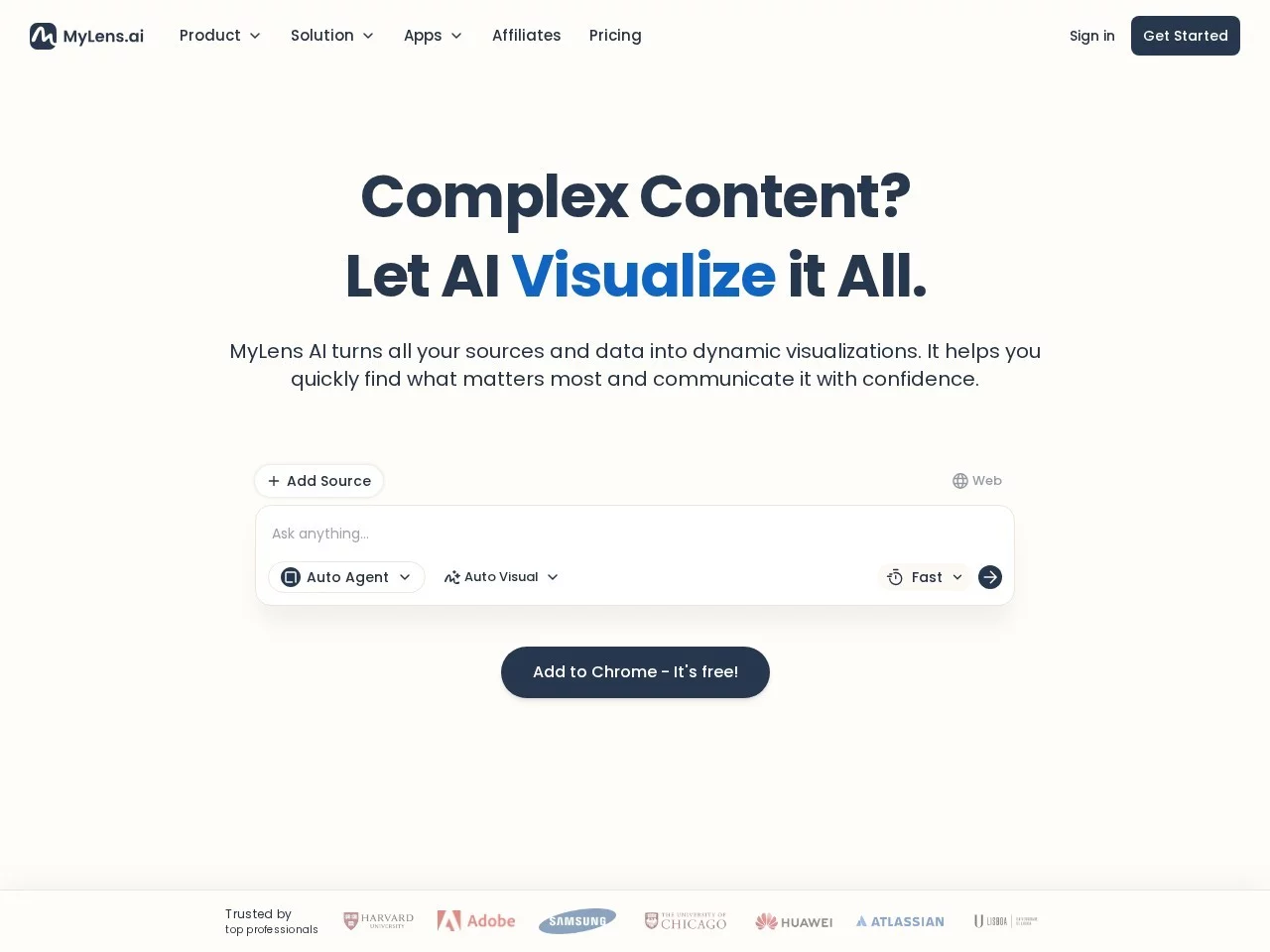
The overall colour scheme is dark blue, black and white, the interface is simple and professional, the visual focus is always on the chart content itself, highlighting a sense of efficiency. Staring at the screen for a long time to organise materials is also less likely to cause visual fatigue.

When others are still flipping through materials and pulling spreadsheets, you have already condensed the ins and outs of a topic into one chart. For learners and professionals who often need to organise information and create presentations, this is not just about saving a few hours, but also an information processing habit worth developing.

Relevant Navigation

No comments

You must be logged in to leave a comment!
Login immediately
none
No comments...