
AD Recommendation
Join Now
Important: Please do not trust the content and ads of various websites easily! Recommended reading: Safety Tips
Vectorizer.AI
Scan to visit on your phone
3wks agoupdate 980 00
0

Vectorizer.AIVectorizer.AI

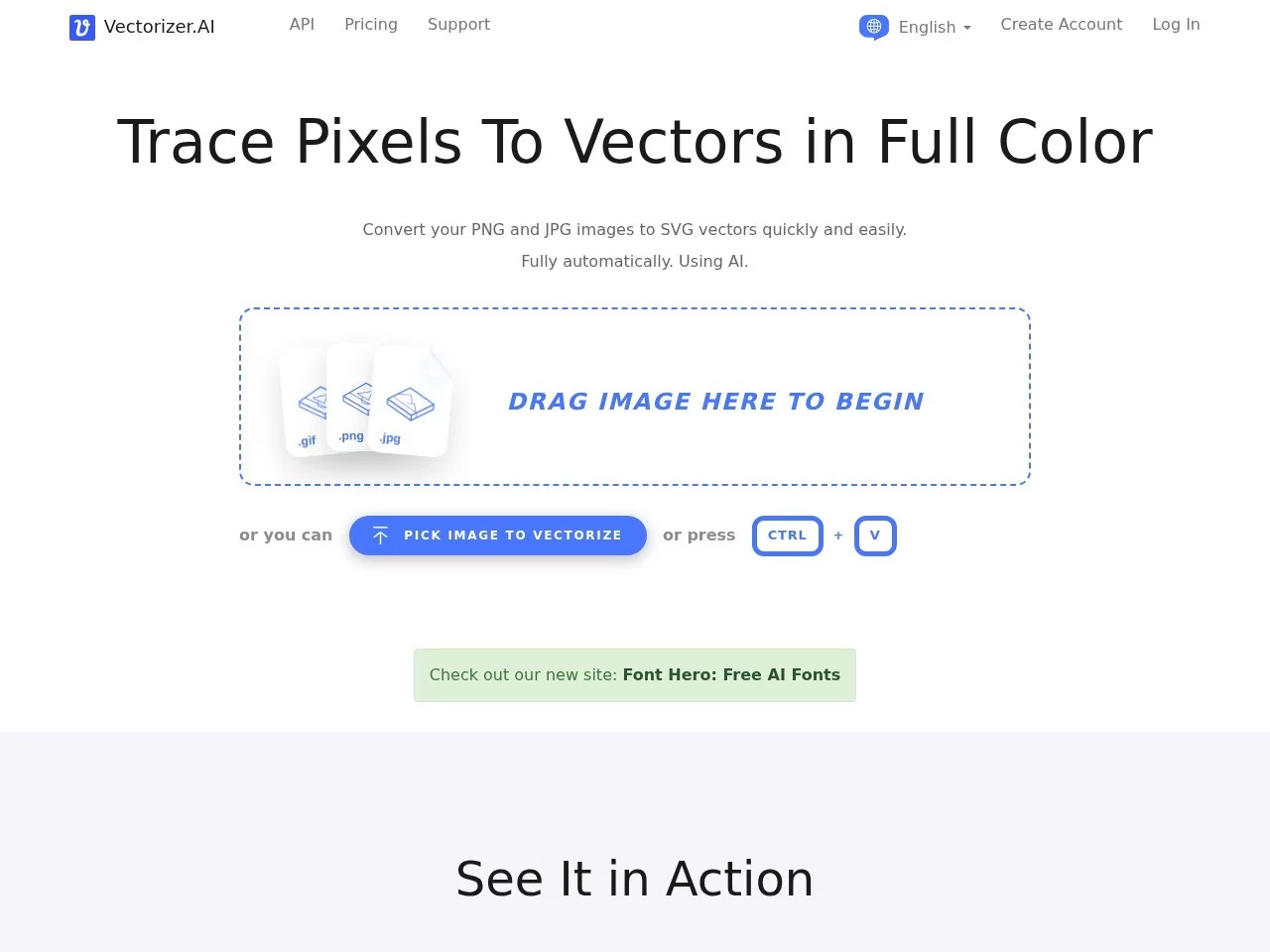
AI online tool that converts bitmap images (such as JPEG and PNG) to vector images (such as SVG)


Screenshots

Vectorizer.AI

A graphic designer who has just finished an event poster frowns at the pixelated blocky Logo bitmap on their computer—tomorrow they need to print a two-metre-wide poster, manual tracing would take at least half a day, and they’re worried the lines will be crooked and affect the brand’s image. Many people have faced this frustrating problem of converting bitmaps to vectors, until they found Vectorizer.AI.

Fast conversion without software, done in three steps

Official website: https://vectorizer.ai/

No need to download or install anything, no plugins required—just open the official website and get started. It’s as simple as dragging a file into a chat box: just drag a JPEG or PNG bitmap onto the page, or click a few times to upload. Leave the rest to the tool—no parameter adjustments, no detail tweaking needed. After a few seconds, you’ll see the converted vector image in the preview pane. If it looks good, click download and you’ll get an SVG file.

You don’t even need to register. It’s still in the testing phase, all features are free. No need to worry about your uploaded images being leaked, or unexpected payment windows popping up mid-process. You can use it with peace of mind even for just one image.

The converted images retain details and adapt to various scenarios

The biggest advantage of converted vector images is that they can be scaled infinitely without getting blurry like bitmaps. Graphic designers creating posters, logos, or creative industry professionals preparing patterns for embroidery or laser cutting can all use them, as they won’t distort when resized.

Its AI algorithm automatically recognises geometric shapes in images—whether circles, rounded rectangles, or curved stars—and accurately breaks them down into standard vector paths. It even optimises the smoothness of corners and curves, eliminating harsh edges. Unlike other conversion tools, it preserves full colour and transparency, so you won’t lose the original image’s colour layers after conversion, making it especially useful for those needing to restore design details.

There are a few things to note: if you convert real photos, there may be distortion issues. For such cases, you should still use professional vector design software. AI tools are better suited for processing images like cartoons and flat illustrations with clear lines and distinct colour blocks, as they can fully retain the original style.

Who can use this tool?

It’s not just for professional designers—many people can use it. For example, bullet journal enthusiasts who want to turn their favourite cartoon avatars into vector images that can be printed on sticker sheets; or students making posters for club activities, who can use this tool to finish in a dozen minutes when they can’t find someone to help with tracing.

Based on actual users, it can be roughly divided into several categories:

  • Those who do graphic design or creative work regularly can save time on manual tracing and focus on more important creative work;
  • Beginners without professional design training can get usable vector files without having to learn complex software;
  • People who only need to convert images occasionally, such as those printing large posters or making small embroidery patterns, don’t need to look for special tools—they can just use the official website directly.

Handy tips for use

To get better conversion results, here are a few small details to note: try to upload images with clear lines and distinct colour contrast—this helps the AI recognise them more accurately; if the image has noise, remove it simply before converting; for complex illustrations or logos, you can also edit the original image first; if you’re not satisfied with the conversion result, try adjusting the original image’s colour saturation to avoid AI recognition errors caused by overly similar colours.

You don’t need to register now, but if you need batch conversion or history storage, you’ll have to wait for future feature updates. For the current testing version, converting a single image is very fast—even for one-off use, it’s more than enough for daily needs.

How is it more convenient than other tools?

Similar AI vector conversion tools are either too simple and lose details after conversion, or as complex as professional software that beginners can’t handle. Vectorizer.AI hits the sweet spot in between—no need to learn complex operations, and no quality loss for speed.

Designers rushing projects, students needing to make images on the fly, and even ordinary people just wanting to convert an avatar—all can use it by opening the official website. This hassle-free, lightweight experience perfectly fits today’s demand for efficiency. The converted images are suitable for printing and embroidery, more than enough for daily use, so no need to spend time adjusting them.

Related Sites

No comments

You must be logged in to leave a comment!
Login immediately
none
No comments...