
Super Flower
Super Flower's Official Website is a practical reference platform for DIY PC building
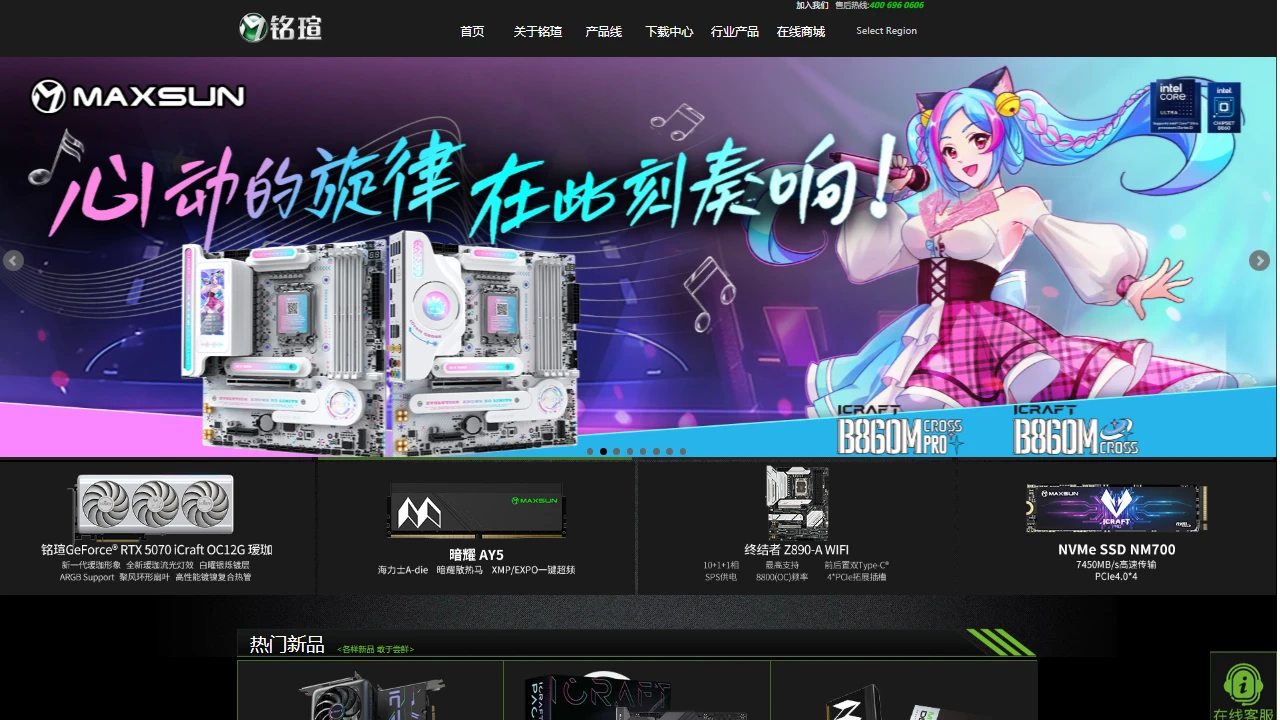
 Maxsun
Sharing practical PC-building experience with the Maxsun official website and Aijia boards
Official website: https://www.maxsun.com.cn/
Several friends of mine who build PCs are always looking for boards and graphics cards that are budget-friendly and match their anime-style tastes, and the pitfalls they hit before were all the same: downloading drivers from third-party sites crashed their systems, they couldn’t find the BIOS for the right PCB version, and when the motherboard wouldn’t boot, blindly pulling the battery didn’t help either. It wasn’t until I used the Aijia series boards myself that I felt I’d finally made the right choice.
Common pitfalls beginners fall into — I hit every one of them at first:
The most reassuring thing about the Maxsun official website is that essential PC-building tools are embedded directly on the product pages, with no jumping around. I’ve compared other brands’ websites before: some make you enter a motherboard serial number before you can download drivers, others hide the BIOS in a corner of the support section and leave you to verify the PCB version yourself — a real hassle. On Maxsun’s product pages, scroll down a little and you’ll see direct download links for drivers, BIOS and manuals, with no extra verification needed. Whether it’s Intel or AMD platform boards, the categories are clear at a glance.
On the finer details, here are a few that are genuinely useful. First, drivers are split by Windows version, such as Win10 and Win11, and labelled with the corresponding PCB version. For the mid-range motherboard I installed at the time, I picked my own PCB number to download the driver, and once installed the sound card was recognised straight away — a problem my friend spent three days wrestling with using third-party drivers took me just over ten minutes. Second, BIOS downloads are also split by PCB version, which is crucial: with the same model, you must never flash a BIOS meant for a different PCB, and Maxsun labels this clearly so you won’t mix them up. Third, the Debug light troubleshooting guide and CMOS clearing shortcut in the manual aren’t buried at the end of hundreds of pages — they sit in a prominent spot within the first few pages. When my Debug light lit up during my build, two short paragraphs with pictures told me it was the RAM not seated properly. Clearing the CMOS is even simpler: just bridge two pins with a jumper cap — no need to take out the whole motherboard.
Compared with similar platforms, two advantages stood out to me most. First, the buzz around the Aijia series isn’t manufactured hype — it’s genuinely delivered in product design. For example, the backplate pattern on Aijia graphics cards is linked with the system’s RGB lighting sync, with no extra cables needed: once the case powers on, the pattern’s lighting changes with the system load, a detail other anime-themed boards at the same price don’t offer. Second, the official website carries no redundant marketing content — no flashy product launches, no pile of high-end flagships, just the practical tools PC builders need. Unlike some brands’ websites, where half the content is new-product promotion and you can’t even find the driver download entry for basic boards.
Hard-won tips for avoiding pitfalls, all of them practical. First, never download drivers from third-party sites — even if the search results match your exact model, download from the Maxsun official website, as third-party generic drivers may lack exclusive features such as the HD audio driver for the sound card. Second, BIOS downloads must match your motherboard’s PCB version: you can find the PCB number printed on the motherboard itself, and the BIOS download page on the official site marks it clearly — don’t download blindly, as flashing the wrong BIOS will leave the motherboard unable to boot. Third, although the Aijia series boards are budget-oriented, don’t overlook their looks just because of the low price — the anime design genuinely lifts the overall look of your build, with no extra case decoration needed. Fourth, don’t pull the battery to clear the CMOS: check the shortcut in the manual. On some motherboards, clearing the CMOS is done via jumper pins on the board — just bridge them once, no need to take the case apart.
It suits two types of people perfectly. First, PC builders who like anime style but are on a budget: the Aijia series boards match their aesthetic preferences exactly, and the tools on the official website solve build problems quickly. Second, first-time builders who don’t want to fiddle with complicated steps: the Maxsun website is designed very straightforwardly, so you can get the tools you need without searching for ages. On the other hand, it may not suit gamers chasing top flagship performance, or users who couldn’t care less about board aesthetics, since Maxsun focuses on value for money and practical tools rather than a high-end flagship line.