Dongci
Free online video to GIF tool
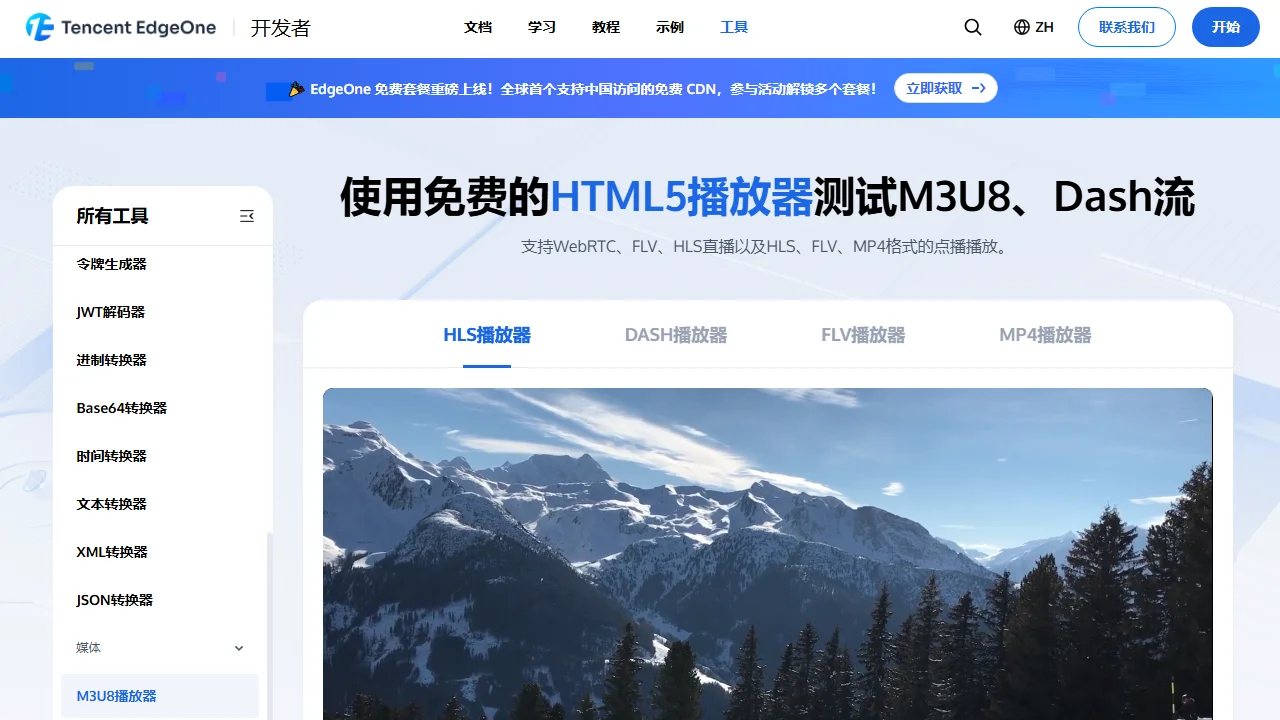
 EdgeOne Super Player
 supports WebRTC, FLV, HLS live streaming, and on-demand playback in HLS, FLV, and MP4 formats.
In the era of explosive growth of digital content, a smooth and stable streaming media playback experience is a core user need, and a professional player that can adapt to multiple protocols and formats is a key support. EdgeOne Super Player, with its strong compatibility and adaptive capabilities, has become a highly regarded streaming media playback tool, providing users with a stable viewing experience whether for live broadcasts or on-demand content.
Official website: https://edgeone.ai/zh/tools/hls-player
The core advantage of EdgeOne Super Player lies in its comprehensive support for multiple mainstream streaming media protocols and formats, enabling it to meet playback needs in different scenarios. For real-time streaming media, it supports M3U8, Dash streams, WebRTC, FLV, and HLS live streaming, suitable for scenarios requiring real-time performance such as sports events, online live broadcasts, and remote meetings; for on-demand playback, support for HLS, FLV, and MP4 formats covers the vast majority of pre-recorded video content, which can be played directly without additional conversion.
This full-format support feature allows users to avoid switching players for different content. Whether on web, mobile, or smart devices, users can achieve a unified playback experience through EdgeOne Super Player, avoiding playback failures caused by format incompatibility and greatly improving ease of use.
Many users will encounter the technical term HLS when accessing streaming media playback. Its full name is HTTP Live Streaming, a streaming media transmission protocol launched by Apple in 2009. The core working principle of HLS is dividing complete streaming media content into multiple small file segments transmitted via HTTP, and the player achieves continuous playback by requesting these segments in sequence. The biggest advantage of this segmented design is its support for adaptive bitrate adjustment: the player automatically switches to an appropriate playback quality based on the user’s current network bandwidth, avoiding stuttering during network fluctuations and ensuring smooth viewing.
Thanks to its wide compatibility, HLS has become the preferred protocol for cross-platform streaming media transmission. Whether on mobile devices, desktops, or smart TVs, HLS content can be supported via native functions or third-party players. It is widely used in various scenarios such as live events, TV broadcasts, and on-demand videos, especially suitable for user groups that need to adapt to different network conditions.
In the HLS protocol system, M3U8 files are an indispensable component. They are essentially text-format playlist files containing key information such as the URL addresses of streaming media segments and playback order. By reading the M3U8 file, the player can clearly know which segments to download and in what order to play, thus achieving complete playback of streaming media content.
For ordinary users, M3U8 files may seem like just a string of simple text links, but they are the “navigation map” for HLS streaming media playback. Without them, the player cannot locate specific content segments and thus cannot complete playback. EdgeOne Super Player has optimized the parsing and processing of M3U8 files, enabling it to quickly identify content in the files and achieve smooth adaptive playback even for complex multi-bitrate M3U8 lists.
The reason why HLS has become a mainstream streaming media protocol is closely related to its own features. Its core advantages are mainly reflected in three aspects: first, adaptive bitrate streaming, which can automatically adjust quality according to the user’s bandwidth to solve stuttering caused by network fluctuations; second, wide device compatibility, with almost all mainstream devices and browsers supporting HLS content; third, low deployment cost, as it can run on a standard HTTP server without the need to build a complex dedicated streaming media server, reducing the threshold for content distribution.
However, HLS also has some limitations. For example, traditional HLS has relatively high latency, which may not be ideal for scenarios requiring high real-time interaction (such as esports live broadcasts and online Q&A); in addition, high-quality HLS streams consume more bandwidth, making it impossible to select high-definition quality in network-restricted environments; at the same time, managing content distribution networks for multiple segments and playlists also increases a certain degree of technical complexity.
For ordinary users, playing HLS videos is not complicated. EdgeOne Super Player provides a convenient online playback entry. Users only need to input the HLS stream address or M3U8 file link into the playback page, click the play button to watch directly, without installing additional software, suitable for quick testing or temporary playback needs.
For local file playback, professional media players like VLC also support HLS playback. Users only need to open the corresponding M3U8 file through the player to automatically load and play streaming media content; iOS and Android mobile devices natively support HLS, allowing direct access and playback of HLS content via the built-in browser or video app without additional configuration, making it very suitable for mobile users.