

prettysnapFree online screenshot beautification tool
Screenshots

What is Pretty Snap? An online tool that turns ordinary screenshots into design-style masterpieces
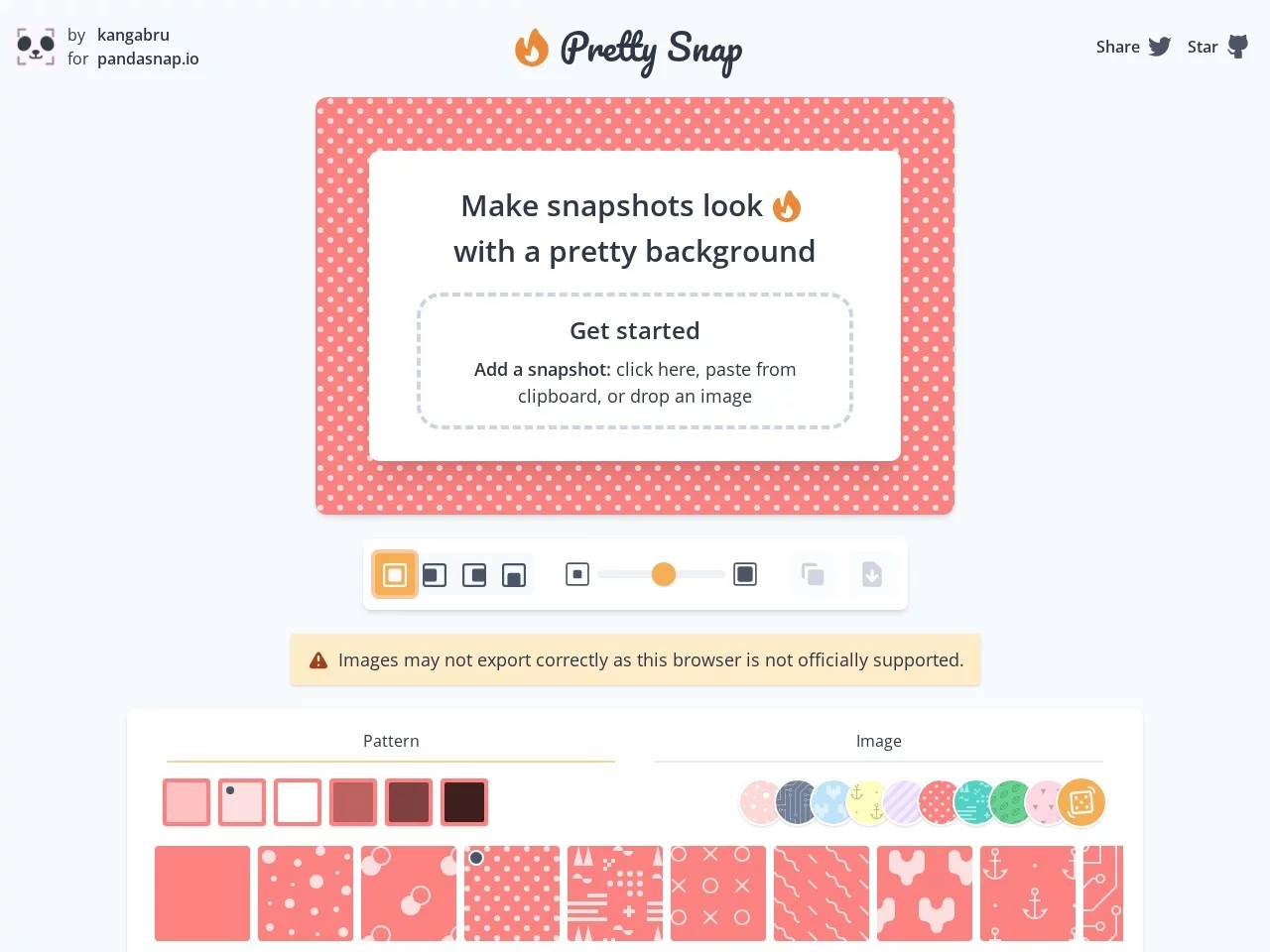
Everyone can take screenshots, but making them look good is not so easy. Whether you want to share a software interface or display web content, the original screenshot often has a single colour tone and lacks depth. Pretty Snap is an online beautification tool designed specifically to “dress up” screenshots. It can add visual effects like gradient backgrounds, blurred shadows, rounded corners, and watermarks to the original image, turning a casually taken screenshot into a poster-like texture instantly.
Official website: https://prettysnap.app/
This tool is completely free and an open-source project. Its background resources partially use Unsplash’s API, which provides a steady stream of high-quality images for its resource library. No software installation is required; just open the official website to start operating.
Breaking down the highlights of features: Every detail is customizable
Pretty Snap’s capabilities focus on two main areas: “background” and “beautification”, with very detailed options. Breaking down its core functions, they mainly include the following aspects:
- Rich background system: Built-in multiple preset background colours and patterns, supporting gradient backgrounds; via the Unsplash API, it can also access a large number of photography-grade background resources. The position, size, pattern, and colour of the background can all be adjusted freely, and you can even generate random patterns if you don’t want to choose.
- Support for uploading custom background images: If the preset resources don’t meet your needs, you can directly upload your own images as backgrounds, achieving true customisation.
- 3D-like shadow adjustment: The colour, transparency, and direction of the shadow can all be adjusted manually. Combined with blur effects, it can make the screenshot show a three-dimensional layer that appears to float on the background.
- Rounded corners and border control: The four corners of the screenshot can be rounded, and the border size can also be adjusted as needed, making the overall outline softer and more delicate.
- Multiple frame options: The tool provides various frame styles, and applying them with one click can make the screenshots look more professional and beautiful.
- Free placement of screenshots: The position of the screenshot on the canvas is not fixed; it can be set to centre, left, right, or bottom, making it easy to match backgrounds with different compositions.
- Watermark function: You can add watermarks to the final image, which can mark the source when sharing and also protect original content.
From backgrounds to borders, from shadows to watermarks, these seemingly scattered details combine to cover almost all elements needed for a beautiful screenshot. For those without experience using design software, there’s no need to understand colour theory or master layer concepts; just adjust the options step by step to get good results.
Recommended usage scenarios: It’s especially useful in these situations
Screenshot beautification sounds like a niche need, but in practice, you’ll find it has a wide range of applicable scenarios. Pretty Snap is useful in the following types of situations:
- Product display and login pages: Pair product screenshots with clean gradient backgrounds and soft shadows, and placing them on login pages or promotional materials will significantly enhance professionalism.
- Greeting cards and holiday wishes: Choose suitable patterns or upload your own images as backgrounds, then apply a frame; even a simple screenshot can become a thoughtful greeting card.
- Social media sharing: Add a beautiful background and rounded corners to screenshots before posting them as images, making them more eye-catching in feeds.
- Tutorial and document illustrations: Consistent borders, shadows, and watermarks can make screenshots in multiple tutorials have a unified style, improving the reading experience.
A few practical tips
To make the output more stable, pay attention to a few small details: Try to create a contrast between the colour tone of the background and the main subject of the screenshot to avoid blending together; don’t set the shadow transparency too high, as a subtle floating effect is often more pleasing to the eye than a heavy shadow; if used in formal occasions, adding watermarks or unified borders can make a series of images more recognisable.
Frequently Asked Questions (FAQ)
Does Pretty Snap require payment?
No. This tool is free to use and released as an open-source project; no additional payment is required for either background resources or beautification functions.
Is software installation required to use it?
No. It is a completely online tool; just visit the official website to operate directly. It works as long as you have a browser, with no additional device requirements.
What if there aren’t enough background resources?
On one hand, Pretty Snap integrates a large number of high-quality background images via the Unsplash API; on the other hand, it supports uploading your own images as backgrounds, and you can freely adjust the position, size, pattern, and colour of the background, giving high resource flexibility.
Can people with no design knowledge use it well?
Yes. Its interface is simple and easy to use; effects like gradient backgrounds, rounded corners, shadows, and watermarks can all be done through intuitive options. Even without any design background, you can quickly produce professional and beautiful screenshots, which is why it is called an ideal choice for improving screenshot quality.