AD Recommendation
Join Now
Important: Please do not trust the content and ads of various websites easily! Recommended reading: Safety Tips
Batch Tools
Scan to visit on your phone
3wks agoupdate 694 00
0

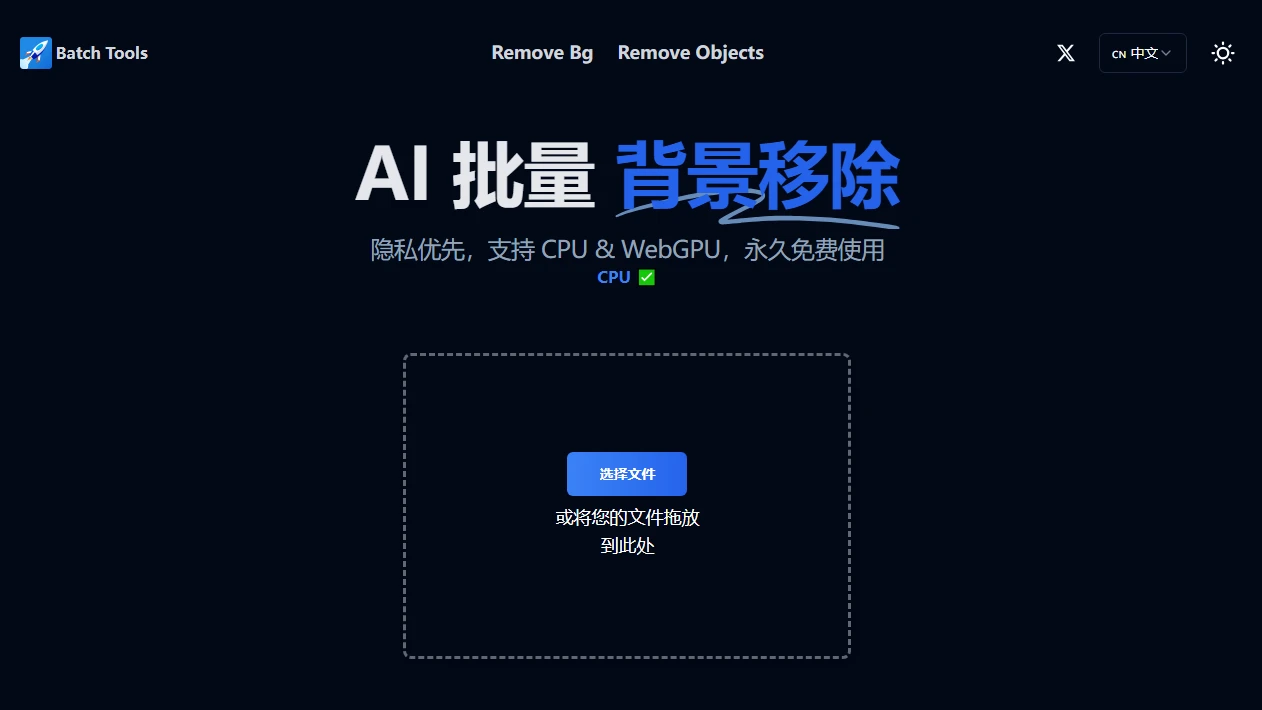
Screenshots

Batch Tools

Among these matting tools, Batch Tools is the one I use most often

Friends in e-commerce have probably encountered this scenario: they take dozens of product images in one go, only to find the backgrounds messy and inconsistent right before uploading. Doing manual matting for each image takes a whole night. This is where online tools like Batch Tools come into play — it’s an online AI image matting tool based on cloud computing, specialising in batch background removal. It hands over the repetitive work that would otherwise require processing each image individually to artificial intelligence, so a whole batch of assets can be done in just a few minutes.

Official website: https://images.batchtool.com/zh

I’ve tried many matting tools before, either requiring desktop software that takes up memory, or being so slow for single-image processing that it’s frustrating. Batch Tools avoids these hassles. No need to download or install anything — just open your browser and use it, which is very user-friendly for someone like me who hates trouble. It uses machine learning and AI technology to automatically recognise the subject in the image, separating the foreground from the background. The details are also well-handled, unlike some tools that leave rough edges on products.

After using it for over half a year, I’ve figured out its core practical features

Batch processing is where it really saves time

The thing that saves me the most worry is batch background removal — you can upload many images at once, no need to process each one individually. I used to take 20-30 children’s clothing images at a time, and manual matting would keep me up until the early hours. Now with Batch Tools, everything is done in about 10 minutes, leaving me time to organise product titles or liaise with customer service.

It supports a full range of image formats. Sometimes I export JPGs from my phone, download PNGs from product official websites, or even WebP images for posters — I can just upload them directly without converting formats in advance, saving a lot of steps. Another useful feature is exporting transparent backgrounds: the matting result is saved directly with a transparent background, so when I create product detail pages, I don’t need to remove the background separately — I can just paste it into the template, saving a lot of time on secondary operations.

Flexible adjustment details

If you’re not satisfied with the default matting result, you can also change to a custom background. I once made images for a vacuum flask; the default background was grey, but switching to the light orange background from my store matched the overall style better, so I didn’t need to use other photo editing software to adjust it repeatedly. Its high-precision matting is also available — details like the edges of the flask’s logo and the small curve of the rim are retained clearly, so there won’t be cases where a corner is missing after matting.

These people can avoid staying up late with it

If you’re a small seller on Taobao or Pinduoduo, you have to process over ten product images every time you launch new products — Batch Tools will definitely help. A friend of mine who sells women’s clothing used to take new product photos every week and do all the matting himself. Now with this tool, he saves half a day every week to select styles or shoot new products.

Also, designers who usually handle a large amount of assets — whether product images, portrait images or poster materials — can hand over all the repetitive manual work to AI with batch matting, without having to click through each image on the computer. Even beginners who have just started with photo editing can get started quickly; no need to learn complex operations, just upload the images and wait for the results — even first-time users won’t make mistakes.

By the way, if you usually create images for WeChat Official Accounts, Xiaohongshu or Douyin and need a consistent image style, after batch processing with Batch Tools, you can change the background uniformly to quickly create a consistent visual effect, without adjusting each image separately. I once made a set of product images for a WeChat Official Account; after processing with it, the overall style was consistent, and readers found it comfortable to look at.

Relevant Navigation

No comments

You must be logged in to leave a comment!
Login immediately
none
No comments...