
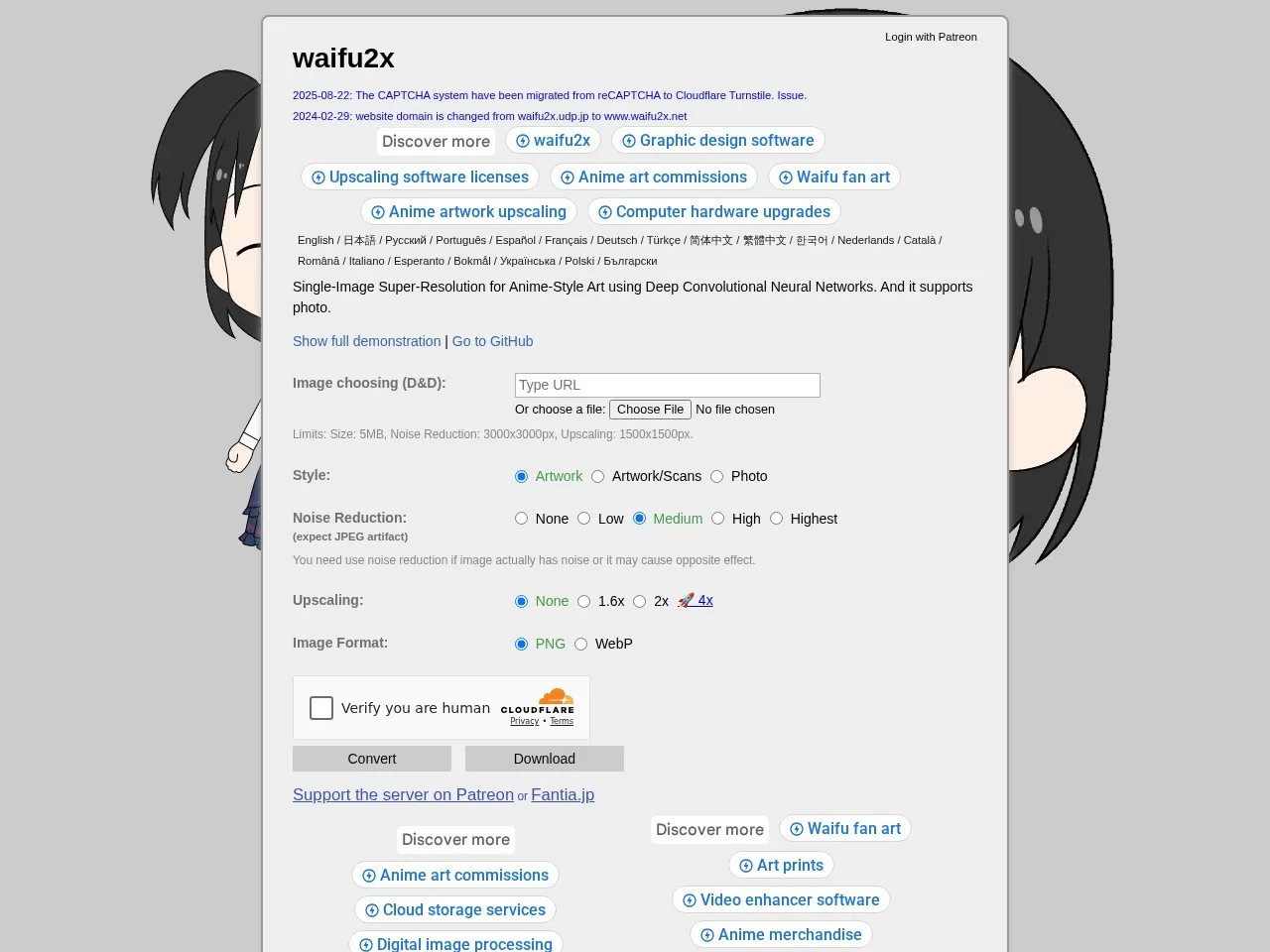
waifu2xWaifu2x is an open-source image processing tool based on Convolutional Neural Network (CNN), mainly used for scaling and optimising anime-style images.
Screenshots

Many anime fans and illustrators often encounter problems such as blurriness and severe jagged edges when enlarging low-resolution images. An AI-powered tool can perfectly solve these pain points — waifu2x. Leveraging Convolutional Neural Network (CNN) technology, it has become the go-to tool for lossless scaling and noise reduction of anime-style images, accurately identifying image details and restoring high-definition texture.
Getting to Know waifu2x: An AI-Powered Anime Image Processing Tool
Official Website: https://www.waifu2x.net/
waifu2x’s core technology comes from Convolutional Neural Networks in the field of deep learning. Unlike the interpolation scaling algorithm used in ordinary image processing tools, it can actively distinguish elements such as lines, colour blocks, and textures in anime images. During scaling, it avoids jagged edges, blurriness, or colour distortion, while simultaneously performing noise reduction, making old anime screenshots and low-resolution hand-drawn sketches instantly clear and sharp.
The tool was originally developed to optimise the image quality of 2D content, and has now become a common tool for anime creators and fans worldwide. Its open-source nature also allows more developers to participate in function iteration, continuously improving processing results.
waifu2x Core Features: Triple Advantages of Scaling + Noise Reduction + Style Preservation
For anime image processing needs, waifu2x’s function design fully aligns with users’ actual usage scenarios, and its three core advantages set it apart from ordinary image processing tools. First is the image scaling function, which supports scaling multiples of 2x, 4x, and even 8x, with a maximum output of high-definition images at 3000×3000 pixels, meeting size requirements for different scenarios such as illustration printing, desktop wallpapers, and poster production. Second is noise reduction processing. Targeting common noise and line artifacts in anime images, it can intelligently remove these interferences while preserving the original style of the image, preventing the processed image from looking stiff and unnatural. Additionally, it is particularly adapted to the needs of anime stylisation. Whether it is cel-shaded style, watercolour style, or 2D illustrations, it can accurately restore brushstrokes and colour layers, which is the key reason for its popularity among anime fans.
For example, an anime screenshot with a resolution of only 500×500 pixels, when scaled 4x with waifu2x, reaches 2000×2000 pixels, while removing noise from the image. The line edges remain clear and smooth, and colour transitions have no gaps, fully meeting usage requirements such as mobile wallpapers, printed posters, and even direct use in professional design projects.
How to Use waifu2x: Online Convenient Version and Offline Professional Version
Users can choose different versions of waifu2x based on their usage frequency and needs. The online version requires no software download, has an extremely low operation threshold. Simply visit the official website, upload the image to be processed, select parameters such as scaling multiple and noise reduction intensity, and click the process button to complete. The entire process takes only a few seconds, making it suitable for ordinary users and anime fans who process images occasionally. The offline version is suitable for designers and illustrators who need to process images frequently. Users can download the corresponding software installation package for local batch processing, without relying on the internet, which is more efficient and avoids privacy issues during image upload.
In addition to online and offline versions, waifu2x supports multiple image formats, including JPG, PNG, TIFF, BMP, etc., covering current mainstream image formats. Whether it is hand-drawn illustrations, anime screenshots, or old photos, it can perform high-definition restoration, adapting to different creation and usage scenarios.
Practical Tips and Applicable Scenarios for Using waifu2x
Practical Tips for Usage
- When processing images, prioritise parameters corresponding to the style. For example, for cel-shaded style images, appropriately increase noise reduction intensity; for watercolour style, reduce noise reduction to preserve texture details;
- If a scaling multiple exceeding 4x is needed, process it in two steps: first scale 2x, then scale another 2x. This results in a more natural effect than scaling directly 4x, reducing the risk of distortion;
- When uploading images, try to select original images with slightly higher clarity, to avoid excessive noise or poor image quality in the original that affects the final processing result.
waifu2x has a very wide range of applicable scenarios. In addition to the well-known anime images and 2D illustrations, it can also process old photos with anime style, helping users restore long-standing hand-drawn sketches and anime screenshots, restoring their original high-definition texture, and providing convenience for the preservation and dissemination of nostalgic content.
If you want to deeply understand the technical principles of waifu2x, or conduct secondary development, you can visit its open-source project address: https://github.com/nagadomi/waifu2x/, where you can obtain the latest code and technical documents, suitable for users with development needs to further explore and optimise the tool’s functions.
Relevant Navigation

Clipping Magic
Compress JPG
PaintBoard
Removebg
GridMaker